To choose the right laser setup for signs and wood decor, start with a CO2 laser. It’s perfect for cutting and engraving wood, thanks to its longer wavelength. Adjust power and speed settings based on the wood’s type and thickness to avoid burning or incomplete cuts. Mastering raster and vector engraving techniques can elevate your designs. Consider material compatibility for consistent results. Stick around for more insights on optimizing your laser projects and elevating your craftsmanship.
Key Takeaways
- Select the Right Laser Type: Opt for CO2 lasers for wood projects due to their effectiveness in cutting and detailed engraving on organic materials.
- Understand Engraving Techniques: Use raster engraving for intricate designs and vector engraving for clean outlines and text on signs.
- Adjust Power and Speed Settings: Tailor settings based on wood type and thickness to avoid burning or insufficient cuts.
- Ensure Material Compatibility: Evaluate your laser’s ability to handle various wood types for consistent project results.
- Utilize Additional Resources: Leverage guides on laser technology and material compatibility for informed project planning and execution.
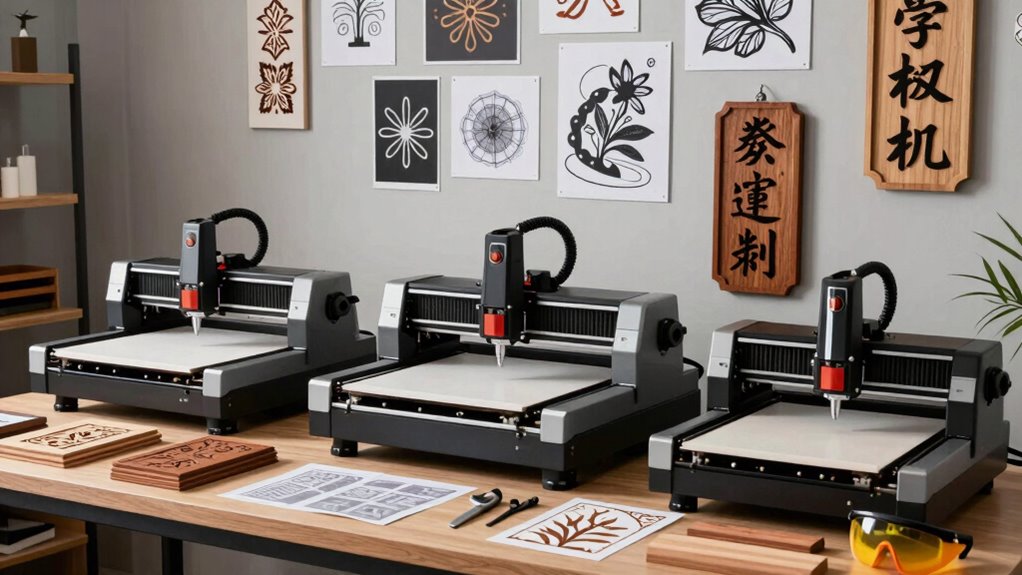
When you’re looking to create stunning signs and wood decor, choosing the right laser setup can make all the difference. The world of laser engraving and cutting offers a variety of options, each with its own set of advantages. To achieve the best results, you’ll need to evaluate the specific laser types that suit your projects. Whether you’re a hobbyist or a professional, understanding these laser types will help you make an informed decision.
First, you should know the main laser types: CO2 lasers and fiber lasers. CO2 lasers are popular for wood projects due to their ability to cut and engrave various materials effectively. They produce a longer wavelength that interacts well with organic materials like wood, making them ideal for detailed engravings and clean cuts. If you’re planning to work with thicker wood or a variety of materials, a CO2 laser is likely your best bet. On the other hand, fiber lasers are more suited for metal and harder materials. While they excel at engraving metals, they might not deliver the same results on wood as CO2 lasers do. Understanding laser wavelength can help you choose the right laser for different materials.
Once you’ve decided on a laser type, it’s essential to evaluate engraving techniques. Different techniques can enhance the quality and aesthetic of your signs and decor. For instance, raster engraving involves moving the laser head back and forth, like a printer, to create images. This technique is excellent for detailed designs, allowing for intricate patterns that can elevate your projects. On the flip side, vector engraving is faster and ideal for outlines and text. It creates a cleaner cut, which is perfect for signs that need sharp, defined edges. Additionally, mastering engraving techniques can significantly improve the precision and appearance of your work.
You should also think about the power and speed settings of your laser setup. Adjusting these settings according to the material type and thickness can greatly impact the outcome. Too much power can burn the wood, while insufficient power might not cut through it entirely. Experimenting with these settings will help you find the sweet spot for your projects. Understanding the fundamentals of laser technology can also help you optimize your workflow and achieve better results.
Finally, consider the material compatibility of your laser setup, ensuring it can handle the types of wood and other materials you plan to work with regularly.
As an affiliate, we earn on qualifying purchases.
Frequently Asked Questions
What Safety Gear Is Necessary for Laser Cutting?
When you’re laser cutting, you need essential safety gear to protect yourself. Always wear safety glasses to shield your eyes from harmful laser light and debris. A good ventilation system is vital to remove harmful fumes and particles that can arise during the process. Make sure your workspace is well-ventilated, and consider using a respirator for added protection. Prioritizing your safety keeps your projects enjoyable and hazard-free.
How Long Does a Typical Laser Engraving Take?
Engraving can feel like watching a painter bring a canvas to life. A typical laser engraving takes anywhere from a few minutes to several hours, depending on the engraving speed and design complexity. Simple designs finish quickly, while intricate ones require more time. You’ll want to balance quality and efficiency, ensuring your final product shines without dragging out the process. Keep that in mind, and you’ll find the perfect rhythm for your projects!
Can I Use a Laser for Other Materials?
Yes, you can use a laser for other materials! Many lasers work with various substrates, including acrylic, leather, glass, and metal. Each material has unique laser material compatibility, so it’s essential to adjust your settings accordingly. Experiment with different engraving techniques to achieve the best results. Whether you’re cutting or engraving, you’ll find that a versatile laser setup can reveal endless creative possibilities beyond just wood decor and signs.
What Maintenance Is Required for a Laser Machine?
To keep your laser machine in top shape, you need to focus on routine cleaning and laser machine care. Regularly check and clean the lens and mirrors to guarantee peak performance. Also, clear any debris from the bed and ventilation system. Don’t forget to lubricate moving parts as needed and inspect electrical connections for wear. By staying on top of these tasks, you’ll extend your machine’s lifespan and maintain its efficiency.
Are There Any Software Requirements for Laser Setups?
Imagine your laser machine as a painter, but without the right palette, it can’t create the masterpiece you envision. For your setup, you’ll need design software that supports various file formats, like SVG or DXF. These formats help your laser understand the designs you want to bring to life. So, equip yourself with the right tools—your creativity deserves nothing less than the best software to release its full potential!
Conclusion
In the world of signs and wood decor, choosing the right laser setup is like finding the perfect brush for a masterpiece. You want precision, power, and versatility to bring your creative visions to life. By considering your material, budget, and intended designs, you’ll guarantee your projects resonate with beauty and professionalism. So, take your time, weigh your options, and soon you’ll be crafting stunning pieces that truly capture your unique style.