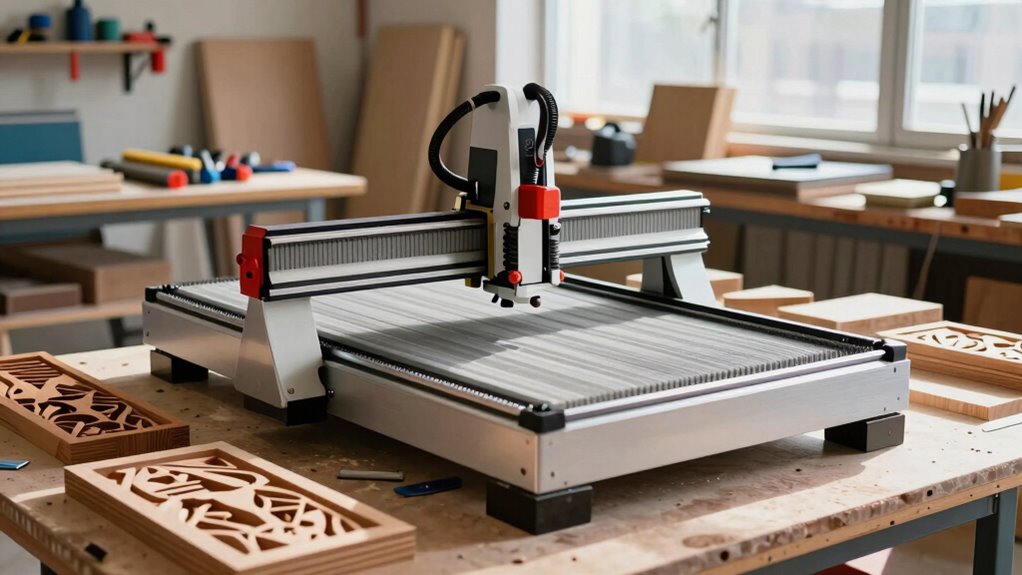

When choosing a CNC router for signs, cabinet parts, and hobby projects, start by identifying the type that fits your needs—desktop or industrial. Check material compatibility; verify it handles wood, plastic, and metal, especially MDF and acrylic. Look for user-friendly software that integrates with your design programs. Set a budget that balances features and reliability. Finally, consider the size and maintenance needs. Exploring these aspects helps you make the best choice for your projects ahead.

Get business pricing on tools and workshop supplies
- Business-only prices and quantity discounts
- Tax-exempt purchasing
- Multiple users, one account, clear invoices
Key Takeaways
- Identify the router type: Choose between desktop routers for small projects and industrial machines for heavier tasks based on your specific needs.
- Check material compatibility: Ensure the router can handle materials like MDF and acrylic, essential for sign-making and cabinet parts.
- Evaluate software options: Select routers with user-friendly software that integrates well with design programs for a smoother experience.
- Set a budget: Determine your financial limits, balancing cost against the features necessary for your projects, ensuring long-term reliability.
- Consider size and maintenance: Assess space availability for the router and prioritize models that require minimal upkeep to maintain peak performance.
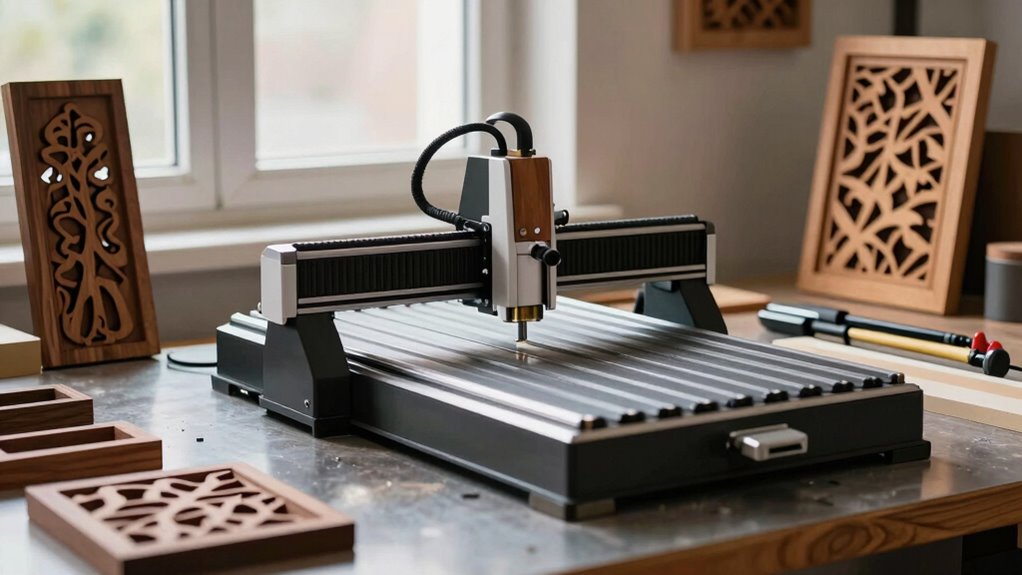
Choosing a CNC router can feel overwhelming, but it doesn’t have to be. When you’re diving into the world of CNC routers for signs, cabinet parts, and hobby work, it’s vital to narrow down your options based on several key factors. First, consider the various CNC router types available. You’ll find options like desktop routers, which are compact and suitable for smaller projects, or larger industrial machines that can handle heavy-duty tasks. Knowing what type fits your needs will streamline your decision-making.
Next, think about material compatibility. Different routers work better with specific materials like wood, plastic, or metal. If you plan to create signs from MDF or acrylic, verify the router can handle those materials. This will save you time and frustration down the line. Software options also play a significant role in your choice. Look for routers that come with user-friendly software or are compatible with popular design programs. This can make your experience smoother, especially if you’re new to CNC machining.
Budget considerations are important too. CNC routers can range from a few hundred to several thousand dollars. Set a budget that reflects your needs and stick to it. Keep in mind that while cheaper models might save you money initially, they may lack features or durability. It’s worth investing in a reliable machine that meets your requirements. Additionally, understanding the CNC router types and their specific capabilities can help you choose the best fit for your projects. Research different brands and their offerings, paying attention to user reviews. These reviews can provide valuable insights into the performance and reliability of various models. You’ll find that experienced users often share tips and tricks that can enhance your CNC routing experience.
Size requirements should also factor into your decision. Consider the space you have available and the size of the projects you want to undertake. A compact router may be perfect for hobby work, while a larger one might be necessary for cabinet parts. Plus, don’t forget about maintenance tips. Regular upkeep will prolong your router’s lifespan, so look for models known for ease of maintenance. Proper maintenance practices are essential for ensuring consistent performance over time. Knowing the materials you plan to work with can further refine your choice and ensure compatibility with your hardware. Evaluating the software compatibility of a CNC router can also help prevent technical issues down the line.
Ultimately, choosing the right CNC router involves balancing these factors. By carefully considering the types of routers, materials, software, budget, size, maintenance, brands, and user feedback, you’ll be well on your way to making an informed decision that suits your specific projects.
Products Worth Considering

Dyson Ball Animal 3 Upright Vacuum

Dyson Cyclone V10 Origin Cordless Vacuum

Philips Hue Smart LED Candle Light Bulb (B39, E12) – 2 Pack
As an affiliate, we earn on qualifying purchases.
Frequently Asked Questions
What Materials Can I Use With a CNC Router?
You can use a variety of materials with a CNC router, including wood, plastics, and soft metals. Material compatibility is essential, as different materials require specific cutting techniques. For instance, hardwoods need precise settings to avoid splintering, while acrylics benefit from slower speeds to prevent melting. Experiment with these materials to discover the best results for your projects, ensuring you adjust your router’s settings accordingly for peak performance.
How Much Space Do I Need for a CNC Router?
You’ll need enough space for your CNC router dimensions and a comfortable workspace layout. Typically, allow at least a few feet around the machine for operation and maintenance. Consider the size of the projects you’ll tackle; larger pieces require more room. Factor in storage for materials and tools, too. A well-organized space not only boosts efficiency but also guarantees safety while you work on your designs.
Can I Use a CNC Router for 3D Carving?
Yes, you can definitely use a CNC router for 3D carving! With the right setup, you’ll access a world of creative possibilities. CNC routers offer advantages like precision and repeatability, making them ideal for intricate designs. By exploring various 3D carving techniques, you can create stunning sculptures or detailed signs. Just confirm your router has sufficient power and the appropriate tooling for the best results. Immerse yourself, and let your imagination run wild!
What Maintenance Is Required for CNC Routers?
Maintaining your CNC router is like caring for a high-performance sports car—both need attention to detail. Regular router cleaning keeps dust and debris at bay, while a consistent lubrication schedule guarantees smooth operation. Don’t forget spindle care; it’s vital for precision. Finally, tool calibration ensures your projects turn out exactly as you envision. By following these steps, you’ll keep your CNC router running efficiently and extend its lifespan.
Are There Software Recommendations for Beginners?
For beginners, I’d recommend user-friendly software like Easel or Carveco Maker. These programs simplify the design process and offer intuitive interfaces, making it easier to get started. When considering design, focus on the type of projects you want to create—like signs or cabinet parts—and guarantee the software supports those materials and designs. Don’t hesitate to explore tutorials; they’re great for building your skills and confidence as you plunge into CNC routing.
Conclusion
In the world of CNC routers, choosing the right one is like finding the perfect paintbrush for a masterpiece. Whether you’re crafting intricate signs, precision cabinet parts, or diving into hobby projects, your machine should feel like an extension of your creativity. So, take your time, weigh your options, and let your imagination guide you. With the right CNC router in hand, you’ll carve out a path to endless possibilities and turn your visions into reality.