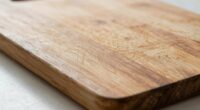
To control wood engraving depth, you should adjust laser power, speed, and the number of passes. Higher power delivers more energy for deeper cuts, while slower speeds allow the laser to dwell longer, increasing depth. Multiple passes gradually build up the engraving without damaging the wood. Understanding how different wood types respond helps fine-tune these settings for your desired result. Keep exploring these factors to master precise, consistent engravings with ease.

Get tools and workshop supplies delivered free — and shop member deals
- Fast, free delivery on millions of items
- Access to Prime Big Deal Days deals on October 6–7
- Prime Video, Amazon Music and more included
Key Takeaways
- Increasing laser power deepens engraving, but excessive power can cause burns or uneven surfaces.
- Slower speeds allow longer laser contact, resulting in deeper cuts or engravings.
- Multiple passes gradually build depth, reducing the risk of damaging the wood.
- Wood type and grain influence optimal settings for achieving desired engraving depth.
- Adjusting power, speed, and passes together provides precise control over engraving depth and detail.
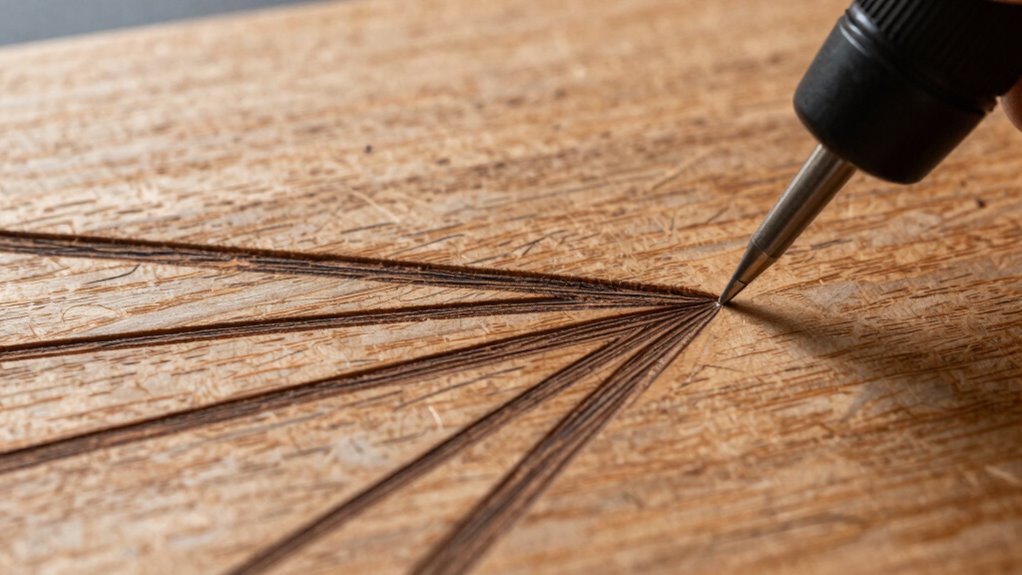
Laser engraving on wood allows you to create detailed designs with precision, but understanding how deep the laser penetrates is essential for achieving the desired effect. The depth of your engraving depends heavily on your chosen laser settings, especially power, speed, and the number of passes. When you’re aiming for specific results, knowing how these factors interact can make all the difference. For example, adjusting laser power controls how much energy is delivered to the wood surface, directly influencing how deeply the laser burns into the material. Higher power settings tend to produce deeper engravings, but if you push it too far, you risk burning through the wood or creating uneven results. Conversely, lower power settings are ideal for subtle, shallow engravings and delicate details.
Adjust laser power carefully to control engraving depth and avoid burning or uneven results.
Speed is another pivotal element. Moving the laser head at a slower pace allows the laser to dwell longer on each spot, increasing the depth of the cut or etch. Faster speeds reduce the amount of energy delivered, resulting in lighter, shallower engravings. Finding the right balance between speed and power requires some experimentation, especially since different types of wood respond differently. Hardwoods like oak or maple generally require higher power and slower speeds for deeper engraving, while softer woods like pine or cedar may need less power and faster speeds to avoid overburning.
The number of passes also plays a significant role. Making multiple passes over the same area can build up depth gradually without risking damage from high power or slow speed in a single pass. This technique is particularly useful when creating wood grain effects, as it allows you to develop more nuanced textures and shadows by layering the engraving. Using multiple passes also helps to preserve the integrity of the wood, preventing it from becoming overly scorched or charred, which can happen with aggressive single-pass engraving.
Additionally, understanding the material properties of the wood you are working with, such as density and grain direction, can greatly influence the optimal settings for achieving the desired engraving depth. When mastering laser engraving techniques, especially for detailed wood grain effects, understanding how these settings interact is key. Adjusting power, speed, and passes in tandem enables you to achieve the perfect depth—whether you want a subtle etch or a deeply carved design. It’s all about fine-tuning your machine to match the type of wood and the visual effect you’re aiming for, ensuring that each project turns out precisely as you envisioned.
As an affiliate, we earn on qualifying purchases.
Frequently Asked Questions
How Does Wood Type Affect Engraving Depth?
You’ll notice that wood type considerably impacts engraving depth because of grain patterns and moisture content. Hardwoods with tight, uniform grains allow for cleaner, deeper engravings, while softer woods or those with irregular grains may produce shallower or uneven results. Additionally, higher moisture content can cause the wood to resist engraving, reducing depth. Adjust your laser settings accordingly to get the desired depth based on these wood characteristics.
Can Laser Settings Be Adjusted for Different Wood Finishes?
Sure, you can totally tweak your laser settings for different wood finishes—because who doesn’t love a good experiment? Adjust power, speed, and passes to optimize laser finish and enhance engraving contrast. Thinner finishes might need a softer touch, while rougher surfaces demand more oomph. Play around, test, and watch your artwork pop with perfect contrast, making your wood look so good, even your grandma’s antique furniture will envy it.
What Safety Precautions Are Necessary During Laser Engraving?
You should always prioritize laser safety by wearing protective gear like safety goggles and gloves. Make certain your workspace is well-ventilated to avoid fumes, and keep a fire extinguisher nearby. Never leave the laser unattended during operation, and double-check that all safety features are active. Proper training on your laser engraver also helps prevent accidents, making your engraving process safer for you and others around you.
How Does Ambient Temperature Influence Engraving Results?
Did you know that even a 5% change in ambient humidity can impact laser engraving quality? Ambient temperature influences laser temperature and how heat disperses across the wood, affecting the depth and clarity of your engravings. Warmer conditions can cause the laser to produce deeper burns, while cooler air might result in lighter marks. Keep an eye on ambient humidity and temperature to achieve consistent, precise results.
Are There Eco-Friendly Options for Laser Engraving Wood?
Yes, there are eco-friendly options for laser engraving wood. You can choose biodegradable materials like bamboo or reclaimed wood, which reduce environmental impact. Also, look for suppliers focusing on sustainable sourcing to guarantee the wood comes from responsibly managed forests. Using these options helps you create beautiful engravings while minimizing your ecological footprint, making your projects both stylish and environmentally conscious.
Conclusion
By mastering power, speed, and passes, you hold the brush to reveal the wood’s hidden depths, like uncovering a secret story beneath its surface. Each adjustment is a stroke of your creative brush, shaping shadows and light. Think of your laser as a guiding lantern, illuminating the intricate layers within the wood. With patience and precision, you carve not just into material, but into the very soul of your craft, bringing your vision vividly to life.
Halloween Picks
halloween
As an affiliate, we earn on qualifying purchases.