Maintaining your DEWALT 20V MAX Combo Kit is essential for ensuring its longevity, reliable performance, and safety during use. Over time, dust, debris, and grime can accumulate, affecting the tool’s operation. Regular cleaning not only extends the life of your tools but also keeps them functioning at their best.
In this guide, you’ll find clear, practical steps to safely clean your DEWALT combo kit, including the drill and impact driver, batteries, and charger. Following these instructions will help you avoid damage and preserve the functionality of your investment.
Key Takeaways
| Regular Cleaning Prevents Malfunctions | Keeping your tools free of dust and debris ensures smooth operation and reduces wear. |
| Use Appropriate Cleaning Tools | Soft brushes and cloths prevent scratching and damage to sensitive parts. |
| Avoid Water on Electronic Components | Keep batteries and chargers dry to prevent electrical issues. |
| Inspect Before and After Cleaning | Check for damage or wear that might need professional repair. |
| Proper Storage Extends Tool Life | Store in a dry, clean environment to prevent rust and corrosion. |

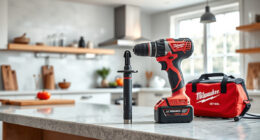
DEWALT 20V MAX Cordless Drill and Impact Driver, Power Drill Brushless 2-Tool Power Tool Combo Kit, Includes 2 Batteries, Charger and Bag (DCK277D2)
- Compact Design: 7.6-inch lightweight and compact
- Ergonomic Grip: Comfortable, balanced control
- Bright LED Light: Illuminates dark work areas
As an affiliate, we earn on qualifying purchases.
Gather Your Cleaning Supplies
- Soft-bristled brush or toothbrush
- Lint-free cloths or microfiber towels
- Isopropyl alcohol (70% or higher) for stubborn grime
- Compressed air canister
- Small screwdriver (if needed for disassembly)
Having these supplies ready will streamline the cleaning process and ensure safe, effective maintenance of your DEWALT tools.
Power Down and Remove Batteries
Before cleaning, always turn off your tools and detach the batteries. This prevents accidental activation and protects electronic components. Remove batteries carefully by pressing the release buttons, and set them aside in a dry, cool place.
Clean the Exterior and Ventilation Areas
- Use compressed air to blow out dust from vents, switches, and crevices. Hold the can upright and spray in short bursts to avoid moisture buildup.
- Wipe the outer surface with a slightly damp microfiber cloth—avoid excess moisture that could seep into electronic parts.
- If dirt persists, dampen a cloth with isopropyl alcohol and gently wipe surfaces for a deeper clean.
Ensure all areas are dry before reassembling or storing.
Clean and Inspect the Batteries
Use a dry cloth or a lightly dampened one with isopropyl alcohol to clean the battery contacts. Check for corrosion, swelling, or damage. If corrosion is present, gently clean with a small brush and alcohol. Do not submerge batteries in water or alcohol.
Ensure contacts are dry and free of debris before reinserting into the tool or charger.
Disassemble and Clean the Drill and Impact Driver (if needed)
If your tools have accumulated stubborn grime around the chuck or grip, use a screwdriver to carefully disassemble the chuck or handle panels as instructed in the user manual. Clean internal parts with compressed air and a brush. Reassemble once components are dry and free of debris.
Never submerge electronic parts or motor components in liquids. Regular internal cleaning can prevent overheating and mechanical failure.
Final Checks and Proper Storage
After cleaning, inspect your tools for signs of wear or damage. Reinsert fully charged batteries, and store your DEWALT combo kit in a dry, dust-free area, ideally in the included carrying bag. Keep batteries in a cool, dry place away from metal objects to prevent short circuits.
Perform this cleaning routine periodically, especially after heavy use or exposure to harsh environments.
The Products in This Guide

DEWALT 20V MAX Cordless Drill and Impact Driver
- ✔ Battery Capacity: 5Ah
- ✔ Tool Length: 7.6 inches
- ✔ Warranty: 3 years

DEWALT Drill Bit Set
- ✔ Tip Angle: 135°
- ✔ Shank Format: 3-Flats
- ✔ Coating: Black and Gold
DEWALT 20V MAX Cordless Drill and Impact Driver
<p>The DEWALT 20V MAX Cordless Drill and Impact Driver set offers a compact, lightweight design with ergonomic comfort, making it ideal for tight spaces and prolonged use. Its brushless motors deliver efficient power, and the included LED light enhances visibility in dark areas. Regular cleaning ensures that these features continue to operate smoothly and safely over time.</p>
Pros:
- Lightweight and compact design
- Brushless motors for efficiency
- Includes 2 batteries and charger
- Ergonomic grip for comfort
Cons:
- Requires periodic cleaning for optimal performance
- Limited to 20V MAX system compatibility
- Charger may be slow for some users
Best for: DIY enthusiasts and professionals needing reliable, versatile power tools.
Not ideal for: Heavy-duty industrial applications or extreme environmental exposure.
Bottom line: Regular cleaning keeps your DEWALT combo kit performing at its best for years to come.
DEWALT Drill Bit Set
<p>This 14-piece DEWALT drill bit set features 135-degree split point tips, making it ideal for drilling into plastic, wood, and metal. Its heavy-duty high-speed steel construction and black and gold coating resist rust and wear, ensuring durability. Using these bits with your DEWALT drill enhances your project efficiency and precision.</p>
Pros:
- Durable high-speed steel construction
- Corrosion-resistant coating
- Includes a variety of sizes
- Designed for multiple materials
Cons:
- Only compatible with 3/16-inch or larger shanks
- Not suitable for heavy industrial use
- Requires proper bit maintenance for longevity
Best for: DIYers and professionals needing versatile, high-quality drill bits.
Not ideal for: Heavy industrial or continuous heavy-duty drilling.
Bottom line: A reliable drill bit set that offers excellent value and durability.
Frequently Asked Questions
How often should I clean my DEWALT tools?
It’s best to clean your DEWALT tools after heavy use, exposure to dirt or dust, or when performance seems diminished. Regular maintenance helps prolong their lifespan.
Can I wash my batteries with water?
No, always avoid getting batteries wet. Use a dry or slightly damp cloth to clean contacts and exterior surfaces. Water can damage the internal components.
What should I do if my tool is not turning on after cleaning?
Check the batteries to ensure they are charged and properly inserted. Inspect for any damage or corrosion, and clean contacts if needed. If problems persist, seek professional repair.
Is it safe to use compressed air to clean electronic parts?
Yes, but ensure the compressed air is used in short bursts and held upright to avoid moisture. Never spray directly into sensitive electronic components with excessive force.
How can I prevent rust on my tools?
Keep your tools dry, store them in a moisture-free environment, and periodically clean and oil metal parts to prevent rust formation.
Keep Your DEWALT Tools in Prime Condition
Regularly cleaning your DEWALT 20V MAX Combo Kit is a simple yet vital step in maintaining its performance and extending its lifespan. By following the practical steps outlined above, you can ensure your tools remain reliable and safe to use. Remember, a well-maintained tool is a happy, efficient tool. Take care of your investment, and it will serve you well for years to come.
Affiliate disclosure: As an Amazon Associate we earn from qualifying purchases. Prices and availability are accurate as of the time of publishing.