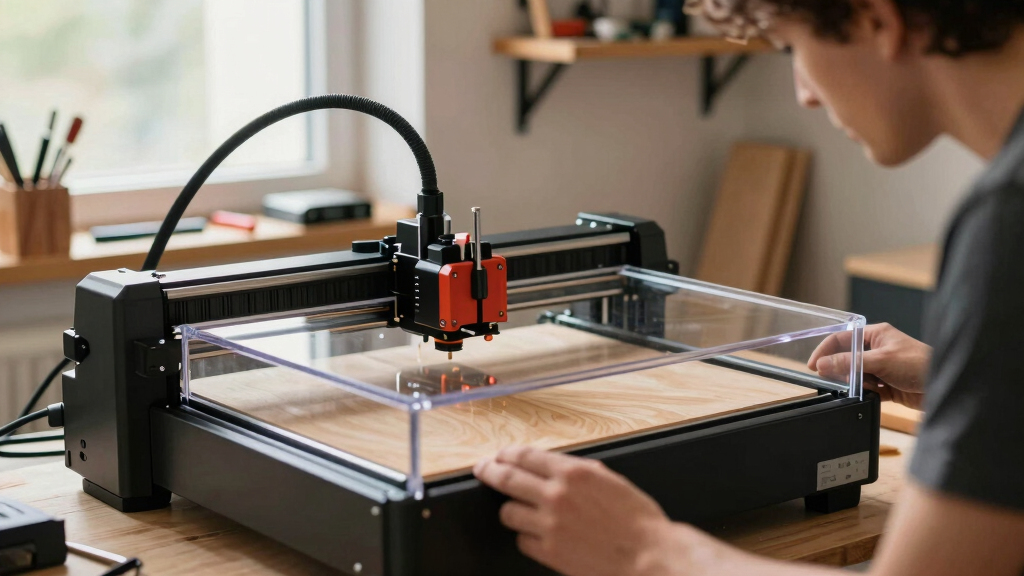
Choosing the best enclosed laser engraver involves balancing safety, precision, and ease of use. The K15 Pro 10W stands out as the best overall due to its reliable performance and versatile connectivity options. For those prioritizing smart features, the TOOCAA NOVA 10W offers AI camera integration and intuitive controls. Meanwhile, the Creality Falcon A1 Pro provides a powerful 20W laser with auto-focus for demanding projects. Most options in this category involve tradeoffs between power, complexity, and price, so understanding your specific needs is key. Keep reading for a detailed breakdown of each model to find your perfect fit.

Get business pricing on tools and workshop supplies
- Business-only prices and quantity discounts
- Tax-exempt purchasing
- Multiple users, one account, clear invoices
Complete the kit


Key Takeaways
- Higher wattage lasers like the xTool S1 deliver more cutting power but come with increased cost and larger footprints.
- Smart features such as AI cameras and auto-focus improve usability but may add complexity and raise the price.
- Enclosed designs significantly enhance safety, but some models sacrifice portability for a larger, more stable build.
- The best value picks balance performance with affordability, avoiding overly premium features that aren’t essential for casual users.
- Advanced users should consider models with upgrade options and higher precision capabilities for long-term versatility.
| K15 Pro 10W Laser Engraver with WiFi and USB, 300x200mm Enclosed Machine |  | Best Overall Enclosed Laser Engraver | Laser Power: 10W | Work Area: 300 x 200 mm | Material Compatibility: Over 300 materials including wood, acrylic, glass, leather, paper, plastics, coated metals, stainless steel, aluminum | VIEW LATEST PRICE | See Our Full Breakdown |
| TOOCAA NOVA 10W Smart Laser Engraver with AI Camera and Rotary Kit |  | Best for Intelligent, User-Friendly Operation | Camera: 5MP AI Camera | Auto Focus: 3 seconds | Materials Supported: 500+ including tumblers, wood, acrylic, leather, glass, coated metal, jewelry, signs | VIEW LATEST PRICE | See Our Full Breakdown |
| BlazeX M3 10W Laser Engraver Machine, Ultra-Precision Desktop Laser Cutter and Engraver for Wood, Metal, Glass, Leather |  | Best for Professional-Quality Small-Scale Projects | Laser Power: 10W | Accuracy: 0.01mm | Materials: Wood, Metal, Glass, Leather | VIEW LATEST PRICE | See Our Full Breakdown |
| Twotrees TS1 Mini 3000mW Laser Engraver, Fully Enclosed Safe Design |  | Best Compact and Portable Enclosed Laser Engraver | Laser Power: 3W | Work Area: 80x80mm | Dimensions: 6.1 x 6.1 x 5.7 inches | VIEW LATEST PRICE | See Our Full Breakdown |
| xTool M2 10W Laser Engraver with Dual Cameras and Enclosed Safety Design |  | Best for Versatile, High-Tech Home Crafting | Laser Power: 10W | Built-in Cameras: Dual cameras with real-time preview | Materials Supported: Wood, leather, felt, fabric, paper, etc. | VIEW LATEST PRICE | See Our Full Breakdown |
| CREALITY FALCON A1 10W Laser Engraver with Enclosed Design and Smart Camera |  | Best Overall for Beginners and Versatile Creators | Power Output: 10,000mW | Working Area: 381 × 305mm | Laser Class: 1 | VIEW LATEST PRICE | See Our Full Breakdown |
| Creality Falcon A1 Pro 20W Laser Engraver with Touch Screen and Auto Focus |  | Best for Professionals and Serious Hobbyists | Laser Power: 20W | Engraving Area: 460 × 346mm | Material Compatibility: Wood, Metal | VIEW LATEST PRICE | See Our Full Breakdown |
| 20W Laser Engraver with Enclosure and Safety Features |  | Best for Versatility and High-Precision Engraving | Laser Power: 20W | Cutting Depth: 2x deeper than 10W models | Focusing Precision: 0.01mm | VIEW LATEST PRICE | See Our Full Breakdown |
| xTool S1 40W Laser Cutter and Engraver with Rotary Bundle |  | Best for Large Projects and Curved Surfaces | Laser Power: 40W | Bed Size: 23.93″ x 15.16″ | Speed: 600mm/s | VIEW LATEST PRICE | See Our Full Breakdown |
| enclosed laser engraver | Laser Power | Material Compatibility |
|---|---|---|
| K15 Pro 10W Laser Engraver wit | 10W | Over 300 materials including wood, acrylic, glass, leather, paper, plastics, coated metals, stainless steel, aluminum |
| TOOCAA NOVA 10W Smart Laser En | — | — |
| BlazeX M3 10W Laser Engraver M | 10W | — |
| Twotrees TS1 Mini 3000mW Laser | 3W | Plywood, MDF, bamboo, paper, painted metal, leather |
| xTool M2 10W Laser Engraver wi | 10W | — |
| CREALITY FALCON A1 10W Laser E | — | Wood & Metal |
| Creality Falcon A1 Pro 20W Las | 20W | Wood, Metal |
| 20W Laser Engraver with Enclos | 20W | — |
| xTool S1 40W Laser Cutter and | 40W | Wood, Metal, Acrylic, Curved surfaces |
More Details on Our Top Picks
K15 Pro 10W Laser Engraver with WiFi and USB, 300x200mm Enclosed Machine
The K15 Pro 10W stands out for its versatile connectivity options, combining WiFi, USB, and TF card support, which makes it highly adaptable for different workflows. Its high-precision 0.01mm engraving accuracy on over 300 materials rivals more expensive models like the xTool M2, but its larger work area of 300x200mm offers more flexibility than smaller units like the Twotrees TS1. The fully enclosed design enhances safety, making it suitable for small workshops and hobbyists who prioritize security. While its setup is straightforward with guided instructions, complete beginners may find assembly still a challenge. The laser power may not suffice for deep metal engraving without upgrades, which is a tradeoff for its ease of use and broad compatibility. Compared with the Creality Falcon A1, this model provides more connectivity options but lacks the high-powered laser for heavy-duty tasks. Overall, it’s a well-rounded choice for users seeking a safe, precise, and flexible engraver for diverse materials.
Pros:- Supports multiple connection methods including WiFi, USB, and TF card for flexible operation
- High-precision engraving with 0.01mm accuracy on over 300 materials
- Full enclosure enhances safety during operation
- Compatible with various software and systems, suitable for both beginners and experienced users
Cons:- Assembly and setup may be challenging for complete beginners despite guided instructions
- Laser power may be insufficient for deep metal engraving without upgrades
Best for: Hobbyists and small business owners who need a reliable, versatile, and safe enclosed laser engraver with broad material compatibility.
Not ideal for: Professionals requiring deep metal engraving or industrial-scale production, due to its 10W laser power and size limitations.
- Laser Power:10W
- Work Area:300 x 200 mm
- Material Compatibility:Over 300 materials including wood, acrylic, glass, leather, paper, plastics, coated metals, stainless steel, aluminum
- Precision:0.01mm
- Cooling System:High-speed cooling fan
- Connectivity:WiFi, USB, TF card
Our verdict“This model offers a balanced combination of safety, versatility, and precision, ideal for hobbyists and small businesses needing a reliable, enclosed laser engraver.”
TOOCAA NOVA 10W Smart Laser Engraver with AI Camera and Rotary Kit
The TOOCAA NOVA 10W leverages a 5MP AI camera that significantly improves positioning accuracy and simplifies setup, making it a top choice for users seeking effortless precision. Its auto-focus feature and material recognition streamline workflows, especially for intricate designs and cylindrical objects like tumblers, which can be problematic for smaller or less advanced units. Fully enclosed and equipped with safety features such as flame detection and emergency stop, it offers peace of mind, particularly in family or educational settings. Compared to the Twotrees TS1, this model provides more advanced automation but comes at a higher price point, which might deter casual hobbyists. Its 10W laser power limits deep engraving on thick metals, but for detailed work on a broad range of materials, it excels. The integrated rotary kit expands its versatility for 3D and cylindrical projects, making it ideal for small business owners focused on personalized items.
Pros:- AI camera with real-time dual-camera preview enhances accuracy and ease of use
- Supports engraving on cylindrical objects with included rotary kit
- Fully enclosed safety design with multiple safety features
- Intuitive workflow with automatic adjustments and templates
Cons:- Higher cost may be prohibitive for casual hobbyists
- Limited work area size restricts larger projects
- Laser power may not be suitable for heavy-duty metal engraving
Best for: Home users, educators, or small entrepreneurs who want a safe, automated, and precise laser engraver with advanced positioning features.
Not ideal for: Users needing to engrave very thick metals or large-area projects, due to its 80x80mm work area and limited laser power.
- Camera:5MP AI Camera
- Auto Focus:3 seconds
- Materials Supported:500+ including tumblers, wood, acrylic, leather, glass, coated metal, jewelry, signs
- Rotary System:360° rotary kit
- Safety Features:Fully enclosed, flame detection, emergency stop, tilt protection, child lock
- Connectivity:WiFi, Bluetooth, USB
Our verdict“Ideal for users seeking a smart, automated laser engraver with advanced positioning and safety features for detailed and cylindrical projects.”
BlazeX M3 10W Laser Engraver Machine, Ultra-Precision Desktop Laser Cutter and Engraver for Wood, Metal, Glass, Leather
The BlazeX M3 combines professional-grade precision with a user-friendly package, making it suitable for detailed work on a variety of materials. Its 0.01mm accuracy rivals larger, more expensive models like the xTool M2, but it remains targeted at small-batch and DIY projects thanks to its compact size. The inclusion of a safety-rated Class 1 enclosure and an array of accessories, including a protective laser bed and starter kit, enhances both safety and usability. While it offers versatile cutting and engraving on materials like wood, metal, glass, and leather, its small work area limits its application for larger pieces. The setup process involves a learning curve, especially for those new to laser engraving, and the price might be a barrier for casual users. Compared to the Creality Falcon A1, it provides more precise engraving but less raw power and size.
Pros:- High-precision engraving with 0.01mm accuracy
- Versatile for cutting and engraving on multiple materials
- Safe Class 1 safety rating with protective enclosure
- Includes starter kit and accessories for easy start
Cons:- Limited work area size restricts large projects
- Requires some setup and learning curve for optimal use
- Price may be high for casual hobbyists
Best for: Small business owners or serious hobbyists needing high-precision engraving and cutting on detailed projects within a limited workspace.
Not ideal for: Large-scale industrial work or projects requiring deeper metal engraving, due to size restrictions and 10W laser power.
- Laser Power:10W
- Accuracy:0.01mm
- Materials:Wood, Metal, Glass, Leather
- Safety Rating:Class 1
- Included Accessories:Protective enclosure, tool kit, 13 materials
- Compatibility:Windows, macOS, iOS, Android
Our verdict“A compact, high-precision laser engraver ideal for detailed projects on small items, perfect for small studios or advanced hobbyists.”
Twotrees TS1 Mini 3000mW Laser Engraver, Fully Enclosed Safe Design
The Twotrees TS1 Mini emphasizes safety and portability, featuring a fully enclosed acrylic case that makes it ideal for small spaces, classrooms, or home workshops. Its 3W laser power, while modest, is sufficient for fine engraving on materials like plywood, paper, and painted metal, but it falls short for heavy cutting or deep engraving. Its Bluetooth control via a smartphone app simplifies operation, and the 80x80mm work area keeps it compact. Compared with larger models like the CREALITY FALCON A1, it sacrifices size and power for a smaller footprint and ease of use. Its lightweight construction makes it easy to move and store, but this also means it’s less suitable for larger projects or demanding industrial tasks. Best suited for small crafts, gifts, or educational purposes where safety and simplicity matter most.
Pros:- Fully enclosed design for safety and debris containment
- Wireless control via smartphone app for convenience
- Compact and lightweight, ideal for small spaces and portability
- Supports detailed engraving on a variety of materials
Cons:- Limited work area size restricts larger projects
- Laser power (3W) insufficient for heavy cutting or deep engraving
- Small size limits scalability for bigger or industrial projects
Best for: Home crafters, educators, or makers who prioritize safety, portability, and detailed engraving on small projects.
Not ideal for: Large or heavy-duty projects requiring bigger work areas or deeper cuts, due to limited size and laser power.
- Laser Power:3W
- Work Area:80x80mm
- Dimensions:6.1 x 6.1 x 5.7 inches
- Weight:2.97 pounds
- Material Compatibility:Plywood, MDF, bamboo, paper, painted metal, leather
- Connectivity:Bluetooth, USB
Our verdict“A portable, safe, and easy-to-use engraver perfect for small projects and educational settings where safety and space-saving are priorities.”
xTool M2 10W Laser Engraver with Dual Cameras and Enclosed Safety Design
The xTool M2 introduces dual cameras that provide real-time workspace preview, greatly enhancing engraving precision and ease of use. Its fully enclosed safety design makes it suitable for family environments and small workshops, while supporting a broad range of materials, from wood and leather to fabric and paper. Its ability to do full-color printing and precise cutting on over 300 materials, along with options for additional modules like a CMYK inkjet, positions it as a highly flexible tool. Compared with the TOOCAA NOVA, the M2 offers more advanced imaging features, but the optional modules are sold separately, adding to the overall cost. The 10W laser power may limit deep metal engraving, yet its safety features and user-friendly software make it appealing for hobbyists and small-scale craft businesses. Its dual-camera system is a standout feature for improving detail and accuracy.
Pros:- Dual cameras with real-time preview improve accuracy and ease of alignment
- Supports a wide variety of materials for versatile projects
- Fully enclosed safety design suitable for home use
- User-friendly software with templates and AI image generator
Cons:- Additional modules like CMYK and IR laser are sold separately, increasing overall cost
- Limited to 10W laser power, less suitable for heavy metal engraving
- Setup for optional modules requires extra effort
Best for: DIY crafters and hobbyists who value real-time workspace preview and the ability to do detailed, multi-material projects safely at home.
Not ideal for: Users needing industrial-grade power or large, heavy-duty production, as it’s optimized for small, detailed projects within a limited workspace.
- Laser Power:10W
- Built-in Cameras:Dual cameras with real-time preview
- Materials Supported:Wood, leather, felt, fabric, paper, etc.
- Power Options:Standard 10W diode laser, optional modules
- Enclosure:Fully enclosed safety design
- Additional Features:AI image generator, templates
Our verdict“A highly versatile, safe, and intelligent engraver ideal for detailed small projects and multi-material crafting at home or in small studios.”
CREALITY FALCON A1 10W Laser Engraver with Enclosed Design and Smart Camera
The CREALITY FALCON A1 stands out for its balance of ease of use and precision, making it a strong choice for newcomers and hobbyists. Its smart HD camera simplifies setup, especially compared to the more manual process on the 20W Laser Engraver. While it excels at engraving on non-reflective materials like wood and coated metals, it cannot cut acrylic or reflective metals, which limits its scope. Its smaller working area may be a constraint for larger projects, but it compensates with high-speed operation up to 600mm/s. Compared to the xTool S1, it’s less powerful but more straightforward for small-scale tasks. Overall, it’s best suited for users prioritizing safety and simplicity without sacrificing precision.
Pros:- Easy to set up and operate immediately out of the box
- Fast engraving speeds up to 600mm/s for efficient workflow
- Smart camera for precise object positioning and alignment
- Enclosed design enhances safety and smoke control
Cons:- Limited to non-reflective materials, restricting some applications
- Cannot cut acrylic without special surface coating
- Smaller working area may limit large projects
Best for: Hobbyists and small workshop owners who want reliable, safe, and precise engraving with minimal setup.
Not ideal for: Professionals needing to cut large sheets or work on reflective metals, as the working area and material compatibility are limited.
- Power Output:10,000mW
- Working Area:381 × 305mm
- Laser Class:1
- Speed:600mm/s
- Material Compatibility:Wood & Metal
- Safety Features:Enclosed design, auto-lock, emergency stop, smoke control
Our verdict“This model is perfect for users seeking a safe, user-friendly engraver for small to medium projects with reliable accuracy.”
Creality Falcon A1 Pro 20W Laser Engraver with Touch Screen and Auto Focus
The Creality Falcon A1 Pro offers a significant step up in power and features, making it suitable for users who need high-precision work on thicker materials. Its auto focus and HD AI vision system streamline setup, surpassing the manual adjustments required on the 20W Laser Engraver. While it provides a larger engraving area and faster setup, it still requires some technical knowledge for optimal operation, especially when configuring optional modules like the IR laser. Compared to the 20W Laser Engraver, it’s more feature-rich but also more complex and pricier, making it better suited for those with some experience. It balances speed, safety, and versatility, ideal for professional use or serious hobbyists who want a more advanced machine.
Pros:- High-precision auto focus ensures quick, accurate setup
- App control and touchscreen simplify operation
- Fast engraving speeds up to 600mm/s with safety shields
- Larger working area supports bigger projects
Cons:- Requires purchase of additional IR laser module for advanced features
- Pre-assembled but still needs some technical adjustments
- Limited to specific working area size
Best for: Experienced hobbyists and small professional workshops needing fast, precise engraving on various materials including metals and thicker woods.
Not ideal for: Beginners seeking an ultra-simple, plug-and-play device, due to its slightly steeper learning curve and setup requirements.
- Laser Power:20W
- Engraving Area:460 × 346mm
- Material Compatibility:Wood, Metal
- Speed:up to 600 mm/s
- Auto Focus:Yes
- Safety Features:Dual protective covers, emergency stop, lid-open halt
Our verdict“This engraver is ideal for users who want advanced features and faster workflows for professional or semi-professional projects.”
20W Laser Engraver with Enclosure and Safety Features
The 20W Laser Engraver with Enclosure pushes the envelope with its focus on safety, precision, and material versatility. Its focusing accuracy of 0.01mm and ability to cut metals, leather, and plastics make it stand out over lower-powered models like the K15 Pro. The fully enclosed design minimizes dust, noise, and safety risks, making it suitable for busy environments. Compared to the Creality Falcon A1, it offers more material flexibility and higher precision, but at a higher cost and complexity. The modular setup appeals to beginners willing to learn, though understanding software like LightBurn or LaserGRBL is necessary to maximize its potential. It’s a versatile, high-precision option for serious hobbyists and small-scale production.
Pros:- Exceptional focusing precision at 0.01mm
- Enclosed, dust-proof design for safer operation
- Capable of cutting thicker materials up to 2x deeper than lower-power models
- Supports various file formats and connection methods
Cons:- Requires familiarity with software to operate effectively
- Limited maximum engraving area, potentially restricting large projects
- Higher price point may be a barrier for hobbyists
Best for: Hobbyists and small businesses requiring precise, versatile engraving and cutting on a range of materials, including metals and food products.
Not ideal for: Casual hobbyists or those with limited space, due to its higher cost and larger footprint.
- Laser Power:20W
- Cutting Depth:2x deeper than 10W models
- Focusing Precision:0.01mm
- Enclosure:360° fully enclosed
- Cooling System:Air-cooled
- Supported File Formats:JPEG, JPG, PNG, BMP, SVG, DXF, AI
Our verdict“This engraver suits users who need high precision and material versatility, especially those working on metals or requiring detailed engraving.”
xTool S1 40W Laser Cutter and Engraver with Rotary Bundle
The xTool S1 distinguishes itself with its powerful 40W laser and spacious bed, making it ideal for large-scale projects or working on curved surfaces like bottles or jewelry. Its large bed size of nearly 24×15 inches offers more room than other models like the 20W Laser Engraver, accommodating bigger items in a single session. The machine’s advanced safety features and aerospace-grade aluminum frame provide confidence during intensive use. While it’s a significant investment, it’s best suited for professionals or serious hobbyists who regularly handle large or multi-piece projects. Its initial setup can be complex, and the size requires ample workspace, but its capabilities justify the tradeoffs.
Pros:- High laser power allows cutting thick and dense materials
- Large bed size supports big projects and multiple items
- Advanced safety features for secure operation
- Aerospace-grade aluminum frame ensures durability
Cons:- Expensive, making it less accessible for casual hobbyists
- Requires significant space and setup time
- Steep learning curve for beginners
Best for: Professionals or dedicated hobbyists needing large bed sizes and the ability to work on curved or thick materials with high power.
Not ideal for: Casual users or those with limited space and smaller project needs, due to its size and cost.
- Laser Power:40W
- Bed Size:23.93″ x 15.16″
- Speed:600mm/s
- Material Compatibility:Wood, Metal, Acrylic, Curved surfaces
- Safety Features:Enclosed, protective cover, flame sensors, emergency stop
- Frame Material:Aerospace-grade aluminum
Our verdict“This engraver is a top choice for professionals or serious hobbyists who need large working space and high laser power for demanding projects.”
How We Picked
I evaluated these enclosed laser engravers based on key factors that matter most to buyers: performance, safety, ease of use, build quality, and value for money. Performance was assessed through laser wattage, accuracy, and engraving speed, while safety features like fully enclosed design and automatic shutdown options were prioritized. Ease of use included interface intuitiveness, connectivity options, and setup complexity. To ensure a well-rounded selection, I also considered build quality and overall durability, along with the price-to-feature ratio. The ranking reflects a balance of these factors, highlighting models that excel in specific areas while maintaining broad appeal.| enclosed laser engraver | Material Compatibility |
|---|---|
| K15 Pro 10W Laser Engraver wit | Over 300 materials including wood, acrylic, glass, leather, paper, plastics, coated metals, stainless steel, aluminum |
| TOOCAA NOVA 10W Smart Laser En | — |
| BlazeX M3 10W Laser Engraver M | — |
| Twotrees TS1 Mini 3000mW Laser | Plywood, MDF, bamboo, paper, painted metal, leather |
| xTool M2 10W Laser Engraver wi | — |
| CREALITY FALCON A1 10W Laser E | Wood & Metal |
| Creality Falcon A1 Pro 20W Las | Wood, Metal |
| 20W Laser Engraver with Enclos | — |
| xTool S1 40W Laser Cutter and | Wood, Metal, Acrylic, Curved surfaces |
Factors to Consider When Choosing Best Enclosed Laser Engraver
When selecting the best enclosed laser engraver, it’s important to consider several broader factors that influence long-term satisfaction and project success. Understanding these aspects helps you avoid common pitfalls and choose a machine that truly fits your workflow and safety needs. This guide covers key points like power, safety, usability, and expandability, offering insights beyond the product specs to help you make a confident decision.Laser Power and Material Compatibility
Power determines your engraving and cutting capabilities. Higher wattage lasers can cut thicker materials and produce faster results, but they also tend to cost more and generate more heat. For hobbyists working on wood or leather, 10W to 20W is often sufficient, while professional projects on metal or glass may require 40W or more. Always match your laser’s power to the materials you plan to work with, and consider future needs to avoid upgrading too soon.
Safety Features and Enclosure Design
An enclosed design isn’t just about safety; it also improves engraving precision by reducing airflow disturbances. A fully enclosed machine minimizes laser exposure risk and contains fumes, which is especially important for indoor use. Look for models with automatic shutoff, interlock systems, and proper ventilation options. Remember, a well-built enclosure adds weight and size, so balance safety with workspace constraints.
Ease of Use and Software Compatibility
User-friendly interfaces, clear instructions, and reliable software are vital for smooth operation. Many models now feature touchscreen controls or Wi-Fi connectivity, simplifying setup and file transfer. Compatibility with popular design software like LightBurn or LaserGRBL also broadens your creative options. Beware of overly complex systems that require extensive training or troubleshooting, especially if you’re a beginner.
Build Quality and Upgrade Potential
Durability matters for long-term use, especially in demanding environments. Look for sturdy frames made of metal or high-quality plastics, and check reviews on reliability. Some machines offer upgrade paths like adding more powerful lasers, upgraded lenses, or improved motion systems. Considering future expandability can save money and extend the lifespan of your investment, particularly if your skills grow rapidly.
Price, Size, and Space Requirements
Enclosed laser engravers vary widely in cost, from budget-friendly options to premium models. Larger units offer more workspace but demand more dedicated space and stability. Smaller, compact models are ideal for limited workshops or hobbyists, but may sacrifice some power or precision. Set a realistic budget and measure your workspace carefully to avoid purchasing a machine that’s either too big or not powerful enough for your needs.
Frequently Asked Questions
Can I engrave metals with an enclosed laser engraver?
While many enclosed laser engravers are capable of engraving metals, it depends on the laser’s power and wavelength. Typically, 30W or higher fiber lasers are more suitable for metal engraving, whereas lower wattage CO2 lasers excel at engraving non-metallic materials like wood, acrylic, and leather. Always check the specifications to confirm metal compatibility, and consider additional accessories if needed for specific metals.
Is an enclosed laser engraver safe for indoor use?
Enclosed laser engravers significantly improve safety by containing laser beams, fumes, and debris, making them suitable for indoor environments. However, safety still depends on proper ventilation, fume extraction, and adherence to manufacturer guidelines. Always ensure your workspace has adequate airflow and safety equipment, such as eye protection, to mitigate residual risks. Proper training and maintenance are also essential for safe operation.
How difficult is it to operate an enclosed laser engraver for beginners?
Many models now feature intuitive controls and integrated software designed for beginners, making operation more straightforward. However, a learning curve still exists, especially around safety procedures, alignment, and material settings. Starting with basic projects and gradually exploring advanced features can help build confidence. Reading manuals thoroughly and watching tutorial videos can also accelerate the learning process.
What maintenance does an enclosed laser engraver require?
Regular maintenance includes cleaning the laser lens and mirrors, checking for debris buildup, and ensuring the enclosure’s ventilation system functions properly. Lubricating moving parts and updating software can improve longevity and performance. Proper calibration is essential for accuracy, especially after moving or transporting the machine. Routine checks help prevent costly repairs and keep your engraver operating at peak performance.
Is it worth paying more for a higher wattage laser engraver?
In most cases, investing in a higher wattage laser makes sense if you plan to work on thicker materials, require faster production times, or need more precise cuts. The increased cost often reflects better build quality and enhanced capabilities. However, for casual or hobby use, a lower wattage model may suffice, offering better value without unnecessary extra power. Assess your project scope carefully before opting for a more expensive, higher-powered machine.
Conclusion
For casual hobbyists or beginners, a compact and user-friendly model like the Twotrees TS1 Mini offers safety and simplicity. Professionals or serious enthusiasts seeking high power and precision should consider the Creality Falcon A1 Pro or the xTool S1 for demanding projects. If safety and ease of use are your priorities, the xTool M2 provides a well-rounded option with smart features. Overall, your choice depends on your project needs, workspace, and budget, but understanding these differences helps ensure you pick the best enclosed laser engraver for 2026.
As an affiliate, we earn on qualifying purchases.Fall Picks
fall essentials