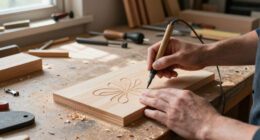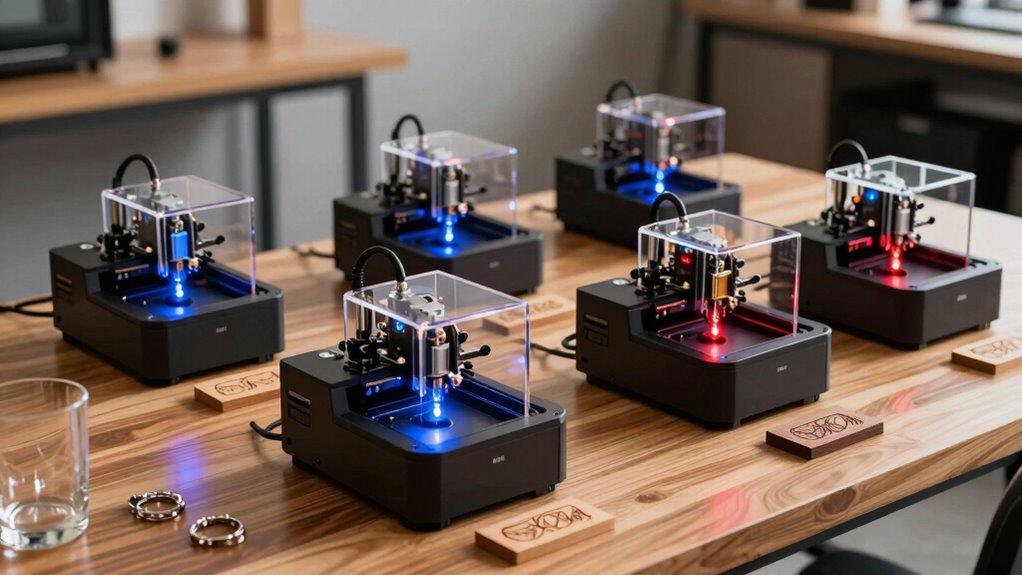

Finding the right laser engraver for a small business involves balancing power, size, versatility, and budget. The Foldable Laser Engraver T1 7W stands out for its portability and ease of use, making it ideal for entrepreneurs just starting out. The K15 Pro Laser Engraver 10W offers higher power for more demanding projects, suitable for established small shops aiming to expand. However, tradeoffs often include size, price, and complexity—more powerful machines tend to be larger and pricier, while compact options may sacrifice some cutting depth or speed. Keep reading as I break down the top options, comparing their strengths and weaknesses to help you choose the best fit for your small business needs.

Get business pricing on tools and workshop supplies
- Business-only prices and quantity discounts
- Tax-exempt purchasing
- Multiple users, one account, clear invoices
Complete the kit


Key Takeaways
- Higher wattage engravers like the K15 Pro deliver more cutting strength but come with increased size and cost.
- Portability is a key feature in models like the Ray5, making them suitable for mobile or small-space setups.
- Precision and engraving detail vary significantly, impacting suitability for fine crafts versus bulk production.
- Work area size is often a tradeoff with machine compactness—larger work areas are better for bigger projects but add to the footprint.
- Powerful, high-speed engravers tend to require more maintenance and safety considerations.


| laser engraver for small business | Laser Power | Work Area | Material Compatibility | Weight |
|---|---|---|---|---|
| Foldable Laser Engraver T1 7W | 7W | 200x150mm | Wood, Leather, Acrylic, Coated Metal | 2.99 pounds |
| ACMER S1 Laser Engraver 3500mW | 3500mW | 130×130mm | — | 2kg |
| ACMER S1 Laser Engraver 6000mW | 6000mW | 130×130mm | Wood, bamboo, leather, plastic, ceramics | 2kg |
| LONGER Ray5 Laser Engraver | 5.5W | 130x130mm | Wood, Acrylic, Glass, Leather | 5.83 pounds |
| ACMER S1 Laser Engraver | 2500mW | — | — | — |
| K15 Pro Laser Engraver 10W Las | 10W | 11.8×7.9 inches (A4) | Wood, acrylic, leather, coated metal, and more | — |
| Twotrees TTS-55 Pro Laser Engr | 5500mW | 300 x 300 mm | — | — |
| ACMER Laser Engraver Machine K | 12000mW | 150×150mm | Wood, acrylic, leather, paper | — |
More Details on Our Top Picks
Foldable Laser Engraver T1 7W for DIY, Craft & Small Business – 200x150mm Work Area
The Foldable Laser Engraver T1 7W stands out for its portability without sacrificing engraving accuracy, making it ideal for small businesses that need to move between locations or workspaces. Compared with larger, more stationary units like the Twotrees TTS-55 Pro, the T1’s foldable design offers easier storage and transport, though it sacrifices some heavy-duty cutting capacity. Its high precision of 0.01mm ensures detailed artwork on a variety of materials, but it’s limited to light engraving and thin materials, not heavy cutting. Its compatibility with standard software like LightBurn makes it accessible for most small business workflows, yet safety precautions are necessary. This pick makes the most sense for entrepreneurs needing a portable, precise device for craft projects and light customization.
Pros:- Compact and foldable for easy storage and transport
- High engraving precision of 0.01mm suitable for detailed artwork
- Supports industry-standard software like LightBurn and GRBL
- Lightweight at under 3 pounds for portability
Cons:- Limited to light engraving and thin materials, not suitable for heavy cutting
- Requires safety precautions such as laser goggles and ventilation
- Pre-treatment needed for metal engraving results
Best for: Small business owners who value portability and detailed engraving on a variety of materials
Not ideal for: Businesses requiring heavy-duty cutting or larger work areas, as this model is optimized for detail over volume
- Laser Power:7W
- Work Area:200x150mm
- Speed:10000mm/min
- Precision:0.01mm
- Material Compatibility:Wood, Leather, Acrylic, Coated Metal
- Dimensions:14.53 x 14.17 x 5.79 inches
- Weight:2.99 pounds
- Warranty:12 months
Our verdict“This is best suited for small businesses that prioritize portability and detailed craftsmanship over heavy-duty cutting capacity.”
ACMER S1 Laser Engraver 3500mW, Compact Desktop Engraving & Cutting Machine, 130×130mm Work Area
The ACMER S1 3500mW offers a versatile and user-friendly experience, supporting multiple software options and a range of materials, which makes it ideal for hobbyists and small business owners starting out. Unlike the larger ACMER S1 6000mW, this version’s lower laser power limits its cutting capacity but keeps it accessible and safer for beginners. Its small 130×130mm work area is suitable for personalized items, though it can be restrictive for larger projects. The device’s compatibility with platforms like LaserGRBL and LightBurn ensures flexibility, but understanding laser safety is essential, especially with Class 4 lasers. This model makes sense for those needing detailed engraving on small items with minimal setup fuss.
Pros:- High-precision 0.04mm laser spot for detailed engraving
- Supports multiple popular software platforms
- Preassembled for quick setup
- Lightweight at around 2kg for portability
Cons:- Limited work area of 130×130mm restricts project size
- Class 4 laser safety requires careful handling
- Requires understanding of laser operation and safety protocols
Best for: Hobbyists and small business owners seeking an easy-to-use, versatile engraver for detailed work on small projects
Not ideal for: Businesses needing to cut or engrave larger pieces or requiring high-speed production, as the small work area and lower power limit capacity
- Laser Power:3500mW
- Work Area:130×130mm
- Laser Wavelength:455±5nm
- Focal Length:2mm
- Engraving Speed:10,000mm/min
- Repeatability:0.01mm
- Weight:2kg
- Certification:NRTL, IEC 60825-1
Our verdict“Ideal for small-scale, detailed engraving projects where ease of use and software flexibility are priorities.”
ACMER S1 Laser Engraver 6000mW, Compact Desktop Engraving & Cutting Machine for DIY Crafts, Small Business & Makers, 130×130mm Work Area
The ACMER S1 6000mW elevates laser power for more demanding engraving and cutting tasks while maintaining a compact form factor. Compared to the 3500mW version, it handles thicker and more robust materials like certain plastics and coated ceramics with greater ease. The 0.04mm laser spot ensures fine detail, but handling the higher power requires strict safety measures. Its small 130×130mm work area remains limiting for larger projects, but for small business needs and educational purposes, this balance of power and size can be compelling. Preassembled and easy to operate, it suits users ready to scale up their small business capabilities with more versatile material options.
Pros:- Higher laser power for thicker and more resistant materials
- Supports a wide range of materials including ceramics and coated metals
- Preassembled for quick start-up
- High-precision 0.04mm laser spot
Cons:- Limited work area of 130×130mm restricts larger projects
- Higher safety precautions needed due to increased laser power
- Relatively lightweight frame may affect long-term stability for heavy use
Best for: Small business owners needing more power for versatile materials without increasing their workspace footprint
Not ideal for: Those requiring larger work areas or bulk production, as the limited size constrains larger or multiple items at once
- Laser Power:6000mW
- Work Area:130×130mm
- Laser Spot:0.04mm
- Engraving Speed:10,000mm/min
- Material Compatibility:Wood, bamboo, leather, plastic, ceramics
- Certifications:NRTL, IEC 60825-1
- Weight:2kg
Our verdict“A solid choice for small businesses looking to expand material options without sacrificing workspace size or safety considerations.”
LONGER Ray5 Laser Engraver, 5500mW Portable Laser Cutter, 12000mm/min High-Speed, for Wood, Acrylic, Glass & Leather, 130x130mm Work Area
The LONGER Ray5 distinguishes itself with remarkably high engraving speeds up to 12,000mm/min and multiple connectivity options, including WiFi and mobile app control. This makes it well-suited for small businesses that need quick turnaround times and remote management. Its 5.5W laser offers a good balance of power for cutting and engraving a variety of materials like wood, acrylic, and leather, though its 130×130mm work area limits larger projects. Compared to the ACMER models, the Ray5 emphasizes speed and flexible connectivity, but the larger feature set can introduce a learning curve for beginners. It’s a compelling choice for entrepreneurs who prioritize efficiency and remote operation in their workflow.
Pros:- High engraving speed of up to 12,000mm/min for quick results
- Multiple connectivity options including WiFi, USB, and mobile app
- Pre-assembled and ready to use out of the box
- Supports a variety of materials like wood, acrylic, glass, and leather
Cons:- Limited work area of 130×130mm restricts larger projects
- Learning curve for users unfamiliar with advanced settings and connectivity features
- Additional accessories may be needed for expanded functionality
Best for: Small business owners who need rapid production and versatile connectivity options
Not ideal for: Businesses with larger project sizes or those requiring a more static, simpler setup, due to its compact work area and complex features
- Laser Power:5.5W
- Engraving Speed:12,000mm/min
- Work Area:130x130mm
- Material Compatibility:Wood, Acrylic, Glass, Leather
- Connectivity:WiFi, USB, Mobile App
- Dimensions:11.5 x 11.26 x 6.5 inches
- Weight:5.83 pounds
Our verdict“This is an excellent pick for small businesses that value speed, remote control, and multi-device connectivity over larger working space.”
ACMER S1 Laser Engraver, 2500mW, 130x130mm Working Area, High Precision Laser Cutter and Engraving Machine
The ACMER S1 2500mW provides a budget-friendly entry point into laser engraving, with a compact design and decent precision for hobbyists and small businesses just starting out. Its 130×130mm work area resembles that of the more powerful ACMER models, but its lower laser power limits its ability to cut thicker or more resistant materials. Compared to the higher power versions, it’s easier to handle safely and requires less setup complexity, making it appealing for newcomers. The device’s support for multiple software platforms enhances flexibility, but safety protocols should be carefully followed given its laser class. This model makes sense for those prioritizing affordability and ease of use for small, detailed projects.
Pros:- High-precision engraving with detailed results
- Easy to set up and beginner-friendly
- Portable and lightweight for on-the-go projects
- Supports multiple software platforms
Cons:- Limited working area of 130×130mm restricts project size
- Lower laser power limits cutting capacity on thick materials
- Safety protocols need careful adherence, especially for new users
Best for: Hobbyists and small startups needing an affordable, easy-to-operate laser engraver for small, detailed projects
Not ideal for: Businesses requiring cutting or engraving on thicker, more resistant materials or larger items, due to its limited power and size
- Laser Power:2500mW
- Working Area:130x130mm
- Laser Wavelength:455±5nm
- Focal Length:2mm
- Engraving Speed:10,000mm/min
- Repeatable Positioning Accuracy:0.01mm
- Machine Weight:2kg
- Machine Size:250×250×162mm
Our verdict“Best suited for hobbyists or small-scale projects where affordability and ease of use are key priorities.”
K15 Pro Laser Engraver 10W Laser Engraving Machine for Metal, Wood, Acrylic, Glass, Stone
The K15 Pro stands out as the most balanced choice for small businesses starting with laser engraving, thanks to its user-friendly setup, high precision, and versatile material compatibility. Compared to the ACMER K1, it offers a larger workspace and easier upgradeability, making it better suited for those who want initial simplicity with room to grow. However, its limited 11.8×7.9-inch area restricts large project handling, and the 10W laser may struggle with very thick or dense metals. Its dual fans and safety features support safe operation, while the included accessories streamline initial use. The main tradeoff comes in its small work area and the need for some technical setup for upgrades. Overall, this model makes the most sense for small business owners who prioritize precision and expandability without the complexity of larger units.Pros:- Easy to assemble and operate with free software and offline control
- High precision with 0.01mm accuracy and fast engraving speeds
- Compact size fits well in limited workspace and small setups
Cons:- Limited to small work area, restricting larger projects
- Laser power may be insufficient for very thick or dense materials
Best for: Small business owners new to laser engraving who want a straightforward, upgradeable system.
Not ideal for: Businesses requiring large-format engraving or cutting on bigger materials, as the work area is limited.
- Laser Power:10W
- Work Area:11.8×7.9 inches (A4)
- Material Compatibility:Wood, acrylic, leather, coated metal, and more
- Maximum Cutting Thickness:12mm plywood, 8mm acrylic
- Precision:0.01mm
- Speed:15,000mm/min
Our verdict“This pick is ideal for small businesses seeking a precise, expandable laser engraver with straightforward operation.”
Twotrees TTS-55 Pro Laser Engraver 5500mW, 300x300mm Work Area
The Twotrees TTS-55 Pro offers a substantial 300x300mm workspace and high laser power, making it well-suited for small businesses aiming to scale up engraving projects. Unlike the ACMER K1, which is more portable and better for precision work on small items, this model emphasizes larger capacity and faster speeds—up to 30,000mm/min—ideal for batch processing. Its wireless control via Wi-Fi enhances convenience, but the assembly process can be complex for newcomers, potentially requiring technical familiarity. Safety precautions are essential due to its 5500mW power, especially when handling metals. The main tradeoff is that its size and power require more setup and space, making it less suitable for tight or simple work environments. Overall, this engraver appeals most to small businesses ready to expand their production volume and material variety.Pros:- Large 300x300mm work area suitable for bigger projects
- High laser power enhances cutting and engraving performance on various materials
- Wireless control offers flexible operation via Wi-Fi
Cons:- Assembly can be challenging for beginners
- Requires strict safety precautions due to laser power
Best for: Small businesses looking to increase output with larger engraving areas and higher power performance.
Not ideal for: Hobbyists or very small operations with limited space or less technical experience, due to assembly complexity and safety considerations.
- Laser Power:5500mW
- Work Area:300 x 300 mm
- Laser Spot Size:0.08mm
- Focal Length:23mm
- Engraving Accuracy:0.1mm
- Speed:up to 30,000mm/min
Our verdict“This model makes sense for growing small businesses that need larger capacity and faster throughput, accepting some initial setup complexity.”
ACMER Laser Engraver Machine K1, 12000mW Desktop Laser Cutter with 150×150mm Work Area
The ACMER K1 excels in delivering high-precision engraving within a compact design, thanks to its 12000mW diode laser and 150×150mm workspace. Compared with the K15 Pro, it offers a smaller footprint and supports multiple operating systems, making it ideal for users prioritizing portability and software flexibility. However, its limited work area restricts larger projects, and the setup can be tricky for those unfamiliar with laser software. Its laser power suits thin materials well but may struggle with thicker or denser objects. The internal exhaust fan and enclosed design enhance safety, but the small size means it’s less suitable for volume production. This unit is best suited for hobbyists or small-scale businesses focusing on detailed, small items rather than larger pieces.Pros:- High-precision engraving with a tiny laser spot size of 0.08mm
- Compact, lightweight design for easy portability
- Supports multiple software platforms and file formats
Cons:- Limited to small work area, restricting larger projects
- Requires some technical familiarity for setup and operation
Best for: Hobbyists or small businesses needing high-precision engraving on small, thin materials with portability in mind.
Not ideal for: Businesses requiring larger work areas or cutting through thicker materials, due to size and power limitations.
- Laser Power:12000mW
- Work Area:150×150mm
- Laser Spot Size:0.08mm
- Repeat Positioning Accuracy:0.01mm
- Max Speed:10,000mm/min
- Material Compatibility:Wood, acrylic, leather, paper
Our verdict“This engraver is perfect for small-scale, detailed work on thin materials, especially where portability matters most.”
How We Picked
These products were selected based on a combination of performance, usability, build quality, and value for small business owners. Priority was given to machines that balance power and size, ensuring they can handle typical small-scale commercial projects without overwhelming limited workspace. We also considered features like safety, software compatibility, and ease of maintenance. The ranking reflects a mix of budget-friendly options and high-end models, aiming to serve a wide range of small business needs while highlighting the best overall performer. Ultimately, the best choices offer reliable engraving quality, reasonable learning curves, and good customer support.| laser engraver for small business | Material Compatibility |
|---|---|
| Foldable Laser Engraver T1 7W | Wood, Leather, Acrylic, Coated Metal |
| ACMER S1 Laser Engraver 3500mW | — |
| ACMER S1 Laser Engraver 6000mW | Wood, bamboo, leather, plastic, ceramics |
| LONGER Ray5 Laser Engraver | Wood, Acrylic, Glass, Leather |
| ACMER S1 Laser Engraver | — |
| K15 Pro Laser Engraver 10W Las | Wood, acrylic, leather, coated metal, and more |
| Twotrees TTS-55 Pro Laser Engr | — |
| ACMER Laser Engraver Machine K | Wood, acrylic, leather, paper |
Factors to Consider When Choosing Laser Engraver For Small Business
Choosing the right laser engraver for your small business involves evaluating several key factors. Not all machines are created equal, and understanding the nuances can prevent costly mistakes. It’s important to match the machine’s capabilities with your project scope and budget, ensuring you get the best value without overpaying for features you won’t need. Here are the main considerations to keep in mind:Power and Material Compatibility
The wattage of the laser directly impacts its ability to cut and engrave different materials. Lower wattage units (around 2-3W) are suitable for light engraving on wood, leather, or acrylic, but struggle with thicker or tougher materials. Higher wattage models (above 5W) can handle more demanding projects like cutting metal or thick wood, but they tend to be larger and more expensive. Matching your typical project materials with the machine’s power ensures efficiency and quality without overspending.
Work Area Size
The size of the engraving bed determines the maximum dimensions of your projects. Smaller work areas (around 130x130mm) are adequate for jewelry, small crafts, or detailed signage but limit larger projects. Larger work areas (up to 300x300mm) increase versatility, especially if you plan to produce bigger items or multiple pieces simultaneously. Consider your typical project sizes and future growth when selecting a machine, balancing workspace needs against machine footprint and price.
Ease of Use and Software Compatibility
User-friendliness is critical, especially if you’re new to laser engraving. Look for models with intuitive software and straightforward setup. Compatibility with popular design programs like CorelDRAW or Adobe Illustrator adds flexibility. Some engravers come with proprietary software that may restrict file formats or require learning new interfaces. Make sure the machine’s control panel and software support your skill level and workflow preferences to avoid delays or frustration.
Safety Features and Maintenance
Laser engravers require proper safety measures, including enclosures, emergency stops, and ventilation. Machines with enclosed design reduce exposure to laser radiation and debris, making them safer for small workspaces. Maintenance considerations like lens cleaning, air assist, and cooling systems also impact long-term reliability. Choosing a model with clear safety features and accessible maintenance routines saves time and reduces hazards, especially if multiple users will operate the machine.
Budget and Total Cost of Ownership
Initial purchase price varies widely, but total cost includes accessories, replacement parts, and ongoing maintenance. Lower-priced models may have limited features or reduced durability, leading to higher long-term costs. Conversely, investing in a slightly more expensive, robust machine can improve productivity and reduce downtime. Evaluate your budget against project demands, and consider whether higher upfront costs translate into better efficiency and lower operational hassles over time.
Frequently Asked Questions
Can I engrave metal with these laser engravers?
Most small-scale laser engravers in this list are optimized for materials like wood, acrylic, and leather. Engraving metal typically requires higher-powered lasers or special techniques, such as marking rather than engraving. The K15 Pro with its 10W laser can mark certain metals, but for detailed or deep engravings, a dedicated metal engraver or a machine with fiber laser technology may be necessary. Always check the machine specifications and compatibility before attempting metal work to avoid damage or subpar results.
How safe are these laser engravers for small business use?
Safety depends heavily on the model and how it’s operated. Machines with enclosed chambers and proper ventilation systems significantly reduce risks from fumes and laser exposure. Always follow manufacturer guidelines for setup, use protective eyewear, and ensure adequate ventilation or exhaust systems are in place. Regular maintenance and safety checks are essential to keep operations safe, especially in small or shared workspaces. Investing in models with built-in safety features is wise for peace of mind and compliance with safety regulations.
What’s the typical learning curve for these laser engravers?
The learning curve varies based on the complexity of the machine and your prior experience. Entry-level models with user-friendly software can be mastered within a few hours, making them suitable for beginners. More advanced or feature-rich engravers may require additional time to learn proper calibration, focus, and safety procedures. Many manufacturers offer tutorials and customer support, which can shorten the learning process. Planning for some initial trial and error helps ensure your projects meet quality expectations.
How much maintenance do these laser engravers require?
Maintenance needs depend on usage and model complexity. Basic upkeep includes cleaning lenses, checking air assist systems, and ensuring proper cooling. Regularly removing debris and dust from the work area prolongs component life. High-power or high-speed models may require more frequent calibration and part replacements, such as laser tubes or mirrors. Establishing a routine maintenance schedule helps sustain performance and prevents costly repairs over time.
Is it worth paying extra for a higher wattage laser engraver?
Opting for higher wattage models allows for more versatile projects, such as cutting thicker materials or engraving faster. However, they tend to be larger, heavier, and more expensive, which may not suit small or home-based businesses with limited space or budget. If your focus is on detailed engraving on thin materials, a lower wattage machine may suffice, saving money and space. Assess your typical project requirements carefully before investing in a more powerful model.
Conclusion
For small business owners just starting out or working with delicate materials, the Foldable Laser Engraver T1 7W offers a compact, budget-friendly entry point. Those needing higher power for more demanding tasks should consider the K15 Pro Laser Engraver 10W, which balances performance and durability. Beginners or hobbyists aiming for ease of use will find models like the ACMER S1 2500mW a suitable choice, while established businesses seeking speed and larger work areas might prefer the Twotrees TTS-55 Pro. Ultimately, your choice depends on your specific project needs, workspace constraints, and budget constraints—match these factors carefully to find the best fit.
As an affiliate, we earn on qualifying purchases.Fall yard work Picks
leaf blowers