For woodworking, the LONGER Ray5 10W is my best overall pick: its 400 × 400 mm work area and cutting capability suit a broad range of projects. The Creality Falcon 10W with Air Assist and Rotary Roller stands out for buyers who want useful accessories for cleaner engraving and cylindrical work, while the xTool F2 Dual-Laser adds an IR laser alongside its 15W diode for a wider material mix. The main tradeoffs are work area, cutting power, safety enclosure, and whether added versatility justifies more setup complexity. Read on for the full breakdown, including how I’d match each machine to a woodworking workspace and project style.

Get business pricing on tools and workshop supplies
- Business-only prices and quantity discounts
- Tax-exempt purchasing
- Multiple users, one account, clear invoices
Complete the kit


Key Takeaways
- The LONGER Ray5 10W leads on workspace: its 400 × 400 mm area gives it an advantage for larger boards over compact machines such as the ACMER S1.
- Air assist and a honeycomb bed address practical woodwork problems: they can help manage smoke, debris, and scorching, but they do not replace ventilation or careful material settings.
- The lineup splits between straightforward diode machines and broader-purpose systems: the xTool F2 combines a 15W diode with a 5W IR laser, while most picks focus on diode engraving and cutting.
- Enclosure choices matter as much as laser power: enclosed options such as the xTool M2 and BlazeX M3 may suit shared indoor spaces better than open-frame machines, subject to proper exhaust and safety practices.
- Power alone does not define the best woodworking fit: the 2,500 mW ACMER S1 favors smaller, lighter-duty projects, while the 10W models offer a stronger match for buyers seeking more cutting flexibility.
| LONGER Ray5 10W Laser Engraver and Cutter, 400 × 400 mm |  | Best for Large Wood Projects | Laser power: 10W | Working area: 400 × 400 mm | Maximum engraving speed: Up to 24,000 mm/min | VIEW LATEST PRICE | See Our Full Breakdown |
| Carverall K15 Pro 10W Laser Engraver and Cutter |  | Best for Compact Woodworking | Laser power: 10W | Work area: 11.8 × 7.9 inches | Precision: 0.01 mm | VIEW LATEST PRICE | See Our Full Breakdown |
| Creality Falcon 10W Laser Engraver with Air Assist and Rotary Roller |  | Best for Air-Assisted Cutting and Rotary Woodwork | Laser output power: 10,000 mW | Laser class: Class 4 | Maximum cutting speed: 10,000 mm/min | VIEW LATEST PRICE | See Our Full Breakdown |
| xTool F2 Dual-Laser Engraver with 5W IR and 15W Diode |  | Best Premium Dual-Laser Option | Laser types: 5W infrared and 15W diode | Built-in camera: 50MP | Maximum speed: 6,000 mm/s | VIEW LATEST PRICE | See Our Full Breakdown |
| xTool M2 10W Color Craft Laser Engraver with CMYK Inkjet Printer |  | Best for Color-Printed Wood Crafts | Laser output power: 10W | Printer: CMYK inkjet | Cameras: Dual built-in cameras | VIEW LATEST PRICE | See Our Full Breakdown |
| Twotrees TTS-10 Pro 10W Laser Engraver |  | Best for Software Flexibility | Optical power: 10W | Laser wavelength: 450nm | Work area: 300 × 300 mm (approximately 11.8 × 11.8 in) | VIEW LATEST PRICE | See Our Full Breakdown |
| Creality Falcon 10W Laser Engraver and Cutter |  | Best for Larger Wood Projects | Optical power: 10W | Working area: 15.7 × 16.3 in | Laser spot size: 0.06 × 0.06 mm | VIEW LATEST PRICE | See Our Full Breakdown |
| ORTUR Laser Master 2 S2 LU2-10A 10W Laser Engraver and Cutter |  | Best for Cutting-Oriented DIY Builds | Laser power: 10W | Engraving area: 390 × 410 mm | Compressed spot size: 0.05 × 0.1 mm | VIEW LATEST PRICE | See Our Full Breakdown |
| ACMER S1 Laser Engraver and Cutter, 2500 mW |  | Best Compact Pick for Small Woodwork | Laser power: 2,500mW | Wavelength: 455 ± 5 nm | Working area: 130 × 130 mm | VIEW LATEST PRICE | See Our Full Breakdown |
| xTool M2 10W Enclosed Laser Engraver with Dual Cameras |  | Best Enclosed Option for Home Workshops | Laser power: 10W diode | Safety class: Class 1 | Cameras: Built-in dual cameras | VIEW LATEST PRICE | See Our Full Breakdown |
| Creality Falcon Pro 10W Laser Engraver with Air Assist |  | Best for Clean, Detailed Wood Cuts | Laser output: 10W | Spot size: 0.06 mm | Dimensions: 12.2 × 24.21 × 7.68 inches | VIEW LATEST PRICE | See Our Full Breakdown |
| BlazeX M3 10W Laser Engraver and Cutter with Enclosure and Honeycomb Bed |  | Best Starter Kit for Woodworking | Laser power: 10W | Stated precision: 0.01 mm | Included accessories: Enclosure, tool kit, 14 engraving materials, honeycomb bed | VIEW LATEST PRICE | See Our Full Breakdown |
| LONGER B1 Laser Engraver and Cutter with Air Assist |  | Best for Large Wood Projects | Model: RAY5-B1 40W | Listed laser output: 40,000 mW; listing also states 48,000 mW | Work area: 450 × 440 mm | VIEW LATEST PRICE | See Our Full Breakdown |
| Creality Falcon 5W Laser Engraver and Cutter, 400 × 415 mm Work Area |  | Best Compact Low-Power Pick | Laser output: 5W | Laser spot size: 0.06 × 0.06 mm | Working area: 400 × 415 mm | VIEW LATEST PRICE | See Our Full Breakdown |
| Creality Falcon 10W Laser Engraver and Cutter Machine |  | Best for Flexible Software Workflows | Laser power: 10W | Spot size: 0.06 × 0.06 mm | Working area: 15.7 × 16.3 inches (400 × 415 mm) | VIEW LATEST PRICE | See Our Full Breakdown |
More Details on Our Top Picks
LONGER Ray5 10W Laser Engraver and Cutter, 400 × 400 mm
The LONGER Ray5 earns this spot for its 400 × 400 mm work area, which gives me more room for signs, panels, and multi-piece layouts than the compact Carverall K15 Pro. Its 10W diode and fine stated spot size suit detailed wood engraving, while the touchscreen and USB, TF card, Wi-Fi, and app connections offer several ways to send jobs—including offline operation. Those options make it a flexible choice for a workshop where a computer may not stay beside the machine. The tradeoff is that this is an open-frame machine that requires installation and setup; the enclosed xTool M2 is a simpler fit for buyers who prioritize containment and guided placement. Material results depend on wood type and settings, so I would not treat the stated accuracy as a promise of identical results on every board.
Pros:- 400 × 400 mm work area accommodates larger wooden pieces than the Carverall K15 Pro.
- USB, TF card, Wi-Fi, and app connectivity allow flexible and offline operation.
- 0.06 × 0.06 mm stated laser spot size and 0.01 mm stated engraving accuracy support fine design work.
- Includes an emergency stop, motion protection, overheat detection, protective covers, and safety goggles.
Cons:- Requires installation and setup before use.
- Open-frame operation calls for a suitable, safety-conscious workspace.
- Wood engraving and cutting results vary with material and settings.
Best for: Woodworkers making larger signs, panels, or batches who want a generous work area and multiple job-transfer options.
Not ideal for: Beginners seeking a fully enclosed, assembled machine or buyers who need a compact footprint for occasional small engravings.
- Laser power:10W
- Working area:400 × 400 mm
- Maximum engraving speed:Up to 24,000 mm/min
- Laser spot size:0.06 × 0.06 mm
- Engraving accuracy:0.01 mm
- Display:3.5-inch touchscreen
- Connectivity:USB, TF card, Wi-Fi, and app
- Compatible software:LaserGRBL, LightBurn, and LaserBurn
Our verdict“Choose the Ray5 if your woodworking projects need a larger bed and flexible offline controls; pick the enclosed xTool M2 instead if containment matters more.”
Carverall K15 Pro 10W Laser Engraver and Cutter
The Carverall K15 Pro is a compact choice for small woodworking pieces, nameplates, ornaments, and repeat craft jobs. Its 11.8 × 7.9-inch work area is far smaller than the LONGER Ray5’s 400 × 400 mm bed, but that smaller footprint can suit a crowded bench and keeps the machine focused on everyday project sizes. One-touch focus and saved-file memory help reduce setup friction when repeating a design, and TF-card operation supports jobs without a connected computer. The listed multi-pass capacity covers plywood up to 12 mm, though cutting through thicker stock can require repeated passes rather than a single quick cut. The optional IR head adds capabilities, but bare-metal engraving is not available with the standard 10W diode alone. I’d choose this over the Ray5 for a compact craft station, not for large boards.
Pros:- Compact 11.8 × 7.9-inch work area suits smaller wooden craft projects.
- One-touch focus and saved-file memory simplify repeat jobs.
- TF-card offline operation supports batch work without a computer connection.
- Listed multi-pass cutting capacity reaches plywood up to 12 mm.
Cons:- Work area is substantially smaller than the LONGER Ray5’s 400 × 400 mm bed.
- Bare-metal engraving requires a separately purchased IR laser head.
- Thicker plywood cutting relies on multiple passes.
Best for: Home crafters and small-shop woodworkers who make ornaments, tags, and other pieces that fit within an A4-sized work area.
Not ideal for: Woodworkers producing large signs or needing bare-metal marking out of the box, since the work area is limited and the IR head is optional.
- Laser power:10W
- Work area:11.8 × 7.9 inches
- Precision:0.01 mm
- Maximum speed:15,000 mm/min
- Plywood cutting capacity:Up to 12 mm with multi-pass cutting
- Offline operation:TF card
- Compatible software:CutLabX, LightBurn, and LaserGRBL
- Item weight:2.68 kg
Our verdict“Choose the K15 Pro for compact, repeatable wood crafts, but move to the LONGER Ray5 if your projects need a much larger bed.”
Creality Falcon 10W Laser Engraver with Air Assist and Rotary Roller
The Creality Falcon 10W pairs two useful workshop additions: adjustable air assist to move smoke and debris away from the engraving area, and an included rotary kit for cylindrical or rounded objects. On wood, clearing smoke can help limit residue around a cut or engraved line, while the rotary attachment opens projects such as turned wooden handles or curved craft pieces that the flat-bed LONGER Ray5 is not described as supporting. Its 10W output and stated 10,000 mm/min maximum cutting speed make it a more specialized choice than the Ray5, whose listed engraving speed is higher and work area is larger. The Falcon’s Class 4 laser also calls for careful handling and a suitable safety setup. I’d favor it when air assist and rotary work are central to the job, not when a large flat work area is the priority.
Pros:- Adjustable air assist clears smoke and dust around wood engraving and cutting.
- Included rotary kit handles cylindrical, spherical, and ring-shaped objects.
- TF-card support enables offline operation.
- Emergency stop, tilt detection, and a UV-filtering acrylic shield add protective features.
Cons:- Class 4 laser requires careful handling and a safety-conscious workspace.
- The product listing does not provide a flat work-area dimension for planning larger panels.
- Maximum cutting speed is listed at 10,000 mm/min, below the LONGER Ray5’s stated engraving speed.
Best for: Woodworkers who want air-assisted engraving and cutting plus the option to work on cylindrical, spherical, or ring-shaped pieces.
Not ideal for: New users who prefer a lower-complexity setup, or makers focused on large flat panels that need more bed space than this product listing specifies.
- Laser output power:10,000 mW
- Laser class:Class 4
- Maximum cutting speed:10,000 mm/min
- Laser spot size:0.06 mm
- Engraving accuracy:0.004 in
- Rotary object diameter:1–110 mm outside clamping; 25–75 mm inside support
- Compatible software:LaserGRBL and LightBurn
- Compatible operating systems:Windows and macOS
Our verdict“Pick the Falcon when air assist and rotary woodworking matter more than a large specified flat-bed area or the Ray5’s faster listed engraving speed.”
xTool F2 Dual-Laser Engraver with 5W IR and 15W Diode
The xTool F2 is the most specialized pick here for buyers who want one desktop machine to handle wood alongside metal marking and other materials. Its 15W diode laser is the relevant tool for woodworking, while the separate 5W IR laser expands the machine beyond what the diode-only Carverall K15 Pro offers. A built-in 50MP camera helps position designs on the work surface, and the enclosed body with a fan provides a more contained desktop setup than the open-frame LONGER Ray5. This convenience comes with a narrower listed specification set for wood jobs: the product data gives no work-area dimensions or wood cutting capacity, and the air purifier and batch accessories are optional. I’d consider it for a mixed-material studio, but woodworkers focused on large boards should favor the Ray5’s clearly stated 400 × 400 mm area.
Pros:- Combines a 15W diode laser for woodworking with a 5W IR laser for additional marking tasks.
- Built-in 50MP camera supports workspace visualization and design placement.
- Fully enclosed portable desktop design includes a fan for fume management.
- Arrives assembled and weighs 4.6 kg.
Cons:- Work-area dimensions and wood cutting capacity are not specified in the provided product data.
- Air purifier and batch-processing accessories are optional.
- The listing gives a 0.1-inch dimension that may be incomplete or inaccurate.
Best for: Mixed-material makers who engrave wood but also need IR-based metal marking and camera-assisted placement in an enclosed desktop machine.
Not ideal for: Woodworkers who need a documented large work area, straightforward plywood cutting guidance, or included air-purification and batch-processing accessories.
- Laser types:5W infrared and 15W diode
- Built-in camera:50MP
- Maximum speed:6,000 mm/s
- Alignment accuracy:Up to 0.1 mm
- Motion accuracy:0.00199 in
- Material compatibility:300+ materials
- Design:Fully enclosed portable desktop
- Weight:4.6 kg (10 lb)
Our verdict“Choose the F2 for enclosed, camera-assisted work across wood and metal, but choose the LONGER Ray5 for a clearly specified large woodworking bed.”
xTool M2 10W Color Craft Laser Engraver with CMYK Inkjet Printer
The xTool M2 with CMYK inkjet is aimed at makers who want to combine laser work with full-color printing, rather than maximize wood-cutting capacity. Its 10W diode handles engraving and cutting, while the inkjet module adds color to projects involving wood and other listed craft materials. Dual cameras provide a workspace preview, and the enclosed Class 1 design with real-time monitoring makes it a more contained choice than the open-frame LONGER Ray5. The tradeoff is a heavier, package-focused system at 36.7 pounds, with no work-area dimensions or wood cutting thickness supplied here. Unlike the xTool F2, whose dual lasers extend marking across materials, this M2’s distinctive extra is CMYK printing. I’d choose it for decorated wooden gifts and mixed-media crafts, not for large-format woodworking or buyers who only need laser engraving.
Pros:- Combines a 10W diode laser with a CMYK inkjet module for color-printed and laser-worked projects.
- Dual cameras support workspace previews and material placement.
- Enclosed Class 1 design includes real-time monitoring.
- Software includes templates and an AI image generator.
Cons:- Work-area dimensions and wood cutting capacity are not stated in the provided product data.
- The 3W IR module is sold separately.
- At 36.7 pounds, it is less convenient to move than the 4.6 kg xTool F2.
Best for: Craft sellers and hobbyists making small decorated wooden gifts who want laser engraving alongside full-color inkjet printing.
Not ideal for: Woodworkers focused on large signs, cutting capacity, or a lightweight machine; the provided data gives no work-area dimensions or wood cutting thickness.
- Laser output power:10W
- Printer:CMYK inkjet
- Cameras:Dual built-in cameras
- Safety class:Class 1
- Compatible materials:Cardstock, felt, leather, wood, fabric, and paper
- Package contents:xTool M2 10W, CMYK Inkjet Printing Module, and Deluxe Material Kit
- Package dimensions:27 × 25 × 10 inches
- Item weight:36.7 pounds
Our verdict“Choose the M2 for color-printed wooden crafts in an enclosed machine, but pick the LONGER Ray5 if larger wood pieces and a defined work area matter more.”
Twotrees TTS-10 Pro 10W Laser Engraver
The Twotrees TTS-10 Pro suits woodworkers who want a 10W diode platform with familiar software choices rather than the largest cutting bed. Its 300 × 300 mm work area handles signs, coasters, and small panels, while LightBurn and LaserGRBL compatibility lets buyers choose between two established workflows. The aluminum-alloy frame and dual Y-axis motors provide a sturdier setup than a compact machine such as the ACMER S1, whose 130 × 130 mm area is better suited to small pieces. The tradeoff is that the TTS-10 Pro still cannot accommodate projects much beyond roughly 12 inches square, unlike the larger-bed Creality Falcon 10W. Its blue diode can mark wood, but bare stainless steel needs marking spray or preparation, and TF-card operation requires a separate monitor.
Pros:- 10W, 450nm diode laser for engraving wood and other listed craft materials
- 300 × 300 mm work area fits a useful range of small woodworking projects
- Aluminum-alloy frame and dual Y-axis motors
- Supports LightBurn and LaserGRBL, with USB and TF-card workflows
Cons:- The work area limits projects to roughly 12 inches square
- Bare stainless steel and other uncoated metals need marking spray or surface preparation
- TF-card operation requires a separately purchased monitor
Best for: Woodworkers making small signs, panels, and repeated craft pieces who want LightBurn or LaserGRBL and USB or TF-card workflows.
Not ideal for: Makers handling wide boards or larger signage, or anyone who expects direct engraving on bare stainless steel without surface preparation.
- Optical power:10W
- Laser wavelength:450nm
- Work area:300 × 300 mm (approximately 11.8 × 11.8 in)
- Laser spot size:0.069 mm
- Maximum speed:30,000 mm/min
- Controller:32-bit dual-core MCU
- Connectivity:USB and TF card
- Software compatibility:LightBurn and LaserGRBL
Our verdict“Choose the TTS-10 Pro for a small-to-mid-size woodworking setup where software choice and dual connection options matter more than a large bed.”
Creality Falcon 10W Laser Engraver and Cutter
For woodworkers who need more room than a compact desktop engraver provides, the Creality Falcon 10W offers a 15.7 × 16.3-inch working area and a fine 0.06 × 0.06 mm spot for detailed graphics. Its stated single-pass capacity—5 mm basswood—also gives it a clearer cutting use case than the Twotrees TTS-10 Pro, whose listed strengths center on engraving and a smaller bed. The Falcon’s 10W diode can cut specified basswood and black acrylic, but those figures should not be treated as a promise for every wood species or thickness. It supports LightBurn and LaserGRBL and can run offline from an SD card. The integrated UV filter and included goggles are useful safety provisions, though they do not remove the need for careful laser operation.
Pros:- 15.7 × 16.3-inch working area accommodates larger pieces than compact models
- 0.06 × 0.06 mm spot supports detailed engraving
- Specified one-pass cutting of 5 mm basswood
- Integrated UV filter, included goggles, and SD-card offline operation
Cons:- One-pass cutting figures apply to specified basswood and black acrylic, not all materials
- Offline operation requires an SD card
- Open-frame format calls for a carefully managed, protected work area
Best for: Woodworkers producing medium-size signs, panels, and basswood parts who want a larger bed and defined single-pass cutting capability.
Not ideal for: Buyers needing a fully enclosed Class 1 machine, or those who routinely work with stock wider than the 15.7 × 16.3-inch area.
- Optical power:10W
- Working area:15.7 × 16.3 in
- Laser spot size:0.06 × 0.06 mm
- Maximum engraving speed:10,000 mm/min
- Stated cutting capacity:5 mm basswood or 3 mm black acrylic in one pass
- Software compatibility:LightBurn and LaserGRBL
- Offline operation:SD card
- Frame:Aluminum alloy
Our verdict“Pick the Falcon when a larger work area and stated basswood cutting capacity matter more than an enclosed design.”
ORTUR Laser Master 2 S2 LU2-10A 10W Laser Engraver and Cutter
The ORTUR Laser Master 2 S2 is a strong fit for woodworkers who want a configurable open-frame machine with features aimed at cutting work. Its 390 × 410 mm engraving area is substantially larger than the Twotrees TTS-10 Pro’s 300 × 300 mm bed, leaving more room for broad panels and multi-part layouts. A built-in air-assist interface and dual-fan cooling support a cutting-focused setup, while the modular metal frame can make repairs or parts replacement more approachable than on a closed machine such as the xTool M2. The safety systems add movement and connection shutoffs, but this remains a Class 4 laser; buyers need to use the included goggles and manage the work area carefully. Mac users should note that the stated Mac compatibility is for LightBurn.
Pros:- 390 × 410 mm engraving area suits larger woodworking layouts
- Built-in air-assist interface supports a cutting-focused setup
- Modular full-metal frame allows assembly, repair, and parts replacement
- Automatic shutoffs respond to tilt, movement stoppage, USB disconnection, and idle conditions
Cons:- Class 4 laser requires careful handling and use of the included eye protection
- Mac compatibility is specified for LightBurn only
- Open-frame operation requires a suitable controlled workspace
Best for: DIY woodworkers who want a large open bed, air-assist support, and a modular frame for engraving and cutting projects.
Not ideal for: Buyers who want enclosed Class 1 operation, or Mac users planning to rely on software other than LightBurn.
- Laser power:10W
- Engraving area:390 × 410 mm
- Compressed spot size:0.05 × 0.1 mm
- Frame:Modular full-metal
- Air-assist interface:Built in
- Cooling:Dual fan
- Software compatibility:LaserGRBL and LightBurn
- Laser class:Class 4
Our verdict“Choose the ORTUR for a large, repairable open-frame woodworking setup, provided you are comfortable managing a Class 4 laser.”
ACMER S1 Laser Engraver and Cutter, 2500 mW
The ACMER S1 is the small-project choice in this group: its 130 × 130 mm work area is suited to tags, ornaments, and compact components, not broad signs. That footprint makes it far easier to store and carry than the Creality Falcon 10W, whose 15.7 × 16.3-inch bed is better for larger pieces. The S1 is mostly preassembled and works across macOS, Windows, and Linux, so it can be a practical entry point for someone setting up a modest craft station. Its 2,500mW laser is lower in optical power than the 10W machines here, and the listed cutting use is limited to thin plywood, MDF, and acrylic. I would choose it for portability and small-format work, not as a substitute for a larger woodworking cutter.
Pros:- Compact 130 × 130 mm footprint is easy to store and carry
- Mostly preassembled for a simpler setup
- Compatible with macOS, Windows, and Linux
- Supports Acmerstudio, LightBurn, and LaserGRBL
Cons:- Small work area restricts projects to compact pieces
- 2,500mW optical power is below the 10W options in this roundup
- Cutting is specified for thin plywood, MDF, and acrylic
Best for: Craft makers and hobby woodworkers who engrave small pieces, have limited storage, and value a lightweight machine with broad operating-system support.
Not ideal for: Woodworkers making large signs or cutting thicker stock who need a wider work area or more optical power.
- Laser power:2,500mW
- Wavelength:455 ± 5 nm
- Working area:130 × 130 mm
- Maximum engraving speed:10,000 mm/min
- Repeatable positioning accuracy:0.01 mm
- Machine dimensions:250 × 250 × 162 mm
- Weight:2 kg (3.98 lb also listed)
- Compatible operating systems:macOS, Windows, and Linux
Our verdict“Choose the ACMER S1 for portable engraving and thin-material craft work, but skip it for larger or more demanding woodworking jobs.”
xTool M2 10W Enclosed Laser Engraver with Dual Cameras
Woodworkers who put containment and placement convenience ahead of an open-frame build may prefer the xTool M2. Its Class 1 enclosed design and dual cameras help with material positioning and workspace previews, a different approach from open machines such as the ORTUR Laser Master 2 S2, which offers a larger 390 × 410 mm bed and built-in air-assist support. The M2’s 10W diode handles engraving and cutting across listed craft materials, including wood, but the supplied data does not specify a working area or cutting thickness. That makes it harder to judge whether a particular board will fit or what cutting jobs it can handle. Buyers should also account for the machine’s 36.2-pound weight and treat the optional modules as separate purchases.
Pros:- Enclosed Class 1 design
- Dual cameras provide workspace previews and help with material placement
- 10W diode supports engraving and cutting on listed materials, including wood
- Base material kit is included
Cons:- No working-area dimensions or cutting thickness are provided in the product data
- Optional CMYK inkjet, 3W IR laser, and rotary accessories are sold separately
- At 36.2 pounds, it is less convenient to move than compact open-frame machines
Best for: Home-workshop woodworkers who favor an enclosed Class 1 machine and camera-assisted placement for small craft and engraving jobs.
Not ideal for: Buyers who need a documented large work area, specified wood-cutting thickness, or included color-printing and rotary modules.
- Laser power:10W diode
- Safety class:Class 1
- Cameras:Built-in dual cameras
- Compatible materials:Cardstock, felt, leather, wood, fabric, and paper
- Included package:xTool M2 machine and base material kit
- Item weight:36.2 lb
- Package dimensions:28 × 25 × 12 in
- Optional accessories:CMYK inkjet module, 3W IR laser, and RA3 Lite Rotary sold separately
Our verdict“Choose the M2 if enclosure and camera-guided placement matter more than a clearly specified work area or included expansion modules.”
Creality Falcon Pro 10W Laser Engraver with Air Assist
The Falcon Pro 10W is a strong fit for woodworkers who want fine detail and cleaner cutting passes without adding a separate air-assist setup. Its 0.06 mm spot favors crisp engraving on small lettering and intricate designs, while built-in air assist helps clear smoke and debris from the cut. Unlike the larger LONGER B1, this Creality is more compact and offers TF-card offline operation, so a computer need not stay connected during a job. Its emergency stop, protective cover, and safety lock add useful safeguards, though an enclosure and active smoke extraction are not listed. The tradeoff is a 10W diode’s material limits: it is not a universal cutter, and clear acrylic or bright metals are not straightforward targets. Choose it for detailed wood projects, not heavy-duty production.
Pros:- 0.06 mm spot supports fine lines and detailed wood engraving.
- Built-in air assist helps keep cuts cleaner and reduce smoke staining.
- TF-card offline mode allows jobs without a continuously connected computer.
- Emergency stop, laser cover, and safety lock add operating safeguards.
Cons:- 10W diode output is not suited to demanding thick-material cutting.
- Cannot cut clear acrylic or mark bright metals directly without appropriate treatment.
- At 11.24 pounds, it is less convenient to move than a lighter compact engraver.
Best for: Woodworkers making detailed signs, ornaments, or small-batch pieces who value air-assisted cutting and offline operation.
Not ideal for: Buyers cutting thick stock routinely, engraving bare bright metal, or needing a listed enclosure and smoke-extraction setup.
- Laser output:10W
- Spot size:0.06 mm
- Dimensions:12.2 × 24.21 × 7.68 inches
- Weight:11.24 pounds
- Offline connectivity:TF card
- Air assist:Built in
- Warranty:1 year
Our verdict“Choose the Falcon Pro for precise wood engraving and air-assisted cuts, but pick the LONGER B1 if a much larger work area matters more.”
BlazeX M3 10W Laser Engraver and Cutter with Enclosure and Honeycomb Bed
The BlazeX M3 makes sense for a beginner who wants the main pieces of a wood engraving setup in one package: an enclosure, honeycomb bed, tool kit, and 14 materials. Those included materials make it easier to learn how settings affect different surfaces, while the bed helps support work and airflow during cutting. Compared with the Creality Falcon Pro, the BlazeX emphasizes a bundled, enclosed workflow rather than TF-card offline convenience and built-in air assist. Its compatibility with LightBurn, LaserGRBL, and CutLabX offers room to choose a design workflow, and tilt and lid sensors can stop operation when disturbed. The stated 0.01 mm precision is not accompanied by wood-specific cutting-depth data, so I would not treat it as proof of unusually fine output or strong cutting capacity. Optional rotary and IR modules add capability only as extra accessories.
Pros:- Starter bundle includes an enclosure, honeycomb bed, tool kit, and 14 engraving materials.
- Tilt and lid sensors can stop the machine when its position or cover changes.
- Works with LightBurn, LaserGRBL, and CutLabX.
- Listed support for Windows, macOS, iOS, and Android offers flexible device options.
Cons:- The 10W listing does not give material-specific wood cutting depth or performance.
- Air assist is not listed, unlike the Creality Falcon Pro.
- IR module, rotary roller, risers, and smart camera are optional rather than included.
Best for: First-time woodworkers who want an enclosure, honeycomb bed, starter materials, and several software choices in one kit.
Not ideal for: Experienced makers who need documented wood-cutting depths, built-in air assist, or included rotary and IR modules.
- Laser power:10W
- Stated precision:0.01 mm
- Included accessories:Enclosure, tool kit, 14 engraving materials, honeycomb bed
- Compatible software:LightBurn, LaserGRBL, CutLabX
- Supported platforms:Windows, macOS, iOS, Android
- Power source:Corded electric
- Dimensions:14.28 × 11.28 × 8.6 inches
- Voltage:120 volts
Our verdict“Pick the BlazeX M3 to start with a bundled, enclosed setup; choose the Falcon Pro instead if built-in air assist and offline control are higher priorities.”
LONGER B1 Laser Engraver and Cutter with Air Assist
For woodworkers who routinely engrave panels or larger blanks, the LONGER B1’s 450 × 440 mm work area is its defining advantage. It gives more room than the 400 × 415 mm Creality Falcon models, reducing the need to split a design across multiple passes or reposition a large board. Automated air assist managed through LightBurn is another practical benefit for cleaner cuts, and Wi-Fi app control may suit users who prefer managing jobs without relying only on a direct computer connection. The listed maximum speed is high, but speed alone does not establish wood-cutting depth or finished quality. I would also treat the output claims cautiously: the listing gives both 40W and 48W figures, and its stated cutting capabilities are inconsistent. Its larger frame takes more space and weighs 23.1 pounds.
Pros:- 450 × 440 mm work area accommodates larger boards and sign blanks.
- Automated air assist is managed through LightBurn.
- Wi-Fi app supports control and parameter adjustments.
- Eight listed safety features include an emergency stop, eye protection, and security lock.
Cons:- Listing conflicts between 40W and 48W output claims.
- Published material-cutting claims are inconsistent, so wood depth capability is unclear.
- Its 28.6 × 26.3-inch footprint and 23.1-pound weight require dedicated space.
Best for: Sign makers and workshop users engraving larger wood panels who have room for a substantial frame and want automated air assist.
Not ideal for: Small-space hobbyists or buyers who need consistent, clearly documented laser-output and material-cutting specifications.
- Model:RAY5-B1 40W
- Listed laser output:40,000 mW; listing also states 48,000 mW
- Work area:450 × 440 mm
- Maximum speed:36,000 mm/min
- Air assist:Automated; managed by LightBurn software
- App connectivity:Wi-Fi
- Dimensions:28.6 × 26.3 × 9.4 inches
- Weight:23.1 pounds
Our verdict“Choose the LONGER B1 for its roomy bed and managed air assist, provided you can accommodate its size and verify cutting claims for your materials.”
Creality Falcon 5W Laser Engraver and Cutter, 400 × 415 mm Work Area
The 5W Falcon pairs a large 400 × 415 mm work area with lower laser output, making it a distinctive choice for broad, shallow wood engraving rather than fast or demanding cuts. Its 0.06 × 0.06 mm spot supports detailed designs, while the generous bed lets a hobbyist work on larger boards than the machine’s 5W rating might suggest. Compared with the 10W Creality Falcon in this roundup, it gives up output power but keeps a similar work area and a lower listed maximum speed of 10,000 mm/min. An eye-protective cover and motion-triggered stop are useful safeguards, but the listing identifies it as a Class 4 laser; safe operation still calls for care and appropriate workspace practices. Rotary rollers and risers are optional, so cylindrical or elevated work adds expense and setup.
Pros:- 400 × 415 mm work area accommodates larger wood pieces.
- 0.06 × 0.06 mm spot supports detailed engraving.
- Motion-triggered stop and eye-protective cover are listed safety features.
- Supports more than 200 materials, including wood, leather, and acrylic.
Cons:- 5W output is less suited to demanding wood cutting than the 10W Creality Falcon.
- Rotary roller and risers are optional accessories.
- Listed as a Class 4 laser, so it requires careful safety practices.
Best for: Hobbyists engraving large, relatively thin wood pieces who value a broad work area and detailed marking over faster cutting.
Not ideal for: Woodworkers who need frequent cuts through thicker stock, enclosed operation, or included rotary and riser accessories.
- Laser output:5W
- Laser spot size:0.06 × 0.06 mm
- Working area:400 × 415 mm
- Maximum engraving speed:10,000 mm/min
- Supported materials:More than 200, including wood, leather, and acrylic
- Safety features:Eye-protective cover; motion-triggered stop
- Dimensions:17.32 × 9.33 × 24.8 inches
- Weight:10.82 pounds
Our verdict“Choose this Falcon for large-format, detailed engraving on wood; move to the 10W Falcon if cutting capacity is a bigger priority.”
Creality Falcon 10W Laser Engraver and Cutter Machine
This Creality Falcon is a practical pick for woodworkers who want a 10W diode and a 400 × 415 mm work area without moving up to the much larger LONGER B1. Its 0.06 mm spot and stated repositioning accuracy suit detailed patterns and repeat placements, while compatibility with LightBurn and LaserGRBL gives makers a choice of design workflows. The included anti-UV filter and protective goggles are relevant safeguards, and offline SD-card support offers an alternative when a computer connection is inconvenient. Compared with the Falcon Pro, this listing emphasizes software flexibility and accuracy figures but does not list built-in air assist. Most design work also depends on an external computer, and its metal capability should not be confused with a fiber laser’s ability to mark metal directly. It is a balanced wood-focused option, not a metal specialist.
Pros:- 10W output and 0.06 mm spot suit detailed wood engraving and cutting tasks.
- 400 × 415 mm working area handles medium-size boards and sign blanks.
- Compatible with LightBurn and LaserGRBL on Windows, Mac, and Linux.
- Anti-UV filter, protective goggles, and offline SD-card support are listed.
Cons:- Most design workflows require an external computer.
- Metal marking is limited compared with dedicated fiber lasers.
- Built-in air assist is not listed, unlike the Falcon Pro.
Best for: Woodworkers who use LightBurn or LaserGRBL and want a 10W machine for detailed designs on medium-size boards.
Not ideal for: Makers seeking built-in air assist, mostly computer-free design work, or direct engraving on bare metals.
- Laser power:10W
- Spot size:0.06 × 0.06 mm
- Working area:15.7 × 16.3 inches (400 × 415 mm)
- Maximum speed:10,000 mm/min
- Repositioning accuracy:< 0.007 inches
- Compatible software:LightBurn, LaserGRBL
- Supported operating systems:Windows, Mac, Linux
- Weight:10.93 pounds
Our verdict“Choose this Falcon for a capable wood-focused 10W setup with software choice, but favor the Falcon Pro if built-in air assist is a must.”
How We Picked
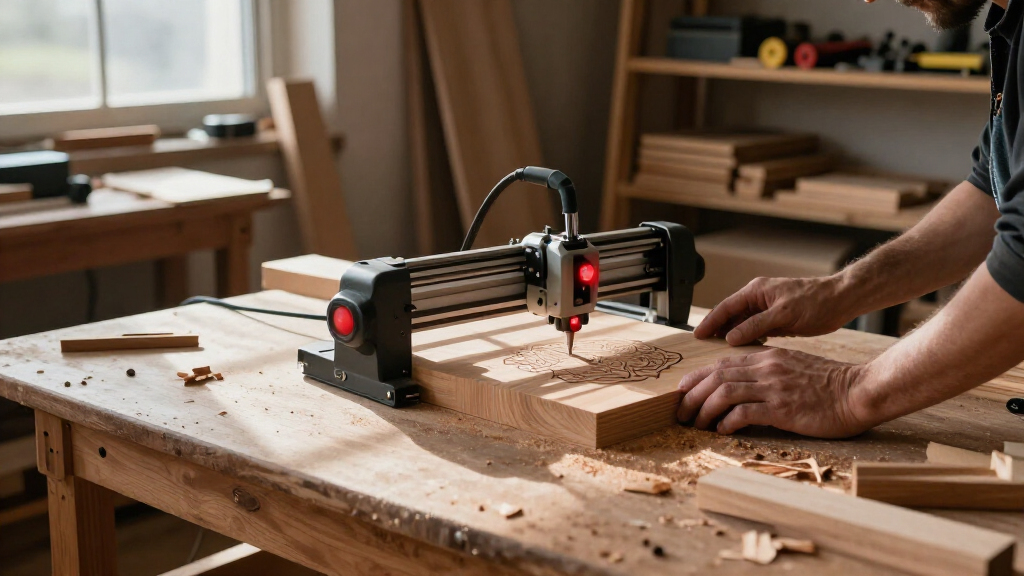
I ranked these laser engravers for woodworking by how well their stated features match common wood projects: engraving detail, cutting capability, usable work area, and the practical value of accessories such as air assist, rotary rollers, and honeycomb beds. I also weighed enclosure and camera features as workflow and workspace considerations, rather than treating them as substitutes for ventilation, eye protection, or safe operation.
The order favors machines that balance useful capability with a clear woodworking role. A larger work area or included accessory can move a model ahead when it solves a common project constraint; specialized dual-laser features can earn a distinct place without making a machine the default choice for every woodworker. Where product names identify similar 10W Creality Falcon variants, I treat their listed accessories and work area as the meaningful distinctions and avoid assuming unlisted performance differences.
Factors to Consider When Choosing Laser Engravers For Woodworking
Before choosing a machine, I’d start with the projects, materials, and workspace it needs to support. The laser’s power rating is only part of the decision: board size, smoke handling, repeatable placement, and safe installation can shape day-to-day results just as much.
Match the Work Area to Your Largest Board
Measure the usable wood pieces you expect to engrave, not just the finished design. A 400 × 400 mm bed, like the one listed for the LONGER Ray5, can reduce the need to reposition a larger panel compared with compact formats. Repositioning can introduce alignment errors, especially for designs that span multiple passes or need consistent placement. Some machines support pass-through or rotary workflows, but do not assume those features from a product name alone. Check the actual working dimensions and whether the frame leaves room for clamps and material edges. Choosing a bed much larger than your typical projects can also take up valuable bench space.
Treat Power Ratings as a Starting Point, Not a Cut Guarantee
A diode machine’s listed wattage can help you compare models, but it does not tell you exactly how quickly or cleanly it will cut a particular board. Wood species, thickness, resin, grain direction, moisture, focus, and air movement all affect the result. A 10W model is a more flexible starting point for buyers who want both engraving and some cutting work than the 2,500 mW ACMER S1, which better fits lighter-duty jobs. Even so, thick stock may require multiple passes, and the cut edge can show charring. Run material tests on offcuts before committing a finished piece. If production speed or thick stock is the priority, check the manufacturer’s supported materials and cut guidance rather than relying on wattage alone.
Plan Smoke Control Before Setting Up
Engraving wood creates smoke and fine particles, so a laser needs a sensible exhaust plan. An enclosure can help contain fumes, but it only helps when paired with an appropriate exhaust route or filtration setup. Air assist serves a different purpose: it directs airflow at the work area and may reduce residue or flame risk, but it is not a fume extractor. Open-frame machines can be workable in a dedicated, ventilated area, while enclosed machines may be easier to manage in a shared workspace. Check where the exhaust hose can go and whether the room can support that setup before buying. Never treat an enclosure as a reason to operate without supervision or suitable laser safety measures.
Decide Whether Accessories Solve a Real Workflow Need
Included accessories can save setup effort, but they are useful only when they match your projects. Air assist is relevant for wood engraving and cutting; a rotary roller is for cylindrical items, not flat boards. A honeycomb bed can help keep material lifted and improve airflow beneath the work, but it does not automatically prevent every scorch mark. Cameras may help position artwork, although they add another step to calibration and software setup. Before paying attention to a bundle, list the jobs you will actually run and identify which accessory removes a recurring bottleneck. If a feature will rarely be used, a simpler machine may be easier to maintain.
Check Software, Placement, and Repeatability
Wood projects often rely on consistent placement: names, logos, signs, and repeated parts need to land in the same spot. Cameras can make alignment more convenient, but buyers should check software compatibility, supported file types, and the camera workflow before choosing a model. A manual frame or test mark may be enough for occasional work, while batch production benefits more from reliable positioning. Ask whether your preferred design software works with the machine and operating system you use. Also look for clear guidance on focus, material presets, and firmware updates. A machine with strong hardware can still slow a project down if the software setup feels awkward.
Budget for Materials, Maintenance, and Safety
The machine is only one part of a woodworking laser setup. You may also need ventilation, an enclosure, a honeycomb bed, clamps, test stock, and cleaning supplies, depending on what is included and your workspace. Keep the lens and work area free of residue, and check the manufacturer’s maintenance guidance for belts, fans, and other components. Choose known, laser-appropriate wood and avoid materials with coatings or adhesives you cannot identify. A cheaper or lower-powered machine can make sense for small decorative work, but it may frustrate buyers expecting frequent cutting or larger batches. Compare the full setup and learning curve, not just the machine’s headline specifications.
Frequently Asked Questions
Can a 10W diode laser cut wood as well as engrave it?
Many 10W diode engravers are intended for both engraving and some wood cutting, but the result depends on wood type, thickness, focus, and settings. Expect to test on offcuts and use more than one pass for some jobs. Cutting may leave a charred edge, and air assist can help manage smoke and debris without removing the need for ventilation. If your work centers on thick stock or fast production, compare manufacturer guidance for the exact materials and thicknesses you plan to use. Do not treat a wattage label as a promise of a particular cut depth.
Should I choose an enclosed engraver or an open-frame model for a home woodshop?
An enclosure can contain light and help direct smoke toward an exhaust system, which can be useful in a shared workspace. It does not make fumes disappear, so plan for appropriate exhaust or filtration and follow the safety instructions for the machine. Open-frame models may suit a dedicated, well-ventilated workshop, but they need more attention to access control and eye safety. Consider the machine’s footprint, hose routing, and how you will supervise a job. The best choice depends on the room and exhaust plan, not enclosure status alone.
Is a larger work area worth choosing over extra accessories?
Choose the larger work area if your common projects include wide signs, panels, or pieces that are awkward to reposition. A bigger bed can simplify placement and reduce alignment steps, but it also takes more bench space. Accessories matter more when they support a frequent task: air assist for woodwork, a rotary roller for cylindrical objects, or a honeycomb bed for airflow beneath flat stock. Think about the largest piece you will actually engrave and the workflow you repeat most often. If your projects are small, a compact machine with the right accessories may be the better fit.
Does a dual-laser model make sense if I mainly engrave wood?
A dual-laser machine such as the xTool F2 may appeal if you want to work with materials beyond wood and value having both a diode and an IR laser. For a wood-only workflow, the additional laser may not improve the jobs you run often enough to justify the extra complexity. Compare its diode capability, usable work area, software needs, and operating workflow with a dedicated diode model. If your projects are mostly boards, signs, and wooden gifts, prioritizing work area and smoke handling may offer more day-to-day value. The broader material range matters most when you have specific non-wood projects in mind.
What should I test before engraving a finished wooden piece?
Test the same species and, when possible, the same board or sheet on an offcut. Confirm focus, placement, power and speed settings, and whether air assist changes the result. Look for edge scorching, uneven depth, smoke staining, and grain-related variation before running the finished piece. Check that the wood’s finish, glue, or coating is suitable for laser processing, since unknown materials can create unsafe fumes. A small test grid can help you compare settings without wasting a full workpiece. Keep a record of successful settings for repeat jobs, while allowing for differences between boards.
Conclusion
For a broadly capable woodworking machine, I’d choose the LONGER Ray5 10W as my best overall pick, especially when its 400 × 400 mm work area suits the projects on your bench. My best value direction is a straightforward 10W diode model such as the Twotrees TTS-10 Pro or ORTUR Laser Master 2 S2 LU2-10A if you want core engraving and cutting capability without prioritizing a camera or dual-laser system; compare included accessories before choosing between them. For a premium, broader-material setup, the xTool F2 Dual-Laser is the standout, while the xTool M2 Enclosed Laser Engraver with Dual Cameras is a more fitting premium choice when enclosure and camera-assisted placement matter more. Beginners should favor a machine whose setup, safety plan, and software match their workspace, with an enclosed option such as the BlazeX M3 worth a closer look if its stated features fit. For small, light-duty projects, consider the ACMER S1; for cylindrical wood pieces, look at the Creality Falcon 10W with Rotary Roller. Match the machine to your material size, ventilation plan, and regular workflow before deciding.