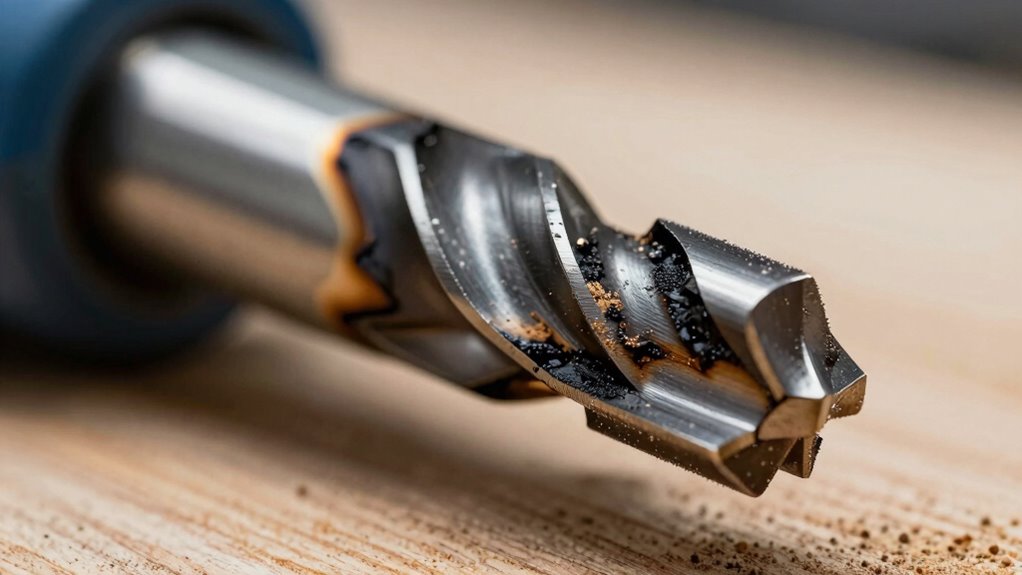

Burn marks on your router bits usually happen because of incorrect speed, too much feed pressure, or dirt buildup. To fix this, turn the router to a lower speed suitable for your bit size and material. Apply steady, gentle pressure instead of pushing hard. Regularly clean and inspect your bits for resin or debris, as buildup increases heat. Addressing these causes will improve your projects and keep your tools in top shape—stay tuned for more tips.
Key Takeaways
- Adjust router speed to match bit size and material to prevent excessive heat buildup.
- Maintain a steady, moderate feed rate to reduce friction and avoid overloading the bit.
- Regularly clean and inspect bits for dirt, resin, or debris that can cause increased friction and burning.
- Use manufacturer-recommended settings and avoid running the router at maximum speed unnecessarily.
- Improve technique by applying consistent pressure and avoiding rushing through cuts to minimize heat and burn marks.
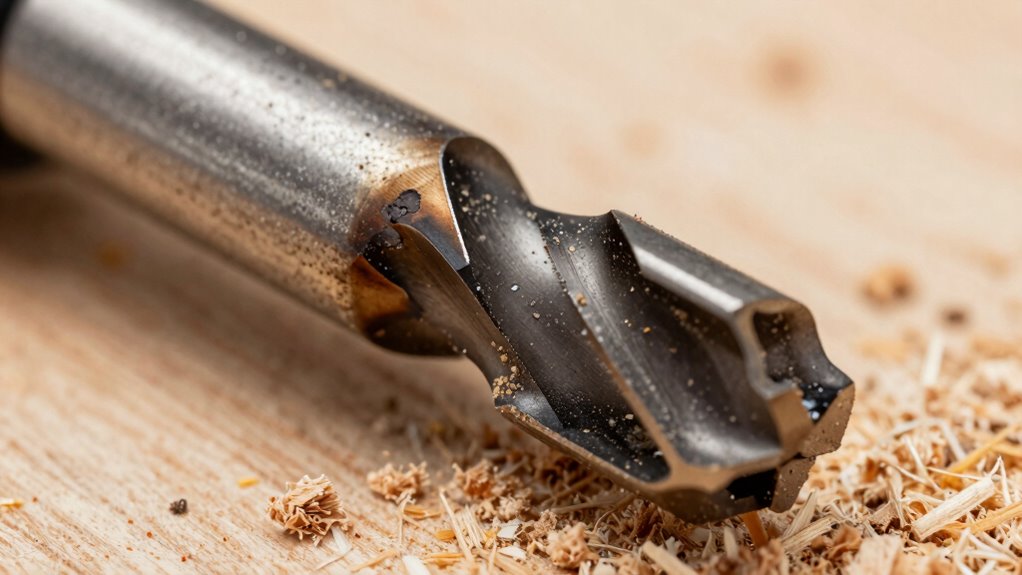
Burn marks on router bits are a common sign that something’s wrong during your woodworking project. These scorch marks often appear on your workpiece and can indicate underlying issues with your router setup or technique. Recognizing the cause of router bit burn marks is vital not only to improve your work but also to maintain woodworking safety. When a burn mark develops, it’s a signal that heat is building up excessively, which can compromise the integrity of your project and pose risks if not addressed promptly.
One of the primary reasons for router bit burn marks is improper speed settings. Running your router too fast for the material or bit size generates unnecessary heat. Many beginners overlook the importance of adjusting the router’s speed according to the task, but doing so can make a big difference. High speeds increase friction, causing the bit to overheat and scorch the wood surface. Always consult your router’s manual for recommended speeds based on the bit diameter and material type. Slowing down the router’s RPM when working on dense woods or larger bits can prevent heat buildup, reducing the chances of burn marks and enhancing woodworking safety.
Adjust router speed to match bit size and material for safer, cleaner cuts.
Feed rate is another vital factor. Pushing too hard or feeding the material too quickly through the router causes the bit to work harder than it should. This excess strain results in increased friction and heat, which contributes to burn marks. Instead, feed the workpiece steadily and smoothly, allowing the bit to cut efficiently without overheating. A controlled feed rate not only improves the quality of your cut but also minimizes the risk of accidents caused by the router slipping or binding. Remember, patience pays off—you want the bit to do the work, not force it.
Dirt, debris, or resin buildup on your router bit can also cause burn marks. When bits are dirty, they don’t cut cleanly, increasing friction and heat. Regularly inspecting and cleaning your bits with a proper brush or solvent ensures they remain sharp and free of buildup. Dull or dirty bits force the router to work harder, again leading to increased heat and potential safety hazards. To maximize both your safety and the quality of your work, always keep your tools clean and sharp.
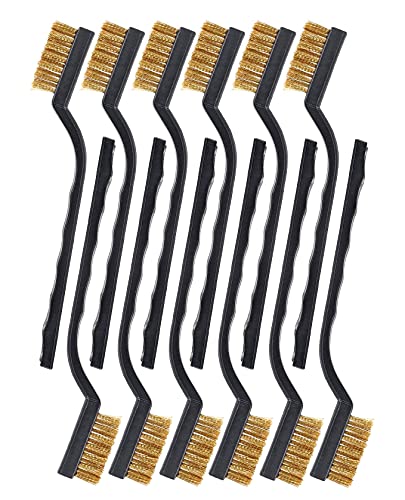
SUJAYU Brass Wire Brush Rust Remover, Small Wire Brush for Cleaning, Paint Stripper for Metal, Wood, Rustoleum Fabric Spray Paint (Brass, 12.00)
Quantity and Size – 12 pieces brass brushes, enough use amount for a while. Each product's overall length…
As an affiliate, we earn on qualifying purchases.
As an affiliate, we earn on qualifying purchases.
Frequently Asked Questions
Can Using a Slower Router Speed Prevent Burn Marks?
Using a slower router speed can help prevent burn marks by reducing heat buildup during cutting. When you lower the router speed, it allows the bit to move through the material more smoothly, decreasing friction. This improves burn prevention and results in cleaner cuts. However, make sure you also adjust your feed rate and keep the bit clean for the best results, as these factors work together to avoid burn marks.
How Often Should I Clean My Router Bits?
You should clean your router bits after every few uses or when you notice a buildup of dust and pitch. Regular bit cleaning is essential for peak performance and preventing burn marks. Incorporate maintenance tips like using a wire brush or specialized cleaning solution to keep your bits in top shape. Consistent cleaning not only extends the life of your bits but also helps you achieve cleaner, smoother cuts every time.
Does the Type of Wood Affect Burn Mark Formation?
Ironically, softer woods with loose grain patterns might seem easier to cut, but they often cause more burn marks because they can’t dissipate heat well. Denser woods with tight grain patterns generally resist burning because their structure absorbs and spreads heat better. So yes, the type of wood impacts burn marks—so choose your material wisely, and adjust your speed, feed, and cleaning routine accordingly to keep your cuts smooth and burn-free.
Are There Specific Bits More Prone to Burning?
Some bits are more prone to burning due to their material and geometry. Carbide bits typically resist heat better, reducing burn marks, while high-speed steel bits may heat up faster. Additionally, bits with aggressive or shallow geometry can generate more friction, increasing the risk of burning. To prevent this, choose bits designed for your specific material, and guarantee the geometry is suited for smooth, efficient cuts.
What Safety Precautions Should I Take During Maintenance?
Like a knight preparing for battle, you must gear up for workshop safety. Always wear personal protective equipment such as safety goggles, ear protection, and dust masks during maintenance. Before touching your router bit, unplug the tool and wait for it to stop spinning. Keep your workspace clean, well-lit, and free of clutter. Follow all safety protocols to prevent accidents and guarantee safe, effective maintenance.

AC Motor Speed Controller 100V-120V 15A Variable Speed Regulator for Router, Drill, Fan, and Polishing Machine – Electronic Voltage Regulator with Overload Protection and LED Display
Power Design: Input voltage 110-120V, supports variable speed controllers and AC motor speed controllers with a maximum current…
As an affiliate, we earn on qualifying purchases.
As an affiliate, we earn on qualifying purchases.
Conclusion
Remember, burn marks on your router bit often point to deeper issues like improper speed, feed rate, or dirt buildup. Instead of just sanding away the marks, consider whether your tool setup or technique is the real culprit. Sometimes, what seems like a simple fix masks a bigger problem. By addressing the root cause—whether it’s adjusting your speed, cleaning your bit, or refining your feed—you guarantee cleaner cuts and longer tool life. Don’t just treat the symptom; fix the cause.

KOWOOD Router Bits Set of 15 Pieces 1/4 Inch Woodwork Tools for Beginners
▲ DURABLE STEEL BODY – Boasting alloy blade, balanced craftsmanship and a solid hardened steel board these woodworking…
As an affiliate, we earn on qualifying purchases.
As an affiliate, we earn on qualifying purchases.

ROCKLER Router BIT Maintenance KIT
Complete, all-in-one cleaning and maintenance kit for router bits makes it easy to keep your bits clean and…
As an affiliate, we earn on qualifying purchases.
As an affiliate, we earn on qualifying purchases.