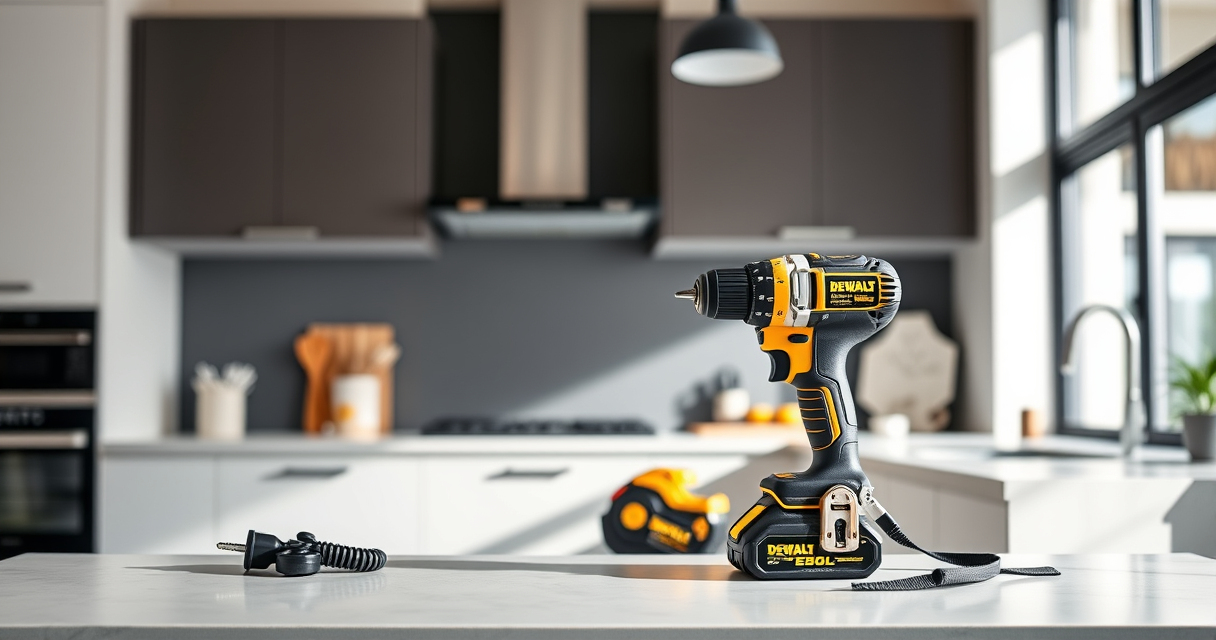
Proper cleaning of your DEWALT XR Impact Driver is essential for ensuring its longevity and optimal functionality. Regular maintenance helps prevent debris buildup that can impair performance and cause damage. Follow these straightforward steps to keep your impact driver in top condition without risking damage.

Get business pricing on tools and workshop supplies
- Business-only prices and quantity discounts
- Tax-exempt purchasing
- Multiple users, one account, clear invoices
Before starting, gather the necessary tools and ensure the impact driver is powered off and disconnected from any batteries or chargers.
Key Takeaways
| Safety First | Always disconnect power sources before cleaning. |
| Use Proper Tools | Soft brushes and compressed air are recommended. |
| Avoid Water Damage | Keep the impact driver dry and avoid submerging it. |
| Regular Maintenance | Clean after heavy use or exposure to dust and debris. |
| Check for Damage | Inspect for cracks or worn parts during cleaning. |
Step 1: Power Down and Disconnect
Ensure the impact driver is turned off. Remove the battery pack to prevent accidental activation during cleaning.
Step 2: Remove and Clean the Chuck
- Use your fingers or a tool to loosen the quick-release hex chuck.
- Remove the chuck carefully, if possible, following the manufacturer’s instructions.
- Use a soft brush or compressed air to remove dust and debris from the chuck and the spindle.
Step 3: Clean the Exterior
- Wipe down the outer casing with a slightly damp cloth; avoid excess moisture.
- Use compressed air to blow out vents and crevices where dust accumulates.
Step 4: Check and Clean the Air Vents
Use compressed air to gently blow out the air vents. Clear any dust or blockages to ensure proper cooling and operation.
Step 5: Reassemble and Test
Reattach the chuck securely. Reinsert the battery, and turn on the impact driver to ensure it operates smoothly. Listen for unusual sounds or vibrations indicating issues.
The Products in This Guide

DEWALT 20V MAX Cordless Drill and Impact Driver
- ✔ Size: 7.6 inches
- ✔ Grip: Ergonomic comfort grip
- ✔ LED: Bright LED with delay

DEWALT Drill Bit Set
- ✔ Size range: from 1/16 inch to 3/8 inch
- ✔ Design: Tapered web for durability
- ✔ Compatibility: Fits standard chucks
DEWALT 20V MAX Cordless Drill and Impact Driver
Regular cleaning of your DEWALT 20V MAX Cordless Drill and Impact Driver helps maintain its power and prolongs its lifespan. Follow these steps to ensure your tool stays in prime condition.
Pros:
- Keeps the impact driver in top shape
- Prevents dust buildup
- Easy to perform with basic tools
- Increases tool lifespan
Cons:
- Requires careful handling of parts
- Must avoid excessive moisture
- Regular cleaning needed for best results
Best for: DIY enthusiasts and professionals needing reliable impact driver performance
Not ideal for: For impact drivers heavily exposed to water or extreme conditions
Bottom line: Consistent cleaning ensures your impact driver performs at its best for years to come.
DEWALT Drill Bit Set
Pair your impact driver with this durable DEWALT Drill Bit Set for smooth, accurate drilling into various materials. The 135-degree split point helps reduce walking, making your projects easier.
Pros:
- Durable high-speed steel
- Corrosion-resistant coating
- Quick size identification
- Versatile for plastic, wood, and metal
Cons:
- May require different bits for specific materials
- Not suitable for heavy-duty industrial use
Best for: Home improvement projects and light to medium-duty tasks
Not ideal for: Heavy industrial or high-torque applications
Bottom line: A reliable drill bit set that complements your impact driver for versatile projects.
Frequently Asked Questions
Can I submerge my impact driver in water for cleaning?
No, avoid submerging your impact driver in water. Use a damp cloth and compressed air to clean the exterior and vents.
How often should I clean my impact driver?
Clean your impact driver after heavy use or exposure to dust, debris, or moisture to maintain optimal performance.
What should I do if my impact driver won’t turn on after cleaning?
Check the battery connection, ensure the battery is charged, and inspect for any debris blocking the vents or internal parts. If issues persist, consult a professional.
Is it safe to clean the impact driver with compressed air?
Yes, compressed air is safe when used carefully to blow out dust from vents and crevices. Keep the can upright and avoid excessive force.
Keep Your Impact Driver in Peak Condition
Regular cleaning of your DEWALT XR Impact Driver ensures it remains reliable and efficient for all your projects. Always follow safety precautions and proper procedures to avoid damage and extend the lifespan of your tool. With these simple steps, you’ll maintain peak performance and get the most out of your investment.
Affiliate disclosure: As an Amazon Associate we earn from qualifying purchases. Prices and availability are accurate as of the time of publishing.
Fall yard work Picks
leaf blowers
As an affiliate, we earn on qualifying purchases.