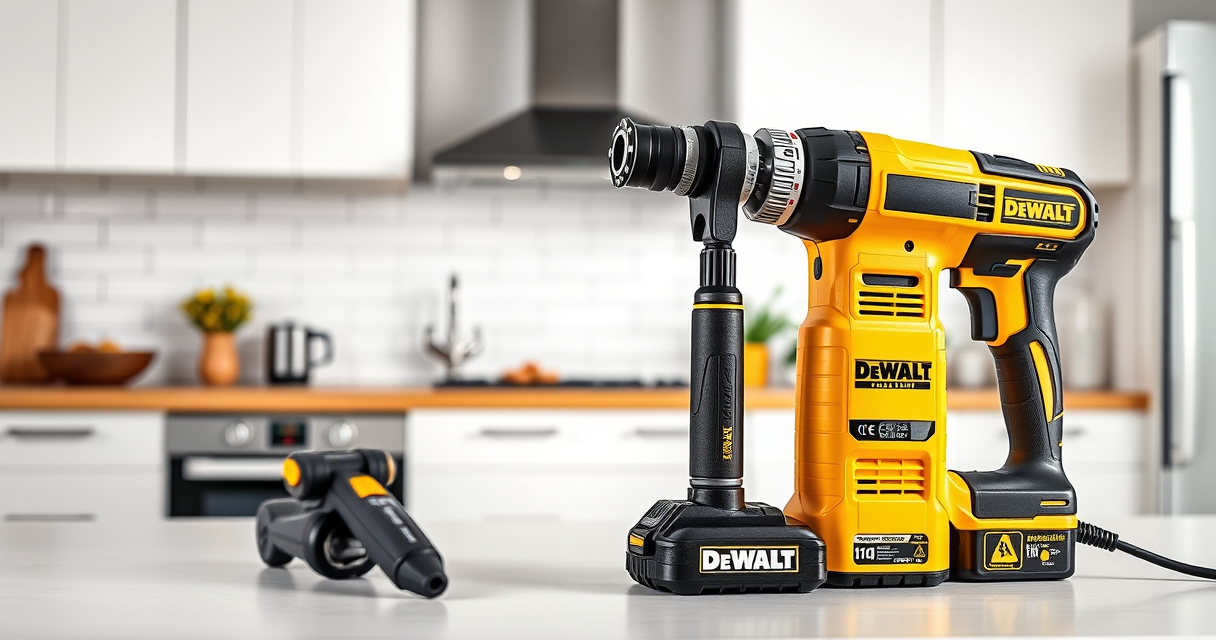
Proper cleaning of your DEWALT brushless drill is essential for maintaining its performance and longevity. Regular cleaning removes dust, debris, and grime that can hinder operation or cause damage over time. This guide provides practical, safe steps to clean your drill effectively without risking damage.

Get business pricing on tools and workshop supplies
- Business-only prices and quantity discounts
- Tax-exempt purchasing
- Multiple users, one account, clear invoices
Always prioritize safety and use the correct tools and methods when cleaning your power drill.
Key Takeaways
| Regular Maintenance | Cleaning prevents dust buildup and extends your drill’s lifespan. |
| Safety First | Always disconnect the battery before cleaning. |
| Use Proper Tools | Soft brushes and compressed air are recommended. |
| Avoid Water Damage | Keep the drill dry and avoid use of liquids. |
| Check for Damage | Inspect for wear or damage during cleaning. |
Preparation Before Cleaning
- Disconnect the battery: Remove the battery pack from the drill to prevent accidental activation.
- Gather tools: Have a soft brush, compressed air, a microfiber cloth, and isopropyl alcohol ready.
- Work in a clean, well-lit area to avoid losing small parts or debris.
Cleaning the Exterior
- Wipe the exterior with a dry microfiber cloth to remove loose dust and dirt.
- For stubborn grime, lightly dampen the cloth with a mixture of water and isopropyl alcohol (70%).
- Use a soft brush to clean around vents, switches, and crevices.
Cleaning the Chuck and Bits
- Remove any drill bits from the chuck.
- Use compressed air to blow out dust from the chuck and around the spindle.
- Wipe the chuck with a dry cloth; if necessary, dampen with isopropyl alcohol for sticky residues.
Cleaning the Motor and Internal Components
Do not open the drill case unless you are experienced; instead, blow compressed air into vents to remove internal dust. If you notice debris inside, consult a professional for internal cleaning.
Final Checks and Reassembly
- Ensure all parts are dry before reassembling.
- Inspect the drill for any damage or wear.
- Reinsert the battery and test the drill in a safe environment.
The Products in This Guide

DEWALT 20V MAX Cordless Drill Driver Set
- ✔ Material: Plastic and metal
- ✔ Cleaning tools: Soft brush, compressed air, microfiber cloth
- ✔ Precautions: Disconnect battery, avoid liquids

DEWALT Drill Bit Set
- ✔ Use: Plastic, wood, metal
- ✔ Durability: High Speed Steel
- ✔ Coating: Rust resistant
DEWALT 20V MAX Cordless Drill Driver Set
Keeping your DEWALT 20V MAX Cordless Drill Driver set clean ensures reliable performance and longevity. Follow these steps regularly to maintain your tool in top condition.
Pros:
- Easy to follow steps
- Prevents dust buildup
- Safe cleaning methods
- Maintains optimal performance
Cons:
- Requires careful handling
- Limited internal cleaning without disassembly
- Avoid water exposure
Best for: DIY enthusiasts and professionals maintaining their drill
Not ideal for: For internal repairs or deep disassembly, consult a professional
Bottom line: Regular cleaning keeps your DEWALT drill performing at its best for years.
DEWALT Drill Bit Set
This DEWALT Drill Bit Set complements your maintenance routine by providing durable, rust-resistant bits that can handle any material, ensuring your drill is always ready to perform.
Pros:
- High-quality steel
- Wide variety of sizes
- Split point tip reduces walking
- Rust resistant coating
Cons:
- Slightly higher cost
- Limited to drilling bits only
- Not for internal cleaning
Best for: Drilling into plastic, wood, and metal
Not ideal for: For internal cleaning or maintenance
Bottom line: A reliable drill bit set that supports your overall tool maintenance.
Frequently Asked Questions
Can I use water to clean my DEWALT drill?
No, avoid using water or liquids directly on your drill to prevent internal damage. Use a damp cloth instead.
Is it safe to open my DEWALT drill for internal cleaning?
Unless you’re experienced with power tool disassembly, it’s best to avoid opening the drill. Internal cleaning is best left to professionals.
How often should I clean my drill?
Clean your drill after every few uses or whenever you notice dust and debris accumulating, especially before storage.
What should I do if my drill gets wet?
Turn it off immediately, remove the battery, and allow it to dry completely in a warm, dry place before use.
Maintain Your DEWALT Drill for Peak Performance
Regular cleaning is a simple yet crucial step to ensure your DEWALT brushless drill remains reliable and efficient. By following these safe and practical steps, you can extend the lifespan of your tool and keep it ready for any project. Remember, always disconnect the battery before cleaning and avoid using excessive moisture.
Affiliate disclosure: As an Amazon Associate we earn from qualifying purchases. Prices and availability are accurate as of the time of publishing.
Halloween Picks
halloween
As an affiliate, we earn on qualifying purchases.