Ignoring dust buildup inside your CNC router can lead to silent damage that causes breakdowns and costly repairs. Dust infiltrates vents, bearings, and electronics, increasing overheating and wear. Regular cleaning with compressed air and proper dust collection helps prevent hidden particles from causing harm. Coupled with routine lubrication and inspections, these simple steps protect your machine’s performance. Keep an eye on these unseen issues, and you’ll find ways to extend your CNC’s lifespan and reliability.
Key Takeaways
- Hidden dust inside CNC components can cause overheating and electrical failures if not regularly cleaned.
- Regular inspection and use of compressed air prevent dust accumulation in vents, bearings, and electronics.
- Dust infiltration accelerates wear on guides, screws, and bearings, leading to mechanical breakdowns.
- Installing dust collection systems reduces internal dust buildup, extending machine lifespan and reliability.
- Combining routine cleaning with proper lubrication safeguards CNC parts from dust-induced damage.
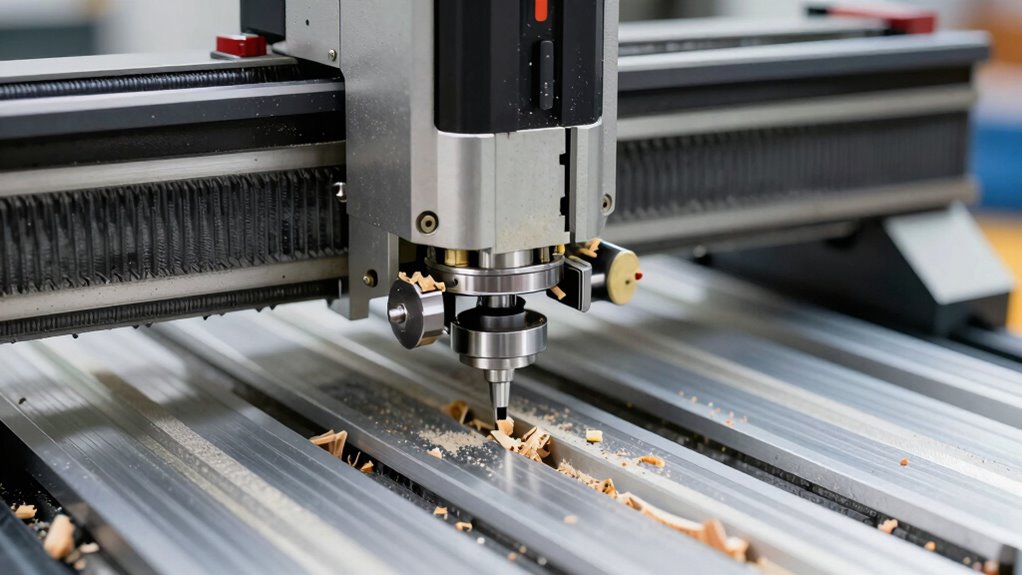
Regular maintenance is crucial to keep your CNC router running smoothly and accurately. One of the most overlooked issues is dust buildup, which can quietly sabotage your machine’s performance over time. Dust doesn’t just settle on surfaces; it infiltrates the internal components, clogging vents, settling into bearings, and contaminating delicate electronics. If left unchecked, this accumulation can cause overheating, reduce precision, and even lead to costly breakdowns. The key to preventing these problems is consistent cleaning and dust removal routines. Regularly wiping down surfaces, using compressed air to blow out dust from hard-to-reach areas, and installing dust collection systems help guarantee particles don’t accumulate to damaging levels. Paying attention to these small, routine actions keeps your CNC router functioning at its best and extends its lifespan.
Regular cleaning and dust removal extend your CNC router’s lifespan and ensure optimal performance.
Along with managing dust, maintaining proper lubrication routines is equally crucial. Your CNC router relies on a series of moving parts—linear guides, ball screws, bearings—that need adequate lubrication to operate smoothly. When these components aren’t properly lubricated, they experience increased friction, which accelerates wear and can cause misalignments that affect cutting accuracy. Establishing a regular lubrication schedule ensures that all moving parts stay well-oiled and free from unnecessary wear. Use the manufacturer-recommended lubricants, and apply them carefully to avoid over-lubrication, which can attract dust and debris, worsening the problem. Incorporate lubrication into your routine maintenance checklist, making it a habit to check and top off lubricants before each use or at regular intervals. This proactive approach helps prevent grinding noises, jerky movements, and eventual mechanical failure.
Furthermore, combining dust control with lubrication routines creates a thorough maintenance strategy. For instance, after cleaning dust from guides and screws, re-lubricate those parts to restore peak performance. This prevents dust from sticking to dry surfaces and causing abrasive wear. Always remember that neglecting these small tasks can lead to larger issues that are expensive and time-consuming to fix. Regularly inspecting your machine for signs of dust buildup and ensuring lubrication routines are followed will keep your CNC router running accurately and efficiently. It’s about being proactive rather than reactive—staying ahead of problems before they develop into full-blown repairs. Incorporating preventative maintenance into your routine helps identify potential issues early and reduces downtime.
In the end, the dust you don’t see is the one that breaks machines, so don’t ignore it. Implement simple, consistent maintenance routines for dust removal and lubrication, and your CNC router will reward you with reliable, precise performance day after day. Proper upkeep isn’t just about cleanliness; it’s about safeguarding your investment and ensuring your projects stay on track without unexpected interruptions.

O'SKOOL Dust Collection Box with Router Table Dust Collection Kit, DCC010
Contents included: (5) Dust collection box assembly panel (1)Stainless Butterfly Ventilator(1) Cord Grommet (6)Wood Screw – #10, 5/8"(34)Machine…
As an affiliate, we earn on qualifying purchases.
As an affiliate, we earn on qualifying purchases.
Frequently Asked Questions
How Often Should I Replace the Router’s Brushes?
You should replace your router’s brushes every 3 to 6 months, depending on usage. Regular brush replacement is key to extending your motor’s lifespan and maintaining peak performance. Keep an eye out for signs of wear, like reduced power or unusual noise. Don’t wait until they’re completely worn out—timely maintenance ensures your CNC router runs smoothly and avoids costly repairs, keeping your projects on track.
What Are Signs of Motor Overheating During Operation?
You’ll know your motor is overheating if thermal sensors detect high temperatures or if you notice increased vibration during operation. These signs indicate the motor is struggling and needs immediate attention. Regular vibration analysis helps catch issues early, preventing damage. Keep an eye on thermal readings and vibrations, and stop the machine if overheating signs appear. Proper maintenance guarantees your CNC router runs smoothly and avoids costly repairs.
Can Incorrect Dust Collection Affect Machine Accuracy?
Incorrect dust collection can definitely affect your machine’s accuracy. When dust buildup occurs, it disrupts airflow, which is essential for cooling and smooth operation. This disruption can cause components to misalign or move inconsistently, leading to errors in your work. Regularly cleaning and maintaining your dust collection system guarantees ideal airflow, helping your CNC router operate precisely and extend its lifespan.
How Do I Detect Hidden Internal Component Wear?
Like shadows lurking in a quiet forest, hidden component wear can go unnoticed. You’ll want to monitor lubrication schedules diligently and inspect electrical connections regularly, as these are your machine’s pulse points. Listen for unusual sounds, watch for subtle vibrations, and check for overheating. These signs serve as whispers from within, alerting you to internal wear before it causes costly breakdowns. Stay vigilant, and your machine will thank you with smooth, precise operation.
What Maintenance Is Needed for the Cnc’s Cooling System?
You should regularly check coolant levels to make sure proper cooling and prevent overheating. Inspect fans to make sure they’re spinning freely and aren’t clogged with dust or debris. Clean or replace filters as needed, and verify that the cooling system’s hoses and connections are secure and free of leaks. Consistent maintenance of these components helps keep your CNC running smoothly and avoids costly breakdowns.

Compressed Air Duster-3 Gear Adjustable 100000RPM Electric Air Duster with LED Light, Rechargeable Cordless Air Blower for Keyboard Electric Devices Cleaning. Replaces Compressed Air Cans (Black)
Powerful Performance:The air duster has a maximum speed of 100000 RPM motor with 3 gear adjustable airflow settings,…
As an affiliate, we earn on qualifying purchases.
As an affiliate, we earn on qualifying purchases.
Conclusion
Remember, neglecting dust can be like ignoring a small leak—eventually, it causes big damage. I once skipped cleaning my CNC router for a week, thinking it wasn’t a big deal. Suddenly, a tiny dust buildup caused a misalignment that halted my project for hours. Regular maintenance isn’t just about cleanliness; it’s about preventing unseen dust from becoming the silent breaker of your machines. Stay vigilant, and your equipment will thank you.

1pc Manual Lubrication Oil Pump Kit Oil Outlet 4mm 6mm TZ-5 Lubrication Pump for CNC Engraving Router(6mm Oil Pump)
1pc Manual Lubrication Oil Pump Kit Oil Outlet 4mm 6mm TZ-5 Lubrication Pump for CNC Engraving Router
As an affiliate, we earn on qualifying purchases.
As an affiliate, we earn on qualifying purchases.

Lathe Chuck Key, Heavy Duty Milling Square Wrench Spanner Tool 8MM 10MM 12MM 14MM 17MM CNC Router Engraving Machine T-Handle Grip(8 * 8mm)
[MULTIPLE SIZES AVAILABLE] Choose from five different sizes (8mm, 10mm, 12mm, 14mm, and 17mm) to suit your specific…
As an affiliate, we earn on qualifying purchases.
As an affiliate, we earn on qualifying purchases.