
TL;DR

Get business pricing on tools and workshop supplies
- Business-only prices and quantity discounts
- Tax-exempt purchasing
- Multiple users, one account, clear invoices
Family Handyman published plans for building a home arcade cabinet from scratch, with an estimated cost of $750 to $1,000 and a multi-day, advanced difficulty rating. The guide specifies a 27- to 32-inch flat-screen monitor and describes a cabinet built from plywood and MDF, with arcade controls and a Raspberry Pi. The source provides project instructions, but no independent test results or claim that the build is suitable for every skill level.
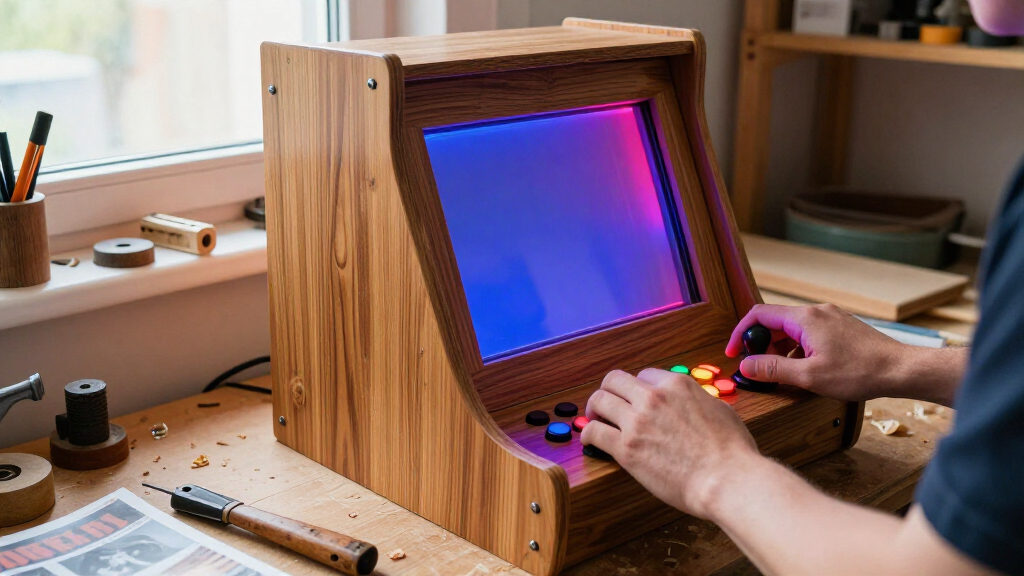
Family Handyman has published plans for building a full-size arcade cabinet at home, estimating that the advanced project will take multiple days and cost $750 to $1,000. The guide lays out a build around a 27- to 32-inch flat-screen monitor, arcade controls and a Raspberry Pi, giving hobbyists a detailed route from cutting panels to wiring the system.
The guide says builders should choose and measure their monitor before cutting wood because its dimensions determine the cabinet’s interior width and the placement of the monitor mount. It recommends adding half an inch to the monitor’s width for clearance and measuring the positions of the monitor’s mounting holes. It advises using a flat-screen display; curved or tube-style screens may require more cabinet depth.
The supplied cut list combines 3/4-inch plywood and MDF for the sides, monitor frame, button panel, speaker panel, door and internal supports. The sides require angled cuts and a broad curved section, which the guide says can be cut with a jigsaw or routed with a circle-cutting jig. Other components are cut on a table saw and miter saw, with bevels needed on some panel edges.
Listed materials include a Raspberry Pi starter kit, a single-player joystick and button kit, a monitor, soundbar and two four-inch cooling fans, alongside wood, fasteners, paint or stain and finishing supplies. The article rates the build as advanced. Its supplied excerpt describes the sizing and cutting stages, but does not include enough of the later instructions to verify every assembly or wiring step.
A Full-Size Cabinet for Home
The project turns arcade play into a substantial woodworking and electronics build. Its price estimate gives prospective builders a starting point for budgeting, while the monitor-first design makes clear that parts and dimensions need to be settled before construction begins. A screen outside the suggested range or with different mounting points could require changes to the plans.
The build also combines several kinds of work: shaping large sheet goods, joining and finishing panels, installing controls, fitting a display and setting up a Raspberry Pi. That scope matters to readers weighing the project against a ready-made cabinet or a smaller tabletop build. Family Handyman classifies it as advanced, so the listed cost and time should not be read as a guarantee for every builder; the source does not provide a tested completion time or a breakdown of costs by component.
Top picks for "incredible arcade cabinet"
As an affiliate, we earn on qualifying purchases.
The Monitor Sets the Dimensions
The project is presented as a way to bring classic arcade-style play into a home. Its instructions center on a custom cabinet rather than a standard enclosure: the screen is selected first, and the side panels and interior layout are sized around it. The guide recommends 1080p or higher for modern or emulated titles, while saying a lower resolution may suit classic arcade-era games and look more period-appropriate.
In the supplied material, the first stages cover measuring the display, laying out and cutting the two side panels, then cutting the remaining plywood and MDF components. The cut list includes a monitor mount, button panel, speaker panel and access door. This sequence means that the cabinet’s dimensions, hardware and intended games shape decisions early in the build. The article lists a $750 to $1,000 estimate, but the source excerpt does not say when that estimate was prepared or specify local prices.
“Time Multiple Days Complexity Advanced Cost $750-$1000”
— Family Handyman project guide
Costs and Build Results Vary
The source material does not identify the date of the cost estimate or say whether the $750 to $1,000 range includes every tool a builder may need to buy. It also gives no regional pricing, finished-cabinet measurements beyond the cut list, or independent account of how long the project took. The final result will depend on the monitor and components selected, available tools and the builder’s experience.
The supplied excerpt ends during the cutting instructions. It lists wiring and cooling components, including a Raspberry Pi and two fans, but does not provide the full later directions here. As a result, the precise wiring process, software setup, game compatibility and any licensing considerations cannot be established from the provided material.
Plan Parts Before Cutting
For anyone following the guide, the next practical step is to select the monitor and gather its measurements, including the mounting-hole positions, before buying or cutting cabinet materials. Builders can then compare their chosen screen and control kit with the listed panel dimensions and budget. The source does not announce a follow-up release or additional project milestone.
Construction proceeds from the shaped side panels to the remaining plywood and MDF pieces, followed by cabinet assembly and installation of the display, controls, sound and Raspberry Pi. Those later steps are named in the project introduction and materials list; the excerpt supplied for this article does not set a completion date or confirm results from completed builds.
Key Questions
How much does the DIY arcade cabinet project cost?
Family Handyman estimates $750 to $1,000. The supplied source does not provide a component-by-component budget or date the estimate.
How long does the build take?
The guide lists the project time as multiple days. It does not give an exact number of hours or days.
What monitor does the cabinet use?
The guide recommends a 27- to 32-inch flat-screen monitor. It says to have the monitor before cutting, since its dimensions and mounting holes affect the cabinet design.
What materials and electronics are listed?
The cut list uses 3/4-inch plywood and MDF. Listed electronics include a Raspberry Pi starter kit, monitor, single-player arcade joystick and buttons, soundbar and two four-inch cooling fans.
Is this a beginner woodworking project?
Family Handyman rates the project advanced. The supplied instructions involve shaping large panels and using tools such as a table saw, router or jigsaw; the source does not say that prior experience is required.
Source: rss
Evergreen bestsellers Picks
bestsellers
As an affiliate, we earn on qualifying purchases.