
If your DEWALT power tool’s chuck keeps getting stuck, it can be frustrating and hinder your work. Fortunately, most chuck issues are fixable with some basic tools and careful steps. This guide provides clear instructions to help you troubleshoot and resolve the problem safely, ensuring your drill functions smoothly again.
Before proceeding, ensure your tool is unplugged or the battery is removed to prevent accidents. Wear safety glasses and work in a well-lit area for best results.
Key Takeaways
| Identify the cause | Stuck chucks often result from debris, rust, or over-tightening. |
| Gather necessary tools | Use a punch, lubricant, and a wrench for safe removal. |
| Follow safety precautions | Always unplug the tool and wear safety gear. |
| Carefully disassemble | Remove the chuck with proper tools to avoid damage. |
| Maintain your chuck | Regular cleaning and lubrication prevent future sticking. |

DEWALT 20V MAX Cordless Drill and Impact Driver, Power Drill Brushless 2-Tool Power Tool Combo Kit, Includes 2 Batteries, Charger and Bag (DCK277D2)
- Compact Design: 7.6-inch lightweight and compact
- Ergonomic Grip: Comfortable, balanced control
- Bright LED Light: Illuminates dark work areas
As an affiliate, we earn on qualifying purchases.
Identify the Cause of the Stuck Chuck
Before attempting any fix, determine why the chuck is stuck. Common causes include debris buildup, rust, or over-tightening during use. If the chuck is difficult to turn or won’t loosen, inspect it closely for dirt, dust, or corrosion. Sometimes, the drill’s clutch or gear mechanism may be jammed, especially if used with high-torque applications.
Understanding the root cause helps you choose the right approach—whether cleaning, lubricating, or replacing parts.
Prepare and Gather Tools
- Safety glasses
- Lubricant (penetrating oil or WD-40)
- Punch or screwdriver
- Adjustable wrench or pliers
- Cloth or rag
Ensure your power tool is disconnected from power—remove the battery from your DEWALT 20V MAX Cordless Drill and Impact Driver (ASIN: B0C3PQHGR7). Having the right tools at hand makes the process safer and more efficient.
Disassemble and Remove the Stuck Chuck
- Apply a generous amount of penetrating oil around the chuck and the spindle. Let it sit for 10-15 minutes to loosen rust or debris.
- Use the punch or screwdriver to gently tap the back of the chuck, which can help release any debris or corrosion.
- Place the drill on a stable surface and grip the chuck with an adjustable wrench or pliers. Turn counter-clockwise to loosen. If it doesn’t budge, alternate between gentle taps and turning.
- If the chuck remains stubborn, consult your DEWALT tool’s manual for specific disassembly instructions or consider professional repair.
Be cautious not to damage the spindle or other internal parts during removal.
Clean, Lubricate, and Reassemble
Once the chuck is removed, clean any remaining debris from the spindle and inside the chuck. Wipe with a rag and apply a light coat of lubricant to prevent future rusting.
Reassemble the chuck onto the spindle, turning clockwise until it is snug. Do not overtighten, as this can cause the same sticking issue again.
Test the chuck by inserting a bit and tightening it by hand, then power on the drill to ensure smooth operation.
Additional Tips and Warnings
- Always disconnect the power source before maintenance.
- Use the correct size and type of drill bits to avoid over-tightening.
- Regularly clean and lubricate your chuck to prevent rust and debris buildup.
- If the chuck continues to stick despite cleaning, consider replacing it or consulting a professional.
Never force the chuck or use excessive force, as this can damage internal components and lead to more costly repairs.
The Products in This Guide

DEWALT 20V MAX Cordless Drill and Impact Driver
- ✔ Front-to-back: 7.6 inches
- ✔ Battery Type: Lithium-ion
- ✔ Warranty: 3 years

DEWALT Drill Bit Set
- ✔ Tip Design: Split point
- ✔ Shank Type: 3-flats
- ✔ Coating: Rust-resistant
DEWALT 20V MAX Cordless Drill and Impact Driver
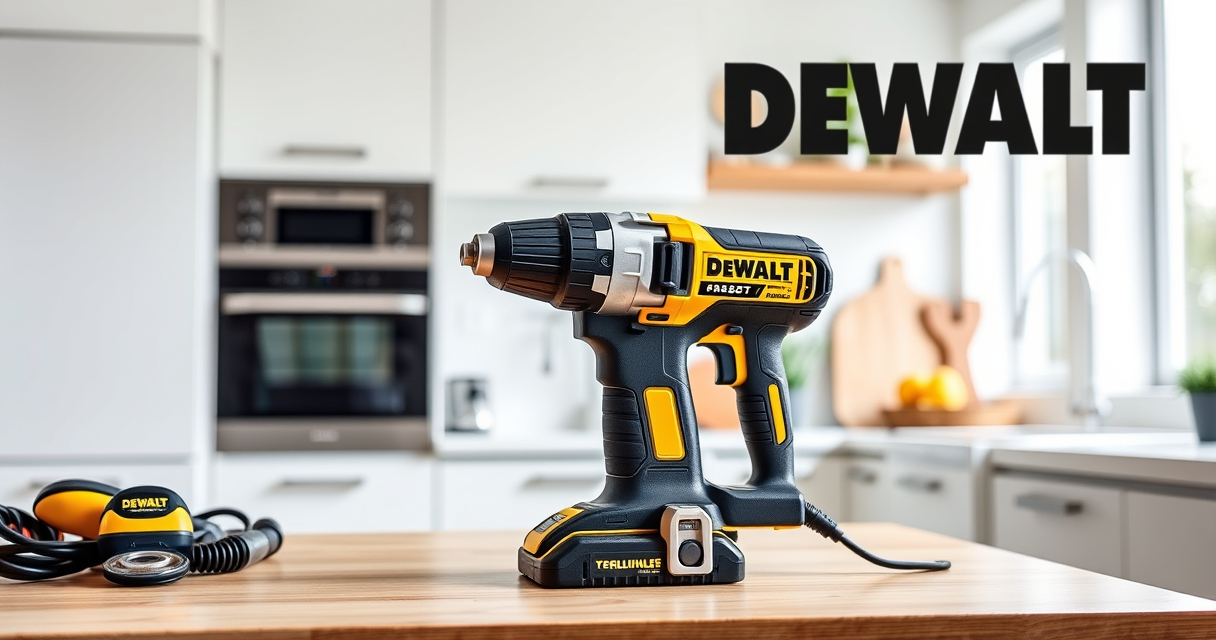
The DEWALT 20V MAX Cordless Drill and Impact Driver set offers powerful performance with a compact, lightweight design. Its quick-release hex chuck makes bit changes easy, and the brushless motor ensures efficient operation. Ideal for both beginners and professionals, it provides durability and excellent control for various projects.
Pros:
- Compact and lightweight
- Brushless motor for efficiency
- Quick-release chuck
- Includes 2 batteries and charger
Cons:
- Battery life may vary with heavy use
- Charger can be slow to recharge
Best for: DIY enthusiasts and professionals needing a reliable cordless drill
Not ideal for: Heavy-duty industrial applications requiring more torque
Bottom line: A versatile, reliable cordless drill perfect for a variety of projects.
DEWALT Drill Bit Set
This DEWALT Drill Bit Set features 14 high-speed steel bits with a 135-degree split point, suitable for plastic, wood, and metal. Its durability and quick identification make it a great addition to your toolkit, especially when working with your DEWALT drill.
Pros:
- Durable high-speed steel
- Split point reduces walking
- Easy size identification
- Corrosion-resistant coating
Cons:
- Limited to bit set, not a drill itself
- Size options may require additional sets
Best for: General drilling tasks across multiple materials
Not ideal for: Heavy-duty industrial drilling
Bottom line: A reliable drill bit set that enhances your drilling versatility.
Frequently Asked Questions
What should I do if my chuck won’t loosen?
Apply penetrating oil, wait 10-15 minutes, then gently tap and turn the chuck with pliers. Avoid forcing to prevent damage.
Can I fix a stuck chuck myself?
Yes, with proper tools and care, most chuck issues can be fixed at home. If unsure, consult a professional or the manufacturer’s manual.
How often should I lubricate my chuck?
Regularly clean and lubricate your chuck after heavy use or when you notice stiffness to prevent rust and debris buildup.
Is it safe to disassemble my DEWALT drill to fix the chuck?
Yes, but only if you follow safety precautions, disconnect power, and understand the disassembly process. Refer to your manual for guidance.
When should I replace my chuck?
If cleaning and lubrication don’t resolve sticking issues, or if the chuck is damaged, replacement is recommended for optimal performance.
Keep Your DEWALT Drill Running Smoothly
Regular maintenance, including cleaning and lubricating your chuck, can prevent sticking issues and extend your tool’s lifespan. When problems do arise, following a careful, step-by-step disassembly process ensures safe and effective repairs. With the right approach, you can restore your DEWALT power tool’s performance and continue tackling your projects with confidence.
Affiliate disclosure: As an Amazon Associate we earn from qualifying purchases. Prices and availability are accurate as of the time of publishing.