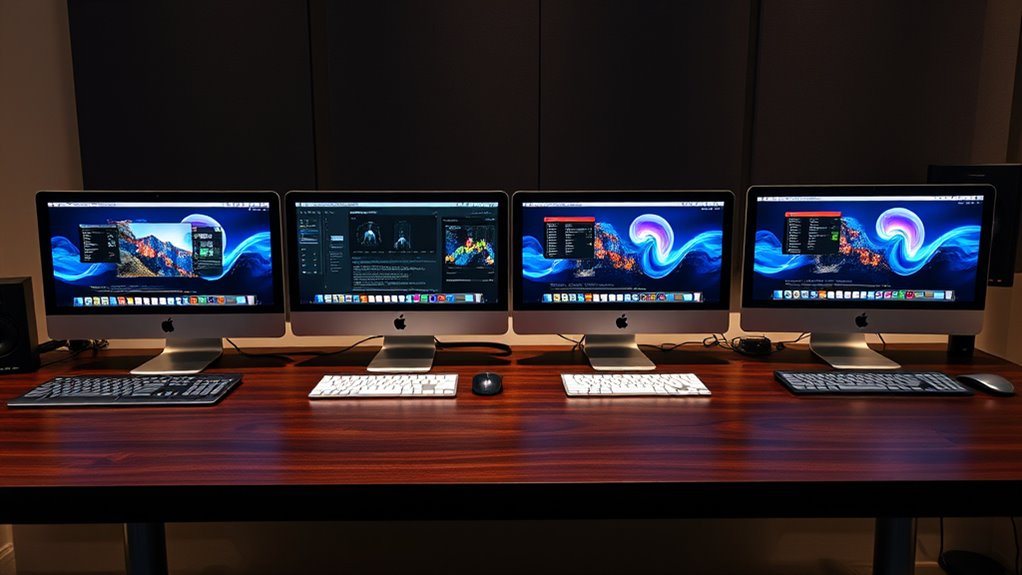

In 2026, choosing a Mac Studio with 128GB of unified memory means prioritizing raw power and multitasking capacity for intensive workflows like video editing, 3D rendering, and large-scale data processing. The top picks include the Apple Mac Studio M3 Ultra 32-Core CPU / 80-Core GPU for maximum performance, the Mac Studio M3 Ultra 28-Core CPU / 60-Core GPU as a slightly more affordable alternative, and the refurbished 2022 Mac Studio with M1 Max for budget-conscious buyers who still need serious power. Each balances different tradeoffs: premium pricing, upgradeability, and condition. Here’s how they stack up and what you should consider before investing.

Get business pricing on tools and workshop supplies
- Business-only prices and quantity discounts
- Tax-exempt purchasing
- Multiple users, one account, clear invoices
Complete the kit



Key Takeaways
- The Mac Studio M3 Ultra 32-Core CPU / 80-Core GPU offers the highest performance but at a premium price, ideal for demanding professional workflows.
- The 28-Core CPU / 60-Core GPU model balances high-end specs with slightly lower cost, suitable for most intensive tasks without the absolute top-tier GPU.
- The refurbished M1 Max delivers solid performance at a lower cost but may lack some future-proofing and comes with potential cosmetic imperfections.
- All options support multiple high-resolution displays, but newer models are more versatile with connectivity and support for up to 8K resolution.
- Choosing between these depends on your budget, performance needs, and whether you prefer new versus refurbished hardware.
| Apple Mac Studio M3 Ultra 32-Core CPU / 80-Core GPU, 256GB Storage |  | Best Overall for Maximum Performance | Processor: M3 Ultra 32-Core CPU / 80-Core GPU | Memory: 256GB Unified Memory | Storage: 2TB SSD | VIEW ON AMAZON | See Our Full Breakdown |
| Apple Mac Studio with M3 Ultra 28-Core CPU and 60-Core GPU, 256GB Storage | | Best for High-End Professional Use | Processor: M3 Ultra 28-Core CPU / 60-Core GPU | Memory: 256GB Unified Memory | Storage: 2TB SSD | VIEW ON AMAZON | See Our Full Breakdown |
| Apple 2022 Mac Studio with Apple M1 Max Chip, 10-Core CPU, 32GB RAM, 512GB SSD (Renewed) |  | Best Budget-Friendly Powerhouse | Processor: Apple M1 Max, 10-Core CPU | Memory: 32GB RAM | Storage: 512GB SSD | VIEW ON AMAZON | See Our Full Breakdown |
| mac studio with 128gb unified memory | Processor | Memory | Storage | Display Support |
|---|---|---|---|---|
| Apple Mac Studio M3 Ultra 32-C | M3 Ultra 32-Core CPU / 80-Core GPU | 256GB Unified Memory | 2TB SSD | Up to 8K resolution with 8 displays |
| Apple Mac Studio with M3 Ultra | M3 Ultra 28-Core CPU / 60-Core GPU | 256GB Unified Memory | 2TB SSD | Up to 8K resolution, 8 displays |
| Apple 2022 Mac Studio with App | Apple M1 Max, 10-Core CPU | 32GB RAM | 512GB SSD | Supports 6K or multiple lower-res displays |
More Details on Our Top Picks
Apple Mac Studio M3 Ultra 32-Core CPU / 80-Core GPU, 256GB Storage
This Mac Studio stands out for its M3 Ultra chip with a 32-core CPU and 80-core GPU, making it the most powerful choice among these options. It supports up to 8K resolution across multiple displays, catering well to creative professionals and demanding workflows. Compared with the other models, its larger GPU and CPU cores provide a significant boost in rendering, video processing, and 3D work. However, this power comes at a premium price, which may be prohibitive for some users. The configuration is highly customizable, but limited details about included peripherals mean you’ll likely need additional accessories.
Pros:- Immense processing power with 32-core CPU and 80-core GPU
- Supports up to 8K resolution and multiple displays
- Configurable memory and storage
- Versatile connectivity including Thunderbolt 5
Cons:- High price point may be prohibitive
- Limited included accessories
- Heavy and less portable
Best for: High-end professional workflows requiring maximum processing power and multi-display setups
Not ideal for: Budget-conscious buyers or those who prefer a more compact or upgradeable system
- Processor:M3 Ultra 32-Core CPU / 80-Core GPU
- Memory:256GB Unified Memory
- Storage:2TB SSD
- Display Support:Up to 8K resolution with 8 displays
- Connectivity:Thunderbolt 5, USB 3, HDMI 2.1, 10Gb Ethernet
Our verdict“This model is perfect for professionals needing maximum computational power and display support, despite its cost.”
Apple Mac Studio with M3 Ultra 28-Core CPU and 60-Core GPU, 256GB Storage
This model offers a slightly scaled-down version of the M3 Ultra with a 28-core CPU and 60-core GPU, making it very capable for intensive tasks like video editing, 3D rendering, and large data processing. It supports the same 8 high-resolution displays, and its connectivity options are just as extensive. Compared to the 32-core variant, it provides strong performance at a lower price point, but it may lack some headroom for future demanding applications. The heavyweight build and limited upgrade options could be drawbacks for some users.
Pros:- Powerful CPU and GPU for demanding professional tasks
- Supports multiple 8K displays
- Same connectivity options as higher-tier models
- Configurable memory and storage
Cons:- High cost still significant
- Limited upgradeability
- Heavy desktop footprint
Best for: Professionals who need serious power but want to save a bit compared to the top-tier model
Not ideal for: Those who need maximum GPU cores or plan to upgrade long-term
- Processor:M3 Ultra 28-Core CPU / 60-Core GPU
- Memory:256GB Unified Memory
- Storage:2TB SSD
- Display Support:Up to 8K resolution, 8 displays
- Connectivity:Thunderbolt 5, USB 3, HDMI 2.1, 10Gb Ethernet
Our verdict“This pick offers a strong balance between power and cost for demanding users who don’t need the absolute top GPU core count.”
Apple 2022 Mac Studio with Apple M1 Max Chip, 10-Core CPU, 32GB RAM, 512GB SSD (Renewed)
This refurbished Mac Studio with an M1 Max chip offers 10-core CPU and 32GB of RAM, with a 512GB SSD. It’s a solid choice for those needing serious processing power but on a tighter budget. While it supports a single 6K or multiple lower-resolution displays, it does not match the latest connectivity standards or GPU cores of the newer models. Its condition has been professionally inspected, but cosmetic imperfections are possible. The smaller RAM and storage capacity may limit multitasking or large datasets, but for many professional tasks, it remains capable.
Pros:- Powerful M1 Max chip with 10-core CPU
- Large 32GB RAM for multitasking
- Fast SSD storage
- Professionally inspected and tested
Cons:- Refurbished condition may have cosmetic imperfections
- Limited to 512GB storage
- Older connectivity options
Best for: Cost-conscious professionals or power users needing a capable Mac Studio without the latest hardware
Not ideal for: Those requiring the highest memory capacity, latest features, or future-proofing
- Processor:Apple M1 Max, 10-Core CPU
- Memory:32GB RAM
- Storage:512GB SSD
- Display Support:Supports 6K or multiple lower-res displays
- Connectivity:Thunderbolt 3, USB-C, no HDMI 2.1
Our verdict“This model balances strong performance with affordability, suitable for users who prioritize value over the latest features.”

How We Picked
Our selection process focused on models explicitly equipped with 128GB of unified memory, prioritizing high-performance CPUs and GPUs suited for demanding tasks. We compared specs, connectivity options, and user needs, emphasizing the balance of power, price, and condition. The top picks include flagship models for professionals who need maximum processing capacity, along with a budget-friendly refurbished option for power users who want value. We also considered future-proofing, upgradeability, and overall usability in a professional environment.
| mac studio with 128gb unified memory | Processor | Display Support | Connectivity |
|---|---|---|---|
| Apple Mac Studio M3 Ultra 32-C | M3 Ultra 32-Core CPU / 80-Core GPU | Up to 8K resolution with 8 displays | Thunderbolt 5, USB 3, HDMI 2.1, 10Gb Ethernet |
| Apple Mac Studio with M3 Ultra | M3 Ultra 28-Core CPU / 60-Core GPU | Up to 8K resolution, 8 displays | Thunderbolt 5, USB 3, HDMI 2.1, 10Gb Ethernet |
| Apple 2022 Mac Studio with App | Apple M1 Max, 10-Core CPU | Supports 6K or multiple lower-res displays | Thunderbolt 3, USB-C, no HDMI 2.1 |
Factors to Consider When Choosing Mac Studio With 128gb Unified Memory
Choosing the right Mac Studio with 128GB unified memory depends on your workload, budget, and whether you prefer new or refurbished hardware. These machines excel at multitasking, large-scale creative projects, and data-heavy tasks. Your decision should consider the balance of performance, future-proofing, and cost, especially given the premium nature of these configurations.
Performance Needs
If your work involves rendering, 3D modeling, or editing 8K video, leaning toward the Mac Studio M3 Ultra 32-Core GPU will give you maximum processing capacity. For slightly less demanding tasks but still requiring robust multitasking, the 28-Core CPU variant offers a solid middle ground.
Budget and Value
For those mindful of costs, the refurbished M1 Max Mac Studio provides a high level of power at a fraction of the price. While it might lack some of the latest features and upgrade options, it still handles professional workloads well, especially if you’re okay with potential cosmetic imperfections.
Future-Proofing and Connectivity
Newer models with the latest chips include support for multiple 8K displays and Thunderbolt 5, which ensures better compatibility with future peripherals and higher resolutions. If you plan to keep your setup for years, investing in the latest hardware makes sense, but if you prioritize immediate needs, slightly older models remain highly capable.
Frequently Asked Questions
Is 128GB of unified memory necessary for my workflow?
128GB of unified memory is primarily beneficial for highly demanding multitasking, large data processing, and creative workflows like 3D rendering or professional video editing. If your tasks involve handling massive files or running multiple intensive applications simultaneously, this amount of memory can significantly improve efficiency. For lighter tasks, such as standard office work or casual editing, 64GB or less may suffice.
Are refurbished Mac Studios reliable for professional use?
Refurbished Mac Studios, especially those inspected and tested by certified technicians, can be reliable options for professional use. They often come at a lower cost while still offering high performance. However, they may show cosmetic imperfections or lack the latest features. It’s essential to buy from reputable sources and ensure the warranty covers critical components for peace of mind.
What are the main differences between the M3 Ultra and M1 Max models?
The M3 Ultra chips feature newer architecture, offering higher core counts, better power efficiency, and improved performance over the M1 Max. The M3 Ultra models support more displays, have faster connectivity options, and are more future-proof. However, they come at a higher price and may be overkill for less intensive workflows. The M1 Max still delivers excellent performance for many professional tasks but lacks some of the latest connectivity and support for multiple high-res displays.
How does the size and upgradeability of these models compare?
The Mac Studios are compact desktops designed for professional environments, but they offer limited upgradeability, especially in newer models. Most configurations come with fixed memory and storage, so choosing the right specs upfront is vital. The refurbished M1 Max model, being older, may have slightly more accessible components, but overall, these machines are not meant for user upgrades. Portability varies, with the M3 Ultra models being heavier and less portable than smaller setups.
Which Mac Studio is best for a creative professional?
The Mac Studio M3 Ultra 32-Core CPU / 80-Core GPU is the best choice for creative professionals who require maximum processing power, support for multiple 8K displays, and future-proofing. It handles intensive tasks like 3D rendering, color grading, and large video projects with ease. If budget constraints are a concern, the M1 Max refreshed model still offers strong capabilities, but it may not support the most demanding workflows or the latest peripherals.
Conclusion
For users who need the highest level of performance and are willing to invest, the Mac Studio M3 Ultra 32-Core CPU / 80-Core GPU is the clear winner. Professionals with demanding workflows will benefit most from this model, despite its cost. Those seeking a more balanced approach can consider the 28-Core CPU M3 Ultra variant, which offers powerful specs at a slightly lower price. Budget-conscious buyers or those open to refurbished hardware should look at the 2022 M1 Max Mac Studio, which provides excellent power for its price but may lack some newer features and future-proofing. Your choice should align with your workload intensity, budget, and preferences for new versus refurbished equipment.
Fall Picks

eufy Security Essential 7-Piece Alarm System
As an affiliate, we earn on qualifying purchases.