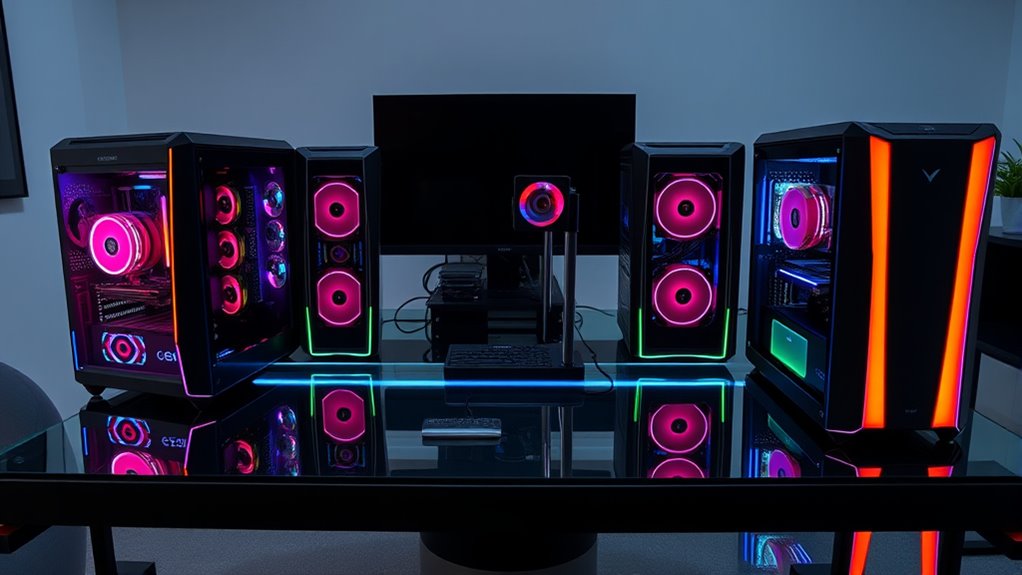

Choosing a VR-ready desk PC in 2026 involves balancing power, compatibility, and convenience. The CyberPowerPC Gamer Master stands out for its high-end specs suited for demanding VR titles, while the Dell Alienware Aurora Ryzen Edition offers robust performance with a sleek design. For those on a tighter budget, the HP Omen 30L provides solid VR capabilities without breaking the bank. Each has its tradeoffs: top-tier performance versus affordability, or sleek design over upgradeability. Here’s what you need to know to pick the best VR-ready PC for your needs.

Get business pricing on tools and workshop supplies
- Business-only prices and quantity discounts
- Tax-exempt purchasing
- Multiple users, one account, clear invoices
Complete the kit


Key Takeaways
- High-end VR PCs like the CyberPowerPC Gamer Master excel in demanding experiences but come at a premium price.
- Dell Alienware Aurora offers a balance of power and stylish design, suitable for both gaming and productivity.
- Budget options like HP Omen 30L deliver good VR performance but may require future upgrades for the latest titles.
- Compatibility with VR headsets and peripherals varies; ensure your chosen PC supports your specific VR setup.
- Consider upgradeability and cooling solutions to extend your PC’s lifespan and maintain optimal VR performance.
More Details on Our Top Picks

Products Worth Considering

Bose TV Speaker (2nd Gen) Compact Soundbar with Bluetooth, HDMI-ARC, and Remote

eufy C28 Robot Vacuum and Mop with 15,000 Pa Suction

Dyson HushJet Compact Air Purifier, White/Silver
As an affiliate, we earn on qualifying purchases.
How We Picked
Our selection process focused on desktop PCs that meet or exceed the recommended specifications for immersive VR experiences in 2026. We prioritized models with recent high-performance CPUs, robust GPUs, ample RAM, and fast storage options. Compatibility with popular VR headsets like Oculus Quest, HTC Vive, and Valve Index was essential, along with features that support long gaming sessions, such as efficient cooling and upgrade pathways. We also considered user reviews, brand reputation, and overall value to identify options that suit a range of budgets and needs.
Factors to Consider When Choosing Vrready Deskpcs
Finding the right VR-ready desk PC in 2026 requires understanding your specific needs, budget, and the VR titles you aim to run. High-end models deliver superior graphics and smoother experiences but come with higher costs and larger footprints. Mid-range options balance performance and aesthetics, suitable for most users. Budget builds can get you into VR but may need future upgrades to keep pace with new releases. Consider upgradeability, cooling, and compatibility as key factors to ensure your PC remains VR-capable for years to come.Performance and Specifications
VR gaming demands powerful hardware, especially in the GPU, CPU, and RAM. Look for PCs with high-end graphics cards like the NVIDIA RTX 4070 or better, recent multi-core processors, and at least 16 GB of RAM for a smooth experience. These specs help minimize lag and maximize immersion, especially in graphically-intensive titles.
Compatibility and Connectivity
Ensure that your chosen PC supports your specific VR headset, whether Oculus Quest, HTC Vive, or others. Check for sufficient USB ports, HDMI or DisplayPort outputs, and compatibility with tracking sensors. This guarantees seamless setup and reduces frustration during installation.
Upgradeability and Cooling
VR sessions can be demanding on hardware, so consider PCs with accessible upgrade paths and robust cooling systems. Better airflow and future expansion options can extend your system’s lifespan and maintain performance during long gaming marathons.
Budget and Future-Proofing
While high-end PCs guarantee top performance, they also cost more. Balance your current needs with potential future requirements. Investing in a slightly more capable system now can save money and hassle down the line, especially if you plan to upgrade components as VR technology advances.
Frequently Asked Questions
What are the minimum specs needed for VR in 2026?
In 2026, a VR-ready PC should ideally have at least an NVIDIA RTX 3060 Ti or better, an Intel Core i7 or AMD Ryzen 7 processor, and 16 GB of RAM. These specs help ensure smooth performance across most VR titles, including the latest releases, and reduce latency that can cause discomfort during extended play sessions.
Can I use a gaming PC for VR without special adjustments?
Most gaming PCs that meet the recommended specs will work for VR out of the box, but ensuring proper setup is essential. This includes updating graphics drivers, configuring USB and display outputs correctly, and verifying compatibility with your VR headset. Adequate cooling and space are also important to prevent overheating and accidents.
Is it better to buy a prebuilt or custom build for VR?
Prebuilt PCs offer convenience and guaranteed compatibility, making them ideal for most users who want a straightforward setup. Custom builds can be tailored for maximum performance and upgradeability but require more technical knowledge and effort. Your choice depends on your budget, expertise, and future upgrade plans.
How important is cooling in a VR PC?
Cooling is vital because VR gaming pushes hardware to its limits, generating significant heat. Good airflow and cooling solutions prevent thermal throttling, which can reduce performance and cause system instability. Upgrading cooling options can also prolong component lifespan, especially during long VR sessions.
Will my existing peripherals work with a new VR-ready PC?
Most peripherals like controllers, sensors, and headsets are compatible with modern VR PCs, provided the system has the necessary ports. However, checking compatibility with your specific devices before purchase can prevent connectivity issues. Also, ensure your PC supports the required tracking sensors and input devices.
Conclusion
For gamers and VR enthusiasts who demand the highest quality and future-proofing, the CyberPowerPC Gamer Master is the clear choice despite its higher cost. The Alienware Aurora Ryzen Edition offers a sleek, stylish option with excellent performance for those who want a premium look and reliable experience. Budget-conscious buyers or newcomers should consider the HP Omen 30L, which provides solid VR capabilities at a more accessible price. Your ideal choice depends on your performance needs, aesthetic preferences, and budget constraints.