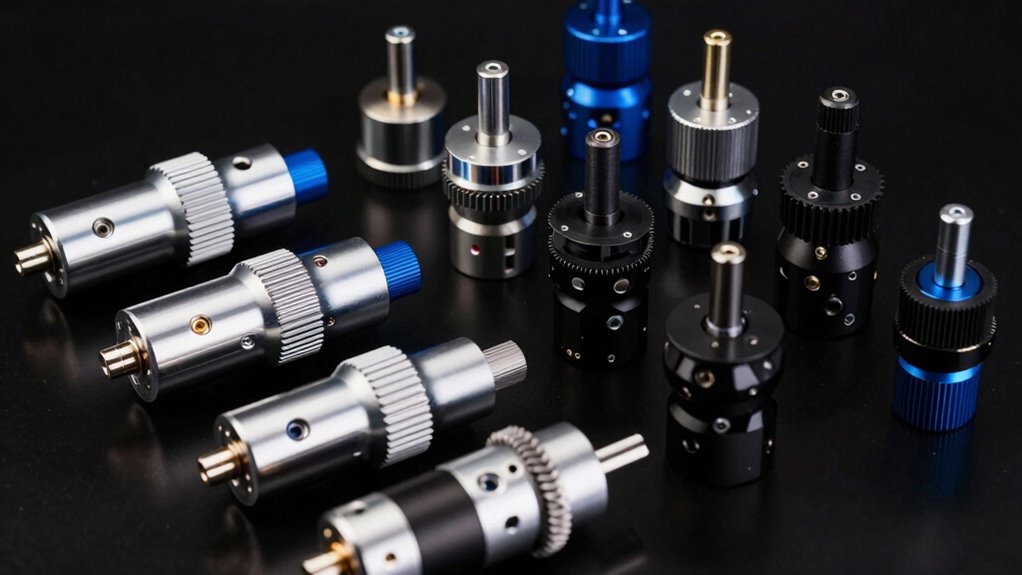
When searching for a laser rotary attachment bundle kit, your main goal is to find a setup that offers reliable rotation, compatibility with your laser engraver, and ease of adjustment. The Longer Ray5 5000mW Laser Engraver with Air Assist Kit and Rotary Roller stands out as the overall best choice for its balance of power and versatility. The Rotary Roller Pro 4-in-1 makes an excellent pick for those seeking multi-functionality, while the AlgoLaser Rotary Roller Attachment is ideal for compact setups. Readers face tradeoffs like price versus features, compatibility issues, and ease of installation, so continue reading for a detailed breakdown of each option to find the best fit for your needs.

Get business pricing on tools and workshop supplies
- Business-only prices and quantity discounts
- Tax-exempt purchasing
- Multiple users, one account, clear invoices
Complete the kit



Key Takeaways
- The top picks balance power, compatibility, and ease of installation, making them suitable for different user needs.
- Multi-functional kits like the Rotary Roller Pro 4-in-1 offer flexibility but may come at a higher price and complexity.
- Compatibility with specific laser engravers is a critical factor that can determine whether a kit is usable without modifications.
- Premium options tend to offer better build quality and more precise adjustments, but may be overkill for casual users.
- Ease of use and setup significantly influence overall satisfaction, especially for beginners or those with limited technical skills.
| Longer Ray5 5000mW Laser Engraver with Air Assist Kit and Rotary Roller |  | Best Overall for Versatility and Precision | Laser Power: 5000mW | Working Area: 15.7″ x 15.7″ | Laser Spot Size: 0.08 × 0.08mm | VIEW ON AMAZON | See Our Full Breakdown |
| Rotary Roller Pro 4-in-1 Multi-Functional Laser Rotary Roller for Engraving Cylindrical Objects |  | Best for Precision on Cylindrical and Rounded Items | Functionality: 4-in-1 | Object Diameter (outside): 1-110mm | Object Diameter (inside): 25-75mm | VIEW ON AMAZON | See Our Full Breakdown |
| Creality Laser Rotary Roller Pro, 3-in-1 Multi-Function Engraving Rotary Accessory for Cylindrical and Special-Shaped Objects |  | Best for Multi-Shape Versatility and High Compatibility | Jaws: Ladder, L-shaped, Hexagonal | Object Range: 10-130mm | Engraving Accuracy: 0.1mm | VIEW ON AMAZON | See Our Full Breakdown |
| Creality Laser Rotary Roller, Y-axis Rotary Chuck for Falcon Engraver, Rotary Kit Pro with 3-in-1 Jaw and Module for Cylindrical and Circular Objects |  | Best for Easy Connection and Precision on Circular Items | Suitable object diameter (outside): 1-110mm | Suitable object diameter (inside): 25-75mm | Suitable for spheres and circular objects: 10-130mm | VIEW ON AMAZON | See Our Full Breakdown |
| Creality Laser Rotary Roller for Engraving Curved Surface Objects |  | Best for Curved and Irregular Surface Objects | Jaws: Ladder, L-shaped, Hexagonal | Object Size Range: 1-110mm for cylinders, 25-75mm for special shapes, 10-130mm for spheres | Compatibility: Creality laser engravers | VIEW ON AMAZON | See Our Full Breakdown |
| Longer Laser Engraver Rotary Roller with 360° Rotation and Compatibility |  | Best Versatile Compatibility and Ease of Use | Rotation: 360° | Engraving Range: 6 mm to 300 mm | Connector Compatibility: WHITE (Longer RAY5, Laser B1, 80% of engravers), BLACK (remaining 20%) | VIEW ON AMAZON | See Our Full Breakdown |
| AlgoLaser Rotary Roller Attachment for Pixi Laser Engraver |  | Best Support for Compact, Precise Cylindrical Engraving | Support Range: 2–150mm (up to 95mm for Pixi, 70mm extended) | Object Compatibility: Cylindrical, conical, rod-shaped | Material: Aluminum | VIEW ON AMAZON | See Our Full Breakdown |
| ORTUR YRC1.0 Y-axis Rotary Chuck for Laser Engravers |  | Best for Irregular and High-Precision Object Engraving | Engraving diameter range: 1mm to 120mm | Sphere diameter range: 25mm to 150mm | Ring diameter range: 11mm to 100mm | VIEW ON AMAZON | See Our Full Breakdown |
| Laser Tree Rotary Roller for Laser Engravers – Y-Axis 360° Rotary Attachment |  | Best Beginner-Friendly Rotary for Cylindrical Items | Rotation: 360° | Compatibility: Various software including LaserGRBL and LightBurn | Operation: Plug-and-play | VIEW ON AMAZON | See Our Full Breakdown |
| BlazeX Rotary Roller and Risers Kit for M3 Laser Engraver |  | Best for Small Business & DIY Enthusiasts | Product Dimensions: 10 x 5.1 x 1.7 inches | Item weight: 2.64 pounds | Model Number: MD19 | VIEW ON AMAZON | See Our Full Breakdown |
| OMTech Rotary Axis Attachment with 3-Jaw Chuck for CO2 Laser Engravers |  | Best Overall for Durable Cylindrical Object Engraving | Voltage: 2.07 volts | Power Source: DC power supply | Recommended Uses For Product: Engraving | VIEW ON AMAZON | See Our Full Breakdown |
| ACMER M4 Laser Rotary Roller, 360° Y-Axis Rotary Attachment for Laser Engraver, Adjustable for Cylindrical Objects |  | Best for Adjustable, Easy-Setup Cylindrical Engraving | Engraving Range: 3–150mm | Material: High-friction rubber rollers, aluminum frame | Compatibility: Most diode laser engravers, ACMER S2, P1, P2, P3 | VIEW ON AMAZON | See Our Full Breakdown |
| laser rotary attachment bundle kit | Compatibility |
|---|---|
| Longer Ray5 5000mW Laser Engra | — |
| Rotary Roller Pro 4-in-1 Multi | Falcon/Falcon2 |
| Creality Laser Rotary Roller P | Creality laser engravers, LaserGRBL, LightBurn |
| Creality Laser Rotary Roller | Falcon/Falcon2 |
| Creality Laser Rotary Roller f | Creality laser engravers |
| Longer Laser Engraver Rotary R | — |
| AlgoLaser Rotary Roller Attach | — |
| ORTUR YRC1.0 Y-axis Rotary Chu | — |
| Laser Tree Rotary Roller for L | Various software including LaserGRBL and LightBurn |
| BlazeX Rotary Roller and Riser | — |
| OMTech Rotary Axis Attachment | — |
| ACMER M4 Laser Rotary Roller | Most diode laser engravers, ACMER S2, P1, P2, P3 |
More Details on Our Top Picks
Longer Ray5 5000mW Laser Engraver with Air Assist Kit and Rotary Roller
This option stands out for its combination of a large 15.7″ x 15.7″ working area and high laser power, making it suitable for detailed, large-scale projects on multiple materials. Unlike the Rotary Roller Pro, which specializes in cylindrical objects, the Ray5 offers more versatility with advanced laser technology and multiple connectivity options, including WiFi. However, this added capability comes with a higher price tag and a steeper learning curve for beginners. The included rotary roller enhances its ability to handle cylindrical items, but the setup process can be time-consuming for first-time users. Compared to the Creality Laser Rotary Roller Pro, the Ray5 provides broader functionality but at the cost of complexity and expense. It makes the most sense for experienced hobbyists or small professional setups that value precision and large workspaces.
Pros:- Large working area enhances project flexibility
- High engraving accuracy of 0.01mm for detailed results
- Multiple connectivity options including WiFi and app control
- Includes rotary roller kit for cylindrical objects
Cons:- Requires assembly and more technical setup
- High laser power may be unnecessary for basic tasks
- Relatively high price point for casual users
Best for: Hobbyists or small businesses needing high-precision engraving on large or complex projects across various materials.
Not ideal for: Beginners or casual users who prefer simple, plug-and-play solutions with minimal setup and lower costs.
- Laser Power:5000mW
- Working Area:15.7″ x 15.7″
- Laser Spot Size:0.08 × 0.08mm
- Engraving Accuracy:0.01mm
- Max Speed:10,000mm/min
- Airflow Range:10 to 30L/min
- Noise Level:60dB
- Rotary Speed:up to 360°/s
- Rotation Accuracy:0.45°
Our verdict“This is an excellent choice for users seeking a high-precision, versatile laser engraver with large capacity and rotary compatibility, despite its complexity and cost.”
Rotary Roller Pro 4-in-1 Multi-Functional Laser Rotary Roller for Engraving Cylindrical Objects
The Rotary Roller Pro is tailored for precise engraving on cylindrical objects such as tumblers, glasses, and rings, offering a high angular control of 0.225°, which surpasses many basic rotary attachments. Compared with the Longer Ray5’s rotary system, this model is more specialized for round objects and is easier to set up for such tasks. Its versatility as a 4-in-1 device allows for multiple object types, but it’s limited to Falcon/Falcon2 series engravers, which narrows compatibility. The setup process is straightforward, making it appealing for professionals and advanced hobbyists focused solely on cylindrical items. However, incompatibility with other brands and potential software configuration issues can be drawbacks. It makes the most sense for users with Falcon laser engravers who prioritize high-precision cylindrical engraving.
Pros:- High precision with 0.225° angular control
- Versatile 4-in-1 functionality for different object shapes
- Easy setup and compatible with popular software
- Adjustable jaws for various object sizes
Cons:- Compatibility limited to Falcon/Falcon2 series
- Requires specific hardware and software setup
- Potential errors if incompatible components are used
Best for: Professionals or hobbyists with Falcon/Falcon2 engravers aiming for high-precision cylindrical engraving.
Not ideal for: Users with non-Falcon laser engravers or those seeking a more general-purpose rotary attachment.
- Functionality:4-in-1
- Object Diameter (outside):1-110mm
- Object Diameter (inside):25-75mm
- Sphere Diameter:10-130mm
- Ring Diameter:15-100mm
- Angular Control:0.225°
- Compatibility:Falcon/Falcon2
Our verdict“Ideal for Falcon users needing precise, versatile rotary engraving on cylindrical objects, though limited by compatibility requirements.”
Creality Laser Rotary Roller Pro, 3-in-1 Multi-Function Engraving Rotary Accessory for Cylindrical and Special-Shaped Objects
The Creality Laser Rotary Roller Pro combines multiple jaw sets—ladder, L-shaped, and hexagonal—making it very adaptable for different object shapes, including rings, glasses, and small wooden sticks. Unlike the Rotary Roller Pro, which focuses mainly on cylindrical objects, this model’s versatility extends to more complex shapes, making it suitable for users who work with diverse materials. Its 0.1mm engraving accuracy is comparable to high-end options like the Longer Ray5, but it may require software adjustments before use, which could slow down workflow. The lack of included installation hardware can be a hassle for users unfamiliar with setup procedures. This pick is best for those who need a flexible rotary attachment that can handle various shapes without extensive modifications or specialized software.
Pros:- Multiple jaw sets for diverse object shapes
- High engraving accuracy of 0.1mm
- Compatible with multiple software including LaserGRBL and LightBurn
- No installation required, external clamp design
Cons:- Requires software adjustments before use
- Limited to specific software and hardware setups
- No hardware included for installation
Best for: Enthusiasts or small business owners working with a variety of object shapes and sizes on compatible laser engravers.
Not ideal for: Users who primarily need cylindrical engraving or who prefer plug-and-play solutions without software tuning.
- Jaws:Ladder, L-shaped, Hexagonal
- Object Range:10-130mm
- Engraving Accuracy:0.1mm
- Compatibility:Creality laser engravers, LaserGRBL, LightBurn
Our verdict“Great for users needing flexible shaping options and high precision, provided they are comfortable with software tuning and setup.”
Creality Laser Rotary Roller, Y-axis Rotary Chuck for Falcon Engraver, Rotary Kit Pro with 3-in-1 Jaw and Module for Cylindrical and Circular Objects
The Creality Rotary Kit Pro is designed for straightforward, high-precision engraving on cylindrical and circular objects like wine glasses and spheres. It’s very similar to the Rotary Roller Pro, but with a focus on easy plug-and-play operation for Falcon series engravers. The 0.1mm accuracy aligns well with the needs of detailed projects, but users should expect some software adjustments after connection, especially if their machine setup differs slightly. Its high-strength aluminum alloy construction guarantees durability, but its compatibility is limited to Falcon/Falcon2 models, which could restrict broader use. This kit is well-suited for those who want quick setup without sacrificing precision on circular objects.
Pros:- High-precision 0.1mm engraving accuracy
- Easy plug-and-play connection
- Durable aluminum alloy build
- Suitable for a wide range of circular objects
Cons:- Limited to Falcon/Falcon2 series
- Requires post-connection software adjustments
- Potential connection issues with non-compatible machines
Best for: Falcon series users who need a reliable, precise rotary attachment for circular and spherical objects.
Not ideal for: Non-Falcon users or those requiring a rotary for irregular or highly complex shapes.
- Suitable object diameter (outside):1-110mm
- Suitable object diameter (inside):25-75mm
- Suitable for spheres and circular objects:10-130mm
- Material:High-strength aluminum alloy
- Engraving accuracy:0.1mm
- Compatibility:Falcon/Falcon2
Our verdict“A practical, precise rotary attachment for Falcon users focused on circular objects, with some setup adjustments needed.”
Creality Laser Rotary Roller for Engraving Curved Surface Objects
The Creality Laser Rotary Roller Pro Kit excels in engraving on curved or irregular objects such as mugs, rings, and spheres, thanks to its multiple jaw options including ladder, L-shaped, and hexagonal. Its plug-and-play design makes it accessible for users who want quick setup, and the included jaws accommodate a wide size range—up to 130mm diameter. Compared to the more specialized Rotary Roller Pro, this model offers broader compatibility with various shapes but may require precise object sizing for optimal results. The durable construction and soft-pad anti-slip features add to its reliability. It’s best suited for users who need a quick, versatile rotary that works seamlessly with Creality laser engravers for diverse projects, though it’s limited to Creality machines.
Pros:- Multiple jaws for different object shapes and sizes
- Easy to set up without installation tools
- Compatible with various curved and irregular objects
- Durable design with anti-slip soft-pad
Cons:- Limited to Creality laser engravers
- Object sizing needs to be accurate for consistent results
- May require minor adjustments for different shapes
Best for: Creators working with a variety of curved or irregular objects on Creality laser engravers who prioritize ease of use and versatility.
Not ideal for: Users with non-Creality laser engravers or those requiring extremely high precision on very small objects.
- Jaws:Ladder, L-shaped, Hexagonal
- Object Size Range:1-110mm for cylinders, 25-75mm for special shapes, 10-130mm for spheres
- Compatibility:Creality laser engravers
- Installation:No installation required
- Additional Features:Anti-slip soft-pad
Our verdict“A flexible, user-friendly rotary roller ideal for diverse curved objects on Creality machines, with some sizing considerations.”
Longer Laser Engraver Rotary Roller with 360° Rotation and Compatibility
This rotary roller stands out for its ability to support a wide range of engraver brands and models, making it an adaptable choice for users with different equipment. Unlike the Laser Tree Rotary Roller, which is more straightforward but limited to cylindrical objects, this model offers enhanced compatibility and quick adjustments, though it requires switching connectors if initial connections fail. Its durable steel build and anti-slip rubber shaft ensure high-quality results with minimal slippage. However, the focus on cylindrical objects and the lack of customization options may limit its appeal for more complex projects. It’s ideal for users seeking straightforward, adaptable cylindrical engraving without extensive setup.
Pros:- Supports 360° precise engraving on cylindrical objects
- Compatible with multiple engraver brands and models
- Durable steel construction with anti-slip rubber shaft
- Quick and easy adjustments for different project sizes
Cons:- Requires switching connectors if initial connection fails
- Limited to cylindrical and round objects
- No customization options beyond quick adjustments
Best for: Engravers with multiple compatible machines who prioritize versatility and quick setup.
Not ideal for: Users needing highly customizable or non-cylindrical surface engravings, as it’s limited to round objects.
- Rotation:360°
- Engraving Range:6 mm to 300 mm
- Connector Compatibility:WHITE (Longer RAY5, Laser B1, 80% of engravers), BLACK (remaining 20%)
- Material:Steel
- Shaft:70A anti-slip rubber
Our verdict“Ideal for users needing a reliable, compatible rotary roller for cylindrical engraving across various machines.”
AlgoLaser Rotary Roller Attachment for Pixi Laser Engraver
This attachment is tailored for Pixi laser engravers, providing stable, 360° support for cylindrical objects like tumblers and glasses. Compared with the Longer Laser Roller, the AlgoLaser model offers adjustable sizing and compatibility with most LightBurn or LaserGRBL setups, making it flexible for smaller-scale projects. Its aluminum frame ensures durability, but some users may find the adjustment process a bit complex, especially when fine-tuning for different object sizes. Its support range up to 150mm makes it suitable for detailed, small to medium-sized cylindrical items, though it’s less ideal for larger or irregular shapes.
Pros:- Provides stable, dual-side support for various objects
- Adjustable size range for versatility
- Compatible with most laser engravers using LightBurn or LaserGRBL
- Durable aluminum construction
Cons:- Limited to cylindrical and similar shapes
- Adjustment process can be complex for some users
- Requires compatible laser setup
Best for: Pixi laser engraver users who prioritize stability and adjustable support for small to medium cylindrical objects.
Not ideal for: Engravers working with large, irregular, or conical objects, as the support range is limited and shape support is restricted.
- Support Range:2–150mm (up to 95mm for Pixi, 70mm extended)
- Object Compatibility:Cylindrical, conical, rod-shaped
- Material:Aluminum
- Item Dimensions:6.1 x 5.8 x 2.7 inches
- Item Weight:1.4 pounds
Our verdict“Best suited for Pixi users needing reliable, adjustable rotary support for small cylindrical items.”
ORTUR YRC1.0 Y-axis Rotary Chuck for Laser Engravers
The ORTUR YRC1.0 offers a versatile solution for cylindrical and irregular objects like wine glasses and rings, surpassing simpler rollers like the Laser Tree by supporting complex shapes and high-speed engraving. Its multi-mode functionality and adjustable sizes give it an edge for detailed projects, though setting it up can require some technical familiarity. Compared to the BlazeX Rotary Roller Kit, it supports a broader range of object types, but its compatibility may vary with non-ORTUR models, which could limit its universal use. The high rotation speed and adjustable angles make it a favorite for precision work on complex surfaces.
Pros:- Supports a wide range of cylindrical and irregular objects
- High-speed rotation with stability
- Adjustable sizes and angles for complex designs
- Easy to install with user-friendly steps
Cons:- Requires technical setup and adjustment
- Compatibility can vary with non-ORTUR lasers
- Limited to objects within specified diameter ranges
Best for: Experienced users who need high-precision, multi-shape engraving for irregular objects on compatible laser systems.
Not ideal for: Beginners or those with non-ORTUR laser engravers, as setup and compatibility might pose challenges.
- Engraving diameter range:1mm to 120mm
- Sphere diameter range:25mm to 150mm
- Ring diameter range:11mm to 100mm
- Rotation speed:360° per sec
- Angle adjustment:180°
Our verdict“Perfect for advanced users aiming for detailed, multi-shape engraving on compatible laser systems.”
Laser Tree Rotary Roller for Laser Engravers – Y-Axis 360° Rotary Attachment
The Laser Tree Rotary Roller offers a straightforward, plug-and-play solution for 360° cylindrical engraving, making it suitable for newcomers. It supports various software and operating systems, similar to the Laser Rotary Roller, but lacks detailed specifications or advanced features, which might limit its use for more complex projects. Its simplicity makes it appealing for small workshops or hobbyists, but this comes at the expense of limited customization and support for irregular shapes. It is a reliable choice for basic cylindrical engraving but less suited for intricate or high-speed needs.
Pros:- Easy to install and operate
- Supports multiple software and operating systems
- Suitable for simple cylindrical objects
- Plug-and-play functionality
Cons:- Limited detailed specifications
- No support for irregular or conical shapes
- Less suitable for complex or high-speed projects
Best for: Beginners or hobbyists seeking an easy-to-use, reliable rotary attachment for basic cylindrical engraving tasks.
Not ideal for: Professional engravers requiring customization, complex shapes, or high-speed operation, as it’s more basic in design.
- Rotation:360°
- Compatibility:Various software including LaserGRBL and LightBurn
- Operation:Plug-and-play
- Supported systems:Windows XP/7/8/10, Mac OS, Linux
Our verdict“Best for beginners looking for a simple, reliable rotary solution for basic cylindrical engraving tasks.”
BlazeX Rotary Roller and Risers Kit for M3 Laser Engraver
The BlazeX Rotary Roller kit emphasizes stability and adaptability, with multi-stage height extensions that accommodate larger workpieces, making it ideal for small business operators and dedicated DIYers. Compared to the more specialized products like the ORTUR YRC1.0, this kit offers a straightforward solution with a focus on larger, curved objects like bottles and cans. While the customer rating suggests moderate satisfaction, its high-stability, anti-slip design helps deliver consistent results. The limited detailed specifications may leave some users wanting more technical data, but its ease of use and expandability make it a practical choice for expanding project scope.
Pros:- Supports 360° cylindrical engraving on various objects
- Includes multi-stage height extensions for larger pieces
- High-stability, anti-slip design
- Suitable for small business and DIY projects
Cons:- Customer satisfaction is moderate
- May need additional setup for best results
- Limited technical specifications in the description
Best for: Small business owners and DIY enthusiasts needing a stable, expandable rotary solution for larger curved objects.
Not ideal for: High-precision, irregular, or complex surface engraving projects requiring detailed customization or advanced features.
- Product Dimensions:10 x 5.1 x 1.7 inches
- Item weight:2.64 pounds
- Model Number:MD19
Our verdict“A solid choice for small-scale business or hobbyist users needing stable, expandable cylindrical engraving capacity.”
OMTech Rotary Axis Attachment with 3-Jaw Chuck for CO2 Laser Engravers
This rotary axis attachment from OMTech stands out for its robust construction and ability to handle 360° engraving on a variety of cylindrical objects such as cups and bottles. Compared to the ACMER M4 roller, it offers a more stable and corrosion-proof build, making it ideal for demanding applications. However, its weight—at 9 kg—may be cumbersome for smaller or portable setups, and it requires a compatible 50W+ CO2 laser engraver, which could limit its use for users with lower-powered machines. The precision 3-jaw chuck ensures tight grip and consistent results, making it a reliable choice for professional or semi-professional environments. While its heavier frame and limited surface compatibility are tradeoffs, these factors contribute to its overall durability and performance.
Pros:- Enables full 360° cylindrical engraving
- Heavy-duty, corrosion-proof build
- Easy to install with smooth operation
- Compatible with high-power CO2 laser engravers
Cons:- Heavy weight may be cumbersome for portable setups
- Limited to cylindrical surface engraving only
Best for: Laser engravers used in professional or commercial settings that require durable, reliable cylindrical engraving on a variety of objects.
Not ideal for: Home hobbyists with smaller or lower-powered laser systems, as the attachment’s weight and power requirements may be prohibitive.
- Voltage:2.07 volts
- Power Source:DC power supply
- Recommended Uses For Product:Engraving
- Material:Iron & aluminum alloy
- Item Weight:9 kg
- Item Dimensions:22.8 x 5.9 x 7.1 inches
Our verdict“This attachment is best suited for users needing a durable, precise rotary solution on larger, high-powered laser systems.”
ACMER M4 Laser Rotary Roller, 360° Y-Axis Rotary Attachment for Laser Engraver, Adjustable for Cylindrical Objects
The ACMER M4 rotary roller is designed for versatility, featuring an adjustable range from 3 to 150mm that makes it suitable for a wide variety of cylindrical objects like bottles, rings, and tubes. Unlike the OMTech axis, it comes fully pre-assembled, allowing for quick setup and minimal fuss, which makes it ideal for hobbyists or small shops. Its compatibility with most diode laser engravers and software such as LightBurn or LaserGRBL broadens its use, though it may not fit every laser model perfectly—something to consider if you own a less common brand. The durable rubber rollers and stable frame ensure precise 360° engraving, but the limited size range might restrict larger objects. Its plug-and-play design offers convenience, but software compatibility can be a hurdle for some users.
Pros:- Adjustable from 3 to 150mm for different object sizes
- Pre-assembled for quick use
- Compatible with most diode laser systems and popular software
- Provides stable, precise 360° engraving
Cons:- Limited to cylindrical objects only
- Compatibility may vary with some laser models
Best for: Hobbyists and small business owners seeking an adjustable, easy-to-install rotary for a variety of cylindrical objects.
Not ideal for: Laser users working with very large objects or those needing a rotary for non-cylindrical shapes, as its size range is limited and it’s specialized for cylinders.
- Engraving Range:3–150mm
- Material:High-friction rubber rollers, aluminum frame
- Compatibility:Most diode laser engravers, ACMER S2, P1, P2, P3
- Software Support:Acmertool, LightBurn, LaserGRBL
- Design:Pre-assembled, plug-and-play
Our verdict“This rotary roller is ideal for users who need flexible, adjustable cylindrical engraving with minimal setup complexity.”
How We Picked
This selection process focused on evaluating each kit’s performance potential, compatibility, build quality, and ease of installation. We prioritized products that offer reliable rotation, adjustable features, and broad compatibility with popular laser engravers. Cost-effectiveness was also considered, balancing features against price. The rankings reflect a combination of user feedback, feature sets, and overall value, ensuring that each product serves a specific user profile while maintaining high standards of quality and usability.| laser rotary attachment bundle kit | Compatibility |
|---|---|
| Longer Ray5 5000mW Laser Engra | — |
| Rotary Roller Pro 4-in-1 Multi | Falcon/Falcon2 |
| Creality Laser Rotary Roller P | Creality laser engravers, LaserGRBL, LightBurn |
| Creality Laser Rotary Roller | Falcon/Falcon2 |
| Creality Laser Rotary Roller f | Creality laser engravers |
| Longer Laser Engraver Rotary R | — |
| AlgoLaser Rotary Roller Attach | — |
| ORTUR YRC1.0 Y-axis Rotary Chu | — |
| Laser Tree Rotary Roller for L | Various software including LaserGRBL and LightBurn |
| BlazeX Rotary Roller and Riser | — |
| OMTech Rotary Axis Attachment | — |
| ACMER M4 Laser Rotary Roller | Most diode laser engravers, ACMER S2, P1, P2, P3 |
Factors to Consider When Choosing Laser Rotary Attachment Bundle Kit
Choosing the right laser rotary attachment bundle kit involves understanding several key factors that influence performance, compatibility, and ease of use. It’s important to match the kit’s specifications with your laser engraver and project requirements to avoid costly mismatches. Consider how much adjustment flexibility you need and whether the kit supports different object shapes. Price is always a concern, but investing in a well-made, compatible kit can save money and frustration in the long run. Here are the main factors to keep in mind:Compatibility with Your Laser Engraver
Ensuring the kit fits your specific laser model is essential. Many kits are designed for common brands like Glowforge, Ortur, or Creality, but some are more universal. Mismatched attachments can lead to installation issues or subpar results, so verify dimensions and mounting options before purchasing. Compatibility also affects ease of setup and whether additional adapters are needed, which can add to the overall cost and complexity.
Adjustability and Versatility
Look for kits that offer adjustable rotation angles, variable speed, and support for different object sizes and shapes. A versatile kit can handle cylindrical, circular, or even irregular objects, expanding your creative possibilities. However, increased adjustability often means more complexity, which could be challenging for beginners. Balance your need for flexibility with your comfort level with setup and calibration.
Build Quality and Durability
High-quality materials like aluminum or steel tend to last longer and provide more stable rotation, which improves engraving precision. Cheaper plastics or poorly manufactured components might wear out quickly or introduce wobble during operation. Investing in a robust kit reduces maintenance and replacement costs, especially if you plan to use it frequently.
Ease of Installation and Use
A straightforward setup process and intuitive controls can save a lot of time and reduce frustration, particularly for beginners. Some kits include detailed instructions or quick-connect features, which make installation smoother. Keep in mind that a more complex setup might require additional tools or technical knowledge, so consider your experience level when choosing a product.
Price and Overall Value
While premium kits offer advanced features and better durability, they come at a higher cost. Budget options may suffice for simple projects but could lack the precision or compatibility needed for complex or high-volume work. Focus on the features that matter most to your projects and balance them against your budget to find the best value. Sometimes, spending a bit more upfront on a reliable, versatile kit saves money and effort over time.
Frequently Asked Questions
Can I use a rotary attachment bundle kit with any laser engraver?
Most rotary kits are designed for specific models or brands, so compatibility varies. Before buying, check the mounting dimensions, power requirements, and supported object sizes. Some kits are more universal, but they may require adapters or modifications. Ensuring compatibility upfront prevents installation headaches and ensures your rotary attachment functions correctly with your laser engraver.
Do I need technical skills to install a laser rotary bundle kit?
Installation difficulty varies between kits. Some are designed for quick, tool-free setup, making them suitable for users with limited technical experience. Others may require calibration, minor modifications, or additional tools. Reading product instructions carefully and choosing a kit that matches your skill level can help you avoid frustration and ensure proper operation.
What is the typical cost range for a quality laser rotary attachment bundle kit?
Prices generally range from around $100 for basic, entry-level kits to over $500 for premium, multi-functional options. Budget models might lack fine adjustments or durability but are suitable for occasional use. Investing in a mid-range or higher-quality kit often pays off through improved performance, longer lifespan, and greater versatility, especially if you plan to use it frequently or for professional projects.
How important is adjustability in a rotary kit for different object shapes?
Adjustability is key for handling various object shapes and sizes, making your rotary attachment more versatile. Features like variable rotation speed, tilt adjustments, and customizable clamping allow you to work on cylinders, spheres, or irregular shapes. Without sufficient adjustability, you might find the kit limited to specific object types, reducing its usefulness for diverse projects.
Should I prioritize premium features or basic functionality when choosing a rotary kit?
The choice depends on your usage level and project complexity. If you need high precision, durability, and multi-shape capability, investing in a premium kit makes sense. However, if you are a hobbyist or just starting out, a simpler, more affordable option can meet your needs without overwhelming you with features. Consider your long-term goals and budget to find the right balance.
Conclusion
For casual hobbyists or those new to laser engraving, a budget-friendly kit with straightforward setup and reliable performance, like the Creality Laser Rotary Roller, offers excellent value. Professionals or frequent users seeking maximum precision and durability should consider premium options such as the Longer Ray5 5000mW Laser Engraver bundle for its robust build and multi-functionality. Those with versatile needs or working on complex projects will benefit from multi-functional kits like the Rotary Roller Pro 4-in-1. Ultimately, your choice should match your specific project requirements, budget, and experience level to ensure successful and enjoyable engraving results.