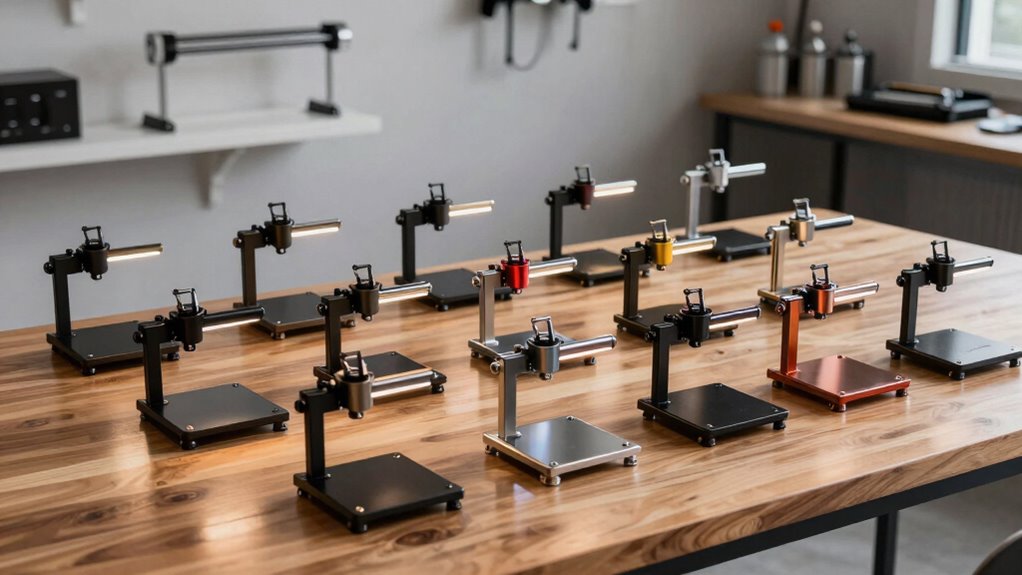

A laser engraver stand can create space for thicker materials, improve access beneath a machine, or support a model-specific setup. My best overall pick is the LaserPecker LX2 Riser Base with Rotary Extension, which pairs a riser base with a rotary extension for users who need more than basic lift. For a simpler, broadly useful option, the ORTUR Universal Height Enhancement Device offers a four-piece riser format, while the xTool S1 Riser Base Accessory is the clearer fit for S1 owners seeking a matched accessory. The main tradeoff is between universal-style risers and purpose-built bases: flexible parts may fit more setups, while dedicated accessories can better suit a specific machine but limit compatibility. Read on for the full comparison, fit considerations, and picks for different engraving needs.

Get business pricing on tools and workshop supplies
- Business-only prices and quantity discounts
- Tax-exempt purchasing
- Multiple users, one account, clear invoices
Complete the kit


Key Takeaways
- Machine compatibility separates the field: the xTool S1, xTool D1 and D1 Pro, Creality Falcon 2, and LaserPecker models each have dedicated options, so a four-piece riser set should not be assumed to fit every engraver.
- The LX2 base is the most task-oriented option: its rotary extension gives it a distinct role for users planning rotary work, while the ORTUR and BENECREAT sets focus on raising a machine with separate riser pieces.
- Two D1/D1 Pro listings differ mainly in presentation: the red and gray footpad sets share the stated machine compatibility and four-piece format, making color and listing details more relevant than a claimed performance distinction.
- Standalone footpads and full bases solve different problems: footpads offer a simple height adjustment, while a dedicated base or supporting stand is better suited to a machine-specific support setup.
- The best choice depends on the job, not lift alone: added clearance, rotary use, machine fit, and the footprint available on a work surface matter more than choosing the largest-looking stand.
| ORTUR Laser Engraver Universal Height Enhancement Device, 4 Pack |  | Best Adjustable Risers for ORTUR Machines | Quantity: 4 risers | Platform size: 4 × 4 in (100 × 100 mm) | Height adjustment range: 2.14–5.29 in (54.5–134.5 mm) | VIEW ON AMAZON | See Our Full Breakdown |
| BENECREAT Aluminum Alloy Laser Engraver Riser Set, 4 Pieces |  | Best Value for a Fixed Lift | Material: Aluminum alloy | Quantity: 4 riser sections | Height: 56.5 mm (2.22 in) | VIEW ON AMAZON | See Our Full Breakdown |
| LaserPecker LX2 Riser Base with Rotary Extension |  | Best for Tall and Cylindrical Projects | Compatibility: LaserPecker LX2 only | Adjustable height levels: 4 | Height range: 16.5–150 mm, depending on level | VIEW ON AMAZON | See Our Full Breakdown |
| Laser Engraver Riser Footpads, 4 Pack, Red – Compatible with xTool D1 and D1 Pro |  | Best Stackable Feet for xTool D1 | Compatibility: xTool D1 and D1 Pro | Quantity: 4 footpads | Material: Aluminum alloy | VIEW ON AMAZON | See Our Full Breakdown |
| xTool S1 Riser Base Accessory for S1 Laser Engraver |  | Best for Enclosed xTool S1 Setups | Compatibility: xTool S1 laser engraver | Maximum engraving thickness: 5.3 in | Base-plate adjustment: 4 height settings | VIEW ON AMAZON | See Our Full Breakdown |
| 4pcs Laser Engraver Riser Footpads for xTool D1 and D1 Pro (Gray) |  | Best for xTool D1 Owners | Compatibility: xTool D1 and D1 Pro | Material: Aluminum alloy | Height increase per leg: 1.77 inches (45 mm) | VIEW ON AMAZON | See Our Full Breakdown |
| Creality 4-Piece Metal Laser Engraver Risers for Falcon 2 |  | Best for Adjustable Clearance | Brand: Creality | Compatibility: Creality Falcon 2 series and engravers with standard M6 feet | Quantity: 4 risers | VIEW ON AMAZON | See Our Full Breakdown |
| LaserPecker Electric Supporting Stand for LP1 Plus and LP1 Pro |  | Best Portable Powered Stand | Brand: LaserPecker | Compatibility: LP1 Plus and LP1 Pro | Material: Aluminum alloy | VIEW ON AMAZON | See Our Full Breakdown |
| laser engraver stand | Material | Compatibility | Quantity | Item weight |
|---|---|---|---|---|
| ORTUR Laser Engraver Universal | — | — | 4 risers | — |
| BENECREAT Aluminum Alloy Laser | Aluminum alloy | — | 4 riser sections | 5.1 oz |
| LaserPecker LX2 Riser Base wit | — | LaserPecker LX2 only | — | — |
| Laser Engraver Riser Footpads | Aluminum alloy | xTool D1 and D1 Pro | 4 footpads | 4.6 oz |
| xTool S1 Riser Base Accessory | Sheet metal | xTool S1 laser engraver | — | — |
| 4pcs Laser Engraver Riser Foot | Aluminum alloy | xTool D1 and D1 Pro | 4 pieces | 4.6 ounces |
| Creality 4-Piece Metal Laser E | Metal | Creality Falcon 2 series and engravers with standard M6 feet | 4 risers | 104 g |
| LaserPecker Electric Supportin | Aluminum alloy | LP1 Plus and LP1 Pro | — | — |
More Details on Our Top Picks
ORTUR Laser Engraver Universal Height Enhancement Device, 4 Pack
I’d choose this set when height flexibility and ORTUR compatibility matter more than lifting a heavy machine. Each of the four risers adjusts from 2.14 to 5.29 inches, so you can set up clearance for thicker pieces or accessories such as a honeycomb bed or roller. Compared with the BENECREAT Aluminum Alloy Riser Set, which provides a fixed lift, these let you tune the working height instead of committing to one spacing.
The main limitation is capacity: each device supports up to 2.46 pounds, so these are clearance supports, not a heavy-duty stand for added equipment. They are also tailored to listed ORTUR Laser Master models, while BENECREAT describes broader compatibility. I’d skip them if your machine is outside the supported ORTUR range or you need a complete workbench-style stand.
Pros:- Four individually placed supports allow a flexible support layout.
- Adjustable height from 2.14 to 5.29 inches accommodates varied workpiece clearance needs.
- Listed compatibility covers multiple ORTUR Laser Master 2 and 3 models.
- Can be used alongside a honeycomb bed or roller setup.
Cons:- Each riser has a maximum load capacity of only 2.46 pounds.
- The set is intended for listed ORTUR models rather than broad cross-brand compatibility.
- The product data advises keeping the units clean and stored carefully to help prevent corrosion.
Best for: ORTUR Laser Master 2 or 3 owners who need adjustable clearance for thicker materials and compatible bed or roller setups.
Not ideal for: Owners of other laser brands or anyone needing risers to carry a heavy machine and accessories beyond the stated per-device load.
- Quantity:4 risers
- Platform size:4 × 4 in (100 × 100 mm)
- Height adjustment range:2.14–5.29 in (54.5–134.5 mm)
- Maximum load per device:2.46 lb (1.12 kg)
- Compatible machines:ORTUR Laser Master 3 and listed Laser Master 2 series models
- Brand:ORTUR
Our verdict“Choose this set for adjustable clearance on a compatible ORTUR Laser Master, but pick a more robust stand if load capacity is your priority.”
BENECREAT Aluminum Alloy Laser Engraver Riser Set, 4 Pieces
The BENECREAT set is a straightforward choice when you want to raise a compatible engraver by a fixed 56.5 mm and prefer aluminum riser sections that attach through profile grooves. Its four pieces use T-nuts for installation and can be paired with a rotary roller. Compared with the ORTUR Height Enhancement Device, BENECREAT gives you a defined lift rather than a height range; that simplicity suits a setup with a known clearance requirement, but offers less room to adjust for different jobs.
The key uncertainty is fit. The product description says it suits most laser engravers but does not identify specific machine models, so I’d check the frame profile and mounting dimensions before buying. Its aluminum construction and compact 5.1-ounce item weight make it a simpler alternative to the dedicated LaserPecker LX2 Riser Base, but it lacks that model-specific system’s stated height levels and rotary-object capacity.
Pros:- Aluminum alloy riser sections provide a rigid mounting option.
- Four pieces raise the engraver by a stated 56.5 mm.
- T-nut installation uses compatible profile grooves.
- Can be used with a rotary roller.
Cons:- Compatibility is described broadly without a list of supported machine models.
- The stated lift is fixed, limiting adjustment for different workpiece heights.
- Buyers need to verify frame grooves and mounting dimensions before ordering.
Best for: Owners of profile-frame engravers who have verified the groove and mounting fit and need one consistent lift for taller workpieces.
Not ideal for: Buyers who need confirmed compatibility with a named engraver model or want adjustable lift heights for varied projects.
- Material:Aluminum alloy
- Quantity:4 riser sections
- Height:56.5 mm (2.22 in)
- Diameter:29.5 mm (1.15 in)
- Hole diameter:7 mm
- Screw dimensions:30.5 × 8 mm
- Pin diameter:5.8 mm
- Item weight:5.1 oz
- Color:Black
Our verdict“Pick BENECREAT for a simple, fixed lift on a frame you have confirmed will fit, not for model-specific assurance or adjustable height.”
LaserPecker LX2 Riser Base with Rotary Extension
This is the most purpose-built option here for buyers working with both tall flat objects and cylindrical pieces. Its four height levels cover stated workpiece heights from 16.5 to 150 mm, while the rotary extension accommodates cylinders up to 130 mm in diameter. That gives it a broader project range than the BENECREAT fixed-height risers, which offer a single lift and no stated cylinder capacity. The integrated approach is a better fit for repeated work with tumblers, mugs, cones, or glasses than a set of separate footpads.
The tradeoff is a strict compatibility boundary: this base is for the LaserPecker LX2 only. At 32.5 pounds and over 32 inches long, it is also a substantial, dedicated setup rather than a compact set of risers like the ORTUR four-pack. I’d pass if portability, broad machine compatibility, or a small bench footprint matters more than its height and rotary range.
Pros:- Four height levels support workpieces up to 150 mm tall.
- Rotary extension accommodates cylindrical objects up to 130 mm in diameter.
- Designed for varied shapes including tumblers, mugs, cones, and wine glasses.
- Combines height adjustment and rotary support in a dedicated LX2 base.
Cons:- Compatible only with the LaserPecker LX2.
- At 32.5 pounds, it is much heavier than simple riser-foot sets.
- Its listed dimensions take up considerable bench space.
Best for: LaserPecker LX2 owners who regularly engrave tall objects and cylindrical drinkware using a rotary extension.
Not ideal for: Owners of other laser engravers, makers with limited bench space, or buyers seeking lightweight, portable risers.
- Compatibility:LaserPecker LX2 only
- Adjustable height levels:4
- Height range:16.5–150 mm, depending on level
- Level 1 height:16.5–76.5 mm
- Level 2 height:41–101 mm
- Level 3 height:65.5–125.5 mm
- Level 4 height:90–150 mm
- Maximum cylinder diameter:130 mm with rotary extension
- Dimensions and weight:32.09 × 13.98 × 8.46 in; 32.5 lb
Our verdict“Choose this dedicated base if you own an LX2 and need a broad height range plus support for cylindrical projects.”
Laser Engraver Riser Footpads, 4 Pack, Red – Compatible with xTool D1 and D1 Pro
For an xTool D1 or D1 Pro owner who needs a simple lift, these screw-in aluminum alloy footpads offer 1.77 inches of added height per leg and can be stacked for more clearance. That makes them more adaptable than the fixed-height BENECREAT risers when a single lift is not enough, while their installation is less involved than setting up the large LaserPecker LX2 Riser Base. The product is also described for use with or without a rotary attachment, which helps keep one support setup useful across different jobs.
The scope is narrow: these feet are specifically for the xTool D1 series, not a universal stand. Their dimensions are listed as 2 × 2 × 2 inches, but the product data does not state a load rating or a height range beyond the 1.77-inch lift per leg. I’d choose them for a compatible frame and skip them if you need a complete base or documented capacity for a heavier setup.
Pros:- Adds 1.77 inches (45 mm) of height per leg.
- Stackable design allows extra clearance beyond a single set.
- Screw-in installation keeps setup straightforward.
- Compatible with xTool D1 and D1 Pro, with or without a rotary attachment.
Cons:- Compatibility is limited to the xTool D1 series.
- The product data does not provide a load-capacity rating.
- The red finish may not suit every workstation.
Best for: xTool D1 and D1 Pro owners who want screw-in feet they can stack to create extra clearance, including for rotary work.
Not ideal for: Owners of other engraver models or buyers who need a complete stand with a stated load capacity and adjustable height range.
- Compatibility:xTool D1 and D1 Pro
- Quantity:4 footpads
- Material:Aluminum alloy
- Lift per leg:1.77 in (45 mm)
- Dimensions:2 × 2 × 2 in
- Item weight:4.6 oz
- Model number:DKJZJ-R
- Manufacturer:USEAMIE
Our verdict“These are a practical pick for D1-series owners who want stackable clearance, but not a substitute for a full stand or a documented heavy-load base.”
xTool S1 Riser Base Accessory for S1 Laser Engraver
The xTool S1 Riser Base is the strongest match in this group for owners who want to keep an enclosed S1 workflow while working on unusually thick pieces. Its four-position base plate supports materials up to 5.3 inches tall, and the sheet-metal construction creates a more substantial platform than the xTool D1 screw-in footpads. The product data also says the base maintains the enclosed workspace to help prevent smoke leakage, a useful distinction for buyers who do not want simple risers to open up the machine’s working area.
Its benefits are tied closely to the S1 ecosystem. It is compatible only with the xTool S1, and cylindrical engraving requires the separately sold RA2 Pro attachment. Compared with the LaserPecker LX2 base, this model is aimed at thick material and the S1 enclosure rather than broad stated cylinder diameter support. I’d skip it if you need a brand-neutral stand or do not own an S1.
Pros:- Supports materials up to 5.3 inches tall.
- Four base-plate height settings adapt the working clearance.
- Sheet-metal construction provides a substantial base.
- Supports conveyor feeder use and maintains the S1 enclosed workspace.
Cons:- Compatible only with the xTool S1.
- The RA2 Pro attachment is required for cylindrical engraving and is sold separately.
- Its dedicated base format is less flexible for buyers seeking simple, portable riser feet.
Best for: xTool S1 owners who engrave bulky materials or want to add RA2 Pro cylindrical engraving while retaining the enclosed workspace.
Not ideal for: Owners of other laser engravers, or S1 buyers who need cylindrical engraving but do not plan to acquire the separate RA2 Pro.
- Compatibility:xTool S1 laser engraver
- Maximum engraving thickness:5.3 in
- Base-plate adjustment:4 height settings
- Material:Sheet metal
- Cylindrical engraving:Requires xTool RA2 Pro
- Conveyor feeder support:Yes
Our verdict“Choose this base if you own an xTool S1 and need a sturdy way to handle thick stock or add RA2 Pro work while retaining enclosure coverage.”
4pcs Laser Engraver Riser Footpads for xTool D1 and D1 Pro (Gray)
For a D1 or D1 Pro owner who needs extra room beneath the machine, these screw-in aluminum footpads add 1.77 inches of clearance per leg without taking up the footprint of a large riser base. They fit both standard and rotary-attachment setups, making them a focused alternative to the Creality Falcon 2 risers, which use M6 connections and depend on compatible feet. The legs can also be stacked for more height, though taller builds call for additional sets and careful tightening to keep the engraver steady. Unlike the LaserPecker Electric Supporting Stand, these pads do not adjust focus or clear smoke; their value is straightforward mechanical lift for compatible xTool machines.
Pros:- Made from aluminum alloy
- Adds 1.77 inches of height per foot and can be stacked
- Screw-in installation requires no tools
- Compatible with xTool D1 and D1 Pro configurations with or without a rotary attachment
Cons:- Only four legs are included, so greater stacked height requires additional sets
- Loose or uneven tightening can make the machine unstable
- Gray is the only listed color
Best for: xTool D1 and D1 Pro owners who need rotary clearance or room for taller workpieces without replacing the machine’s support setup
Not ideal for: Owners of other engravers or buyers seeking a wide, integrated stand with built-in focusing or smoke-management features
- Compatibility:xTool D1 and D1 Pro
- Material:Aluminum alloy
- Height increase per leg:1.77 inches (45 mm)
- Quantity:4 pieces
- Dimensions:2 x 2 x 1 inches
- Item weight:4.6 ounces
- Model number:DKJZJ-B
- Color:Gray
Our verdict“Choose these footpads for a simple, machine-specific lift on an xTool D1 or D1 Pro, but skip them if you need a universal or feature-rich stand.”
Creality 4-Piece Metal Laser Engraver Risers for Falcon 2
The Creality set suits Falcon 2 owners who want four height levels rather than a single fixed lift. Each metal riser adds up to 56 mm, giving room for taller targets or storage beneath the engraver, and the design is intended to work with a rotary roller. Compared with the xTool D1 and D1 Pro footpads, these risers offer more defined adjustment levels, but they are not as narrowly tailored to one machine’s screw-in leg setup: fit depends on having standard M6 feet. Their all-metal construction keeps the support simple and sturdy, while the small four-piece set is less like a broad workstation stand than a height accessory. Check your engraver’s foot connection before choosing them.
Pros:- Four height levels allow adjustable clearance
- All-metal construction
- Can create space for taller targets or storage below the engraver
- Designed for use with a rotary roller
Cons:- Compatibility depends on standard M6 feet
- The set provides risers rather than a full-size stand or work surface
Best for: Creality Falcon 2 owners who need adjustable clearance for rotary engraving, taller objects, or storage beneath the machine
Not ideal for: Owners of engravers without standard M6 feet or buyers who need a complete workbench-style stand
- Brand:Creality
- Compatibility:Creality Falcon 2 series and engravers with standard M6 feet
- Quantity:4 risers
- Riser height:56 mm (2.2 inches) each
- Number of levels:4
- Material:Metal
- Connection:M6 screw
- Item weight:104 g
- Warranty:1 year
Our verdict“Pick these risers if your Falcon 2 has M6 feet and you want several height settings, but verify the connection before ordering for another machine.”
LaserPecker Electric Supporting Stand for LP1 Plus and LP1 Pro
This is the most feature-led option in this group: the electric supporting stand automatically adjusts laser-head height to help focus, while its built-in fan clears smoke from the laser outlet. That makes it a different proposition from the xTool D1 footpads and Creality Falcon 2 risers, which raise the machine but do not automate focusing or move smoke. The LaserPecker stand also folds flat, so it is better suited to a portable LP1 Plus or LP1 Pro setup than a fixed riser arrangement. The tradeoff is narrow compatibility and a key limitation in the package: the laser unit is not included. Buyers with other engraver models should choose a compatible riser instead.
Pros:- Automatically adjusts laser distance to help focus
- Built-in fan clears smoke from the laser outlet
- Folds flat for carrying and storage
- Polished aluminum alloy construction
Cons:- Compatible only with LP1 Plus and LP1 Pro
- Laser unit is not included
Best for: LP1 Plus and LP1 Pro owners who move their setup and want automatic height adjustment plus smoke clearing
Not ideal for: Owners of other laser engravers, or buyers expecting the stand to include a laser unit
- Brand:LaserPecker
- Compatibility:LP1 Plus and LP1 Pro
- Material:Aluminum alloy
- Finish:Polished
- Color:Blue Black
- Weight:0.93 kg
- Dimensions:9.06 x 7.48 x 2.44 inches
- Features:Automatic laser distance adjustment, built-in fan, foldable design
- Included:Electric supporting stand only; laser unit not included
Our verdict“Choose this powered, fold-flat stand for a portable LP1 Plus or LP1 Pro setup, but select simple risers if your machine is outside that range.”

How We Picked
I compared these eight options as machine supports and clearance accessories, rather than treating every product labeled a stand as interchangeable. The main criteria were stated compatibility, the type of support supplied, whether a product serves a specific machine or a broader setup, and whether it adds a distinct function such as a rotary extension. I also considered how clearly each option maps to a buyer’s likely task: raising a frame, matching a branded machine, or supporting a more specialized workflow.
The ranking favors products with a clear use case and a meaningful advantage over basic four-piece risers. That puts the LaserPecker LX2 base first for its combined base-and-extension role, while the ORTUR universal set ranks strongly as a straightforward general-purpose riser option. Machine-specific accessories follow where their value depends on owning the matching engraver. The two D1/D1 Pro footpad listings are treated as close alternatives, not as products with proven differences in function; buyers should verify dimensions and included parts before choosing between them.
| laser engraver stand | Material | Compatibility |
|---|---|---|
| ORTUR Laser Engraver Universal | — | — |
| BENECREAT Aluminum Alloy Laser | Aluminum alloy | — |
| LaserPecker LX2 Riser Base wit | — | LaserPecker LX2 only |
| Laser Engraver Riser Footpads | Aluminum alloy | xTool D1 and D1 Pro |
| xTool S1 Riser Base Accessory | Sheet metal | xTool S1 laser engraver |
| 4pcs Laser Engraver Riser Foot | Aluminum alloy | xTool D1 and D1 Pro |
| Creality 4-Piece Metal Laser E | Metal | Creality Falcon 2 series and engravers with standard M6 feet |
| LaserPecker Electric Supportin | Aluminum alloy | LP1 Plus and LP1 Pro |
Factors to Consider When Choosing Laser Engraver Stand
Choosing a stand is less about finding the tallest riser and more about matching the support to the machine and the work beneath it. I would check these factors before ordering, especially when an accessory is built around one brand or frame.
Match the Stand to the Exact Machine
Start with the engraver’s full model name, including its generation or variant, rather than relying on a brand match alone. A stand listed for the xTool D1 and D1 Pro is not automatically suitable for the xTool S1, and a Falcon 2 accessory should not be treated as a universal Creality fit. Check the manufacturer or seller’s compatibility details against your machine’s frame and mounting points. If the listing gives few dimensions, ask for them before buying rather than assuming the parts will align. This extra check matters most with dedicated bases, which can be a better fit for one machine but a poor choice for another. A universal-style set offers more flexibility only when its contact points and load requirements match your setup.
Measure the Clearance You Actually Need
Measure the height of the object or fixture you plan to place under the engraver, then account for any room needed to position it comfortably. A riser that clears a flat board may not provide enough space for a taller workpiece or a rotary attachment. Avoid choosing based on a product’s appearance or an assumed lift; look for a stated height range or measurements for the exact accessory. More clearance can also raise the machine’s working position, which may make loading and alignment less comfortable on a high bench. If most of your projects are flat and thin, a low-profile riser may be more practical than a larger base. Buy for your regular materials, not a rare maximum-sized project.
Decide Whether You Need Footpads or a Full Base
Four separate footpads are a simple way to raise a machine when the frame already provides stable support at its corners. A dedicated riser base can offer a more integrated arrangement, but it may take up more of the work surface and may be tied to one model. Do not assume that a set of four pieces automatically creates a rigid, unified platform; the machine’s frame and the way each piece contacts it still matter. Check that all support points sit evenly and that the stand does not interfere with belts, cables, or moving parts. For frequent repositioning, a matched base may be easier to handle as one assembly. For occasional added clearance, separate risers can keep the setup simpler.
Treat Rotary Work as a Separate Compatibility Check
A rotary extension changes the clearance and workspace needs of an engraving setup, so it deserves more than a quick glance at a stand’s height. Confirm that the extension is designed for the relevant base and that the rotary device can sit securely without contacting the frame or surrounding objects. Consider the footprint of the complete arrangement, not just the stand itself; rotary work can require extra room at the sides and ends. A product that names a rotary extension, such as the LaserPecker LX2 option here, has a clearer rotary-oriented role than plain footpads. Still, that feature does not make it a universal rotary solution for other machines. Check the accessory’s supported setup before planning a purchase around it.
Check Stability, Surface, and Repeatable Positioning
A raised engraver should sit evenly, with no rocking when the workpiece is loaded or adjusted. Check the support material and shape, how it meets the machine frame, and whether the bench itself is level and rigid. A stand cannot correct an unstable table, and adding height may make a wobbly workspace more noticeable. If you move the engraver between projects, think about whether the risers are easy to place consistently or whether a single base would help preserve alignment. Do not confuse a heavier-looking accessory with verified stability; fit and contact points matter just as much. For repeat jobs, a setup that returns to the same position can save more effort than extra lift.
Pay for a Distinct Benefit, Not a Duplicate Listing
When two accessories share the same machine compatibility and four-piece format, compare their dimensions, materials, included hardware, and return options rather than assuming the color signals a different design. The red and gray D1/D1 Pro footpad listings in this roundup illustrate why listing details matter. A dedicated accessory may justify a higher spend when its fit or added function solves a specific workflow problem, such as a rotary extension or a model-matched base. For straightforward clearance, a simpler riser set may cover the need without adding features you will not use. Before ordering, confirm the number of pieces and any required fasteners. Keep the original machine feet and accessory instructions available in case you change configurations.
Frequently Asked Questions
Can I use a universal laser engraver riser set on any machine?
No. A universal label suggests a broader intended use, but it does not confirm that the risers match every frame, support point, or machine load. Compare the set’s dimensions and contact surfaces with your engraver before ordering, and check whether it needs a specific orientation. A four-piece set may still sit poorly on a frame with different corner geometry. If fit details are missing, seek clarification rather than treating universality as a guarantee.
How do I know whether I need a riser or a rotary extension?
Choose a basic riser when your main need is extra space beneath the engraver for taller materials or easier access. A rotary extension is relevant when the machine setup and planned work require a rotary attachment and the extension is expressly made for that configuration. These functions are not interchangeable: a riser may add height without providing the mounting or workspace arrangement a rotary workflow needs. Check compatibility for both the engraver and rotary accessory. If rotary work is only a possibility, confirm the extension can be added later before choosing a base.
Are the red and gray D1/D1 Pro footpad sets functionally different?
The product names identify different colors, but both listings specify four riser footpads for the xTool D1 and D1 Pro. The information provided does not establish a difference in lift, material, or fit, so I would not choose one on a performance assumption. Compare the detailed specifications, dimensions, included parts, and compatibility notes on the individual listings. If those details match, color and the seller’s available information may be the practical deciding points. Check that the selected set is intended for your exact D1 family model.
Should I choose a machine-specific stand over separate riser feet?
A machine-specific stand makes more sense when it is designed for your exact engraver and offers a feature or support arrangement you need. Separate riser feet can be a simpler fit for a basic clearance problem, but they may require more care during placement and alignment. Compare the stand’s footprint with your bench and consider whether you often move the machine. Do not assume that a branded accessory is automatically the better choice if it does not solve a particular need. Model match, workspace, and the way you load projects should guide the decision.
What should I verify before putting a raised engraver into regular use?
Confirm that the machine sits level and that every support point is stable before running a job. Check for contact with moving parts, cables, and the workpiece, especially after raising the frame or adding a rotary setup. Make sure the bench is firm enough for the higher arrangement and that the added height does not make loading awkward. Follow the stand and engraver instructions for placement and operation. Recheck alignment after moving the machine or changing the accessory configuration.
Conclusion
For the strongest mix of a defined base and added rotary capability, I recommend the LaserPecker LX2 Riser Base with Rotary Extension as best overall, provided your setup matches its intended system. The ORTUR Universal Height Enhancement Device is my best value-style choice for buyers seeking a straightforward four-piece riser set, while the xTool S1 Riser Base Accessory is the best match for S1 owners who want a model-specific option. Beginners should start by confirming their machine model and choosing the simplest compatible support that provides enough clearance; the ORTUR set fits that role when its dimensions suit the engraver. For a premium or dedicated setup, I would look first at the machine-matched base or supporting stand that addresses a real workflow need, rather than paying for features that will sit unused. D1 and D1 Pro owners can compare the red and gray footpad listings on fit and included parts, and Falcon 2 owners should focus on the Creality-specific risers. The right choice is the one that fits your exact machine, work surface, and project—not simply the one that raises it the most.