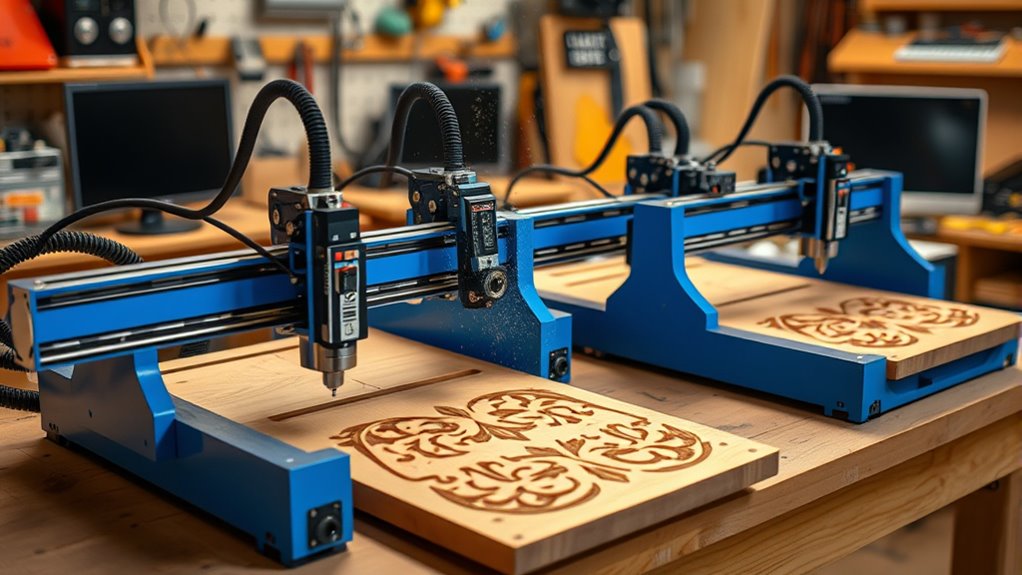
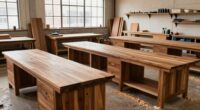
For woodworking, I’d start with the AnoleX 3030-Evo Max as the best overall pick: its 800W trimmer router and 3030 format offer more room and cutting capacity than the compact 3018 machines. The Twotrees TTC450 stands out for its larger 465 × 465 mm work area, while the Genmitsu 3018-PRO suits buyers learning CNC work on smaller projects. The main tradeoff is between a compact machine that takes up less space and a larger, more powerful setup that can handle broader woodworking jobs. Spindle power alone does not guarantee good cuts; frame rigidity, workholding, usable area, and setup all matter. Read on for how the 12 options compare and which one fits your workshop.

Get business pricing on tools and workshop supplies
- Business-only prices and quantity discounts
- Tax-exempt purchasing
- Multiple users, one account, clear invoices
Complete the kit



Key Takeaways
- AnoleX 3030-Evo Max leads for woodworking capacity in this group, pairing an 800W trimmer router with a more substantial 3030 format than the small 3018 kits.
- Twotrees TTC450 offers the largest stated work area here at 465 × 465 mm, a practical advantage for wider panels and batch work.
- The Genmitsu 3018-PRO and Twotrees TTC3018 Pro are compact entry points, but their smaller working areas limit project size.
- Higher spindle power appears on the LUNYEE 3020 Nova and Genmitsu 4040-PRO MAX; buyers should also weigh frame stability and machine footprint.
- The Genmitsu PROVerXL 4030S and standard 4040-PRO suit buyers prioritizing a larger machine format, while the compact kits are easier to accommodate in a small workspace.
| LUNYEE 3018 Pro Max 500W CNC Router |  | Best for Small-Format Woodworking | Spindle power: 500 W | Working area: 300 × 180 × 80 mm | Axes: 3 | VIEW ON AMAZON | See Our Full Breakdown |
| Twotrees TTC450 CNC Router Machine |  | Best for Larger Woodworking Projects | Work area: 465 × 465 mm | Spindle power: 500 W, upgradeable to 3000 W | Spindle speed: 8000–30000 rpm | VIEW ON AMAZON | See Our Full Breakdown |
| ACMER Ascarva 3 S 500W CNC Milling Machine |  | Best for Software Flexibility | Power: 500 W | Spindle speed: 12,000 RPM | Working area: 11.81 × 7.09 × 3.07 in | VIEW ON AMAZON | See Our Full Breakdown |
| AnoleX 3030-Evo Max CNC Router Machine |  | Best for Router Power on a Compact Machine | Router power: 800 W | Maximum rotational speed: 24,000 rpm | Repeatability accuracy: ±0.01 mm | VIEW ON AMAZON | See Our Full Breakdown |
| FoxAlien Masuter Pro 3-Axis CNC Router |  | Best for Beginners | Axes: 3 | Frame material: Aluminum | Work area: 400 × 400 × 60 mm | VIEW ON AMAZON | See Our Full Breakdown |
| Twotrees TTC3018 Pro CNC Router and Engraving Machine |  | Best Compact Starter Kit | Axes: 3 | Working area: 300 × 180 × 40 mm | Positioning accuracy: 0.1 mm | VIEW ON AMAZON | See Our Full Breakdown |
| LUNYEE 3020 Nova CNC Router with 800W Spindle |  | Best for Power and Material Range | Spindle power: 800W | Spindle speed: 6,000–30,000 rpm | Accuracy: ±0.05 mm | VIEW ON AMAZON | See Our Full Breakdown |
| Genmitsu CNC 3018-PRO 3-Axis Router Kit |  | Best for Beginners | Axes: 3 | Working area: 300 × 180 × 45 mm | Control: GRBL with offline controller | VIEW ON AMAZON | See Our Full Breakdown |
| Genmitsu 4040-PRO CNC Router Machine |  | Best for Larger Woodworking Projects | Working area: 435 × 400 × 80 mm | Axes: 3 | Control: GRBL | VIEW ON AMAZON | See Our Full Breakdown |
| Genmitsu CNC Router Machine 4040-PRO MAX with 710W Trimmer, 3-Axis Engraving and Cutting Machine |  | Best Ready-Powered Upgrade | Work area: 410 × 405 × 77 mm | Router power: 710W | Voltage: 230V | VIEW ON AMAZON | See Our Full Breakdown |
| Genmitsu PROVerXL 4030S CNC Router Machine |  | Best for Taller Woodworking Projects | Spindle power: 710 W | Pass height: 130 mm | Positioning accuracy: ±0.05 mm | VIEW ON AMAZON | See Our Full Breakdown |
| TTC3018 Pro CNC Router Machine, Desktop 3-Axis Engraving Milling Machine for Wood, Acrylic, MDF, Nylon |  | Best Compact Starter CNC | Working area: 300 × 180 × 40 mm | Spindle motor: 775 motor | Spindle speed: 7,000–9,000 rpm | VIEW ON AMAZON | See Our Full Breakdown |
| affordable cnc router machine | Weight | Working area | Axes |
|---|---|---|---|
| LUNYEE 3018 Pro Max 500W CNC R | 13 kg | 300 × 180 × 80 mm | 3 |
| Twotrees TTC450 CNC Router Mac | 19 kg | — | — |
| ACMER Ascarva 3 S 500W CNC Mil | 25.4 lb | 11.81 × 7.09 × 3.07 in | — |
| AnoleX 3030-Evo Max CNC Router | — | — | — |
| FoxAlien Masuter Pro 3-Axis CN | 13 kg | — | 3 |
| Twotrees TTC3018 Pro CNC Route | 15 lb | 300 × 180 × 40 mm | 3 |
| LUNYEE 3020 Nova CNC Router wi | 19.2 kg | — | — |
| Genmitsu CNC 3018-PRO 3-Axis R | 15.3 lb | 300 × 180 × 45 mm | 3 |
| Genmitsu 4040-PRO CNC Router M | 20.84 kg | 435 × 400 × 80 mm | 3 |
| Genmitsu CNC Router Machine 40 | — | — | 3 |
| Genmitsu PROVerXL 4030S CNC Ro | 33 kg | — | — |
| TTC3018 Pro CNC Router Machine | 15 lb | 300 × 180 × 40 mm | — |
More Details on Our Top Picks
LUNYEE 3018 Pro Max 500W CNC Router
For woodworking projects that fit a compact bed, I’d put the LUNYEE 3018 Pro Max ahead of larger machines when floor or bench space is limited. Its 500W spindle and metal frame give it more capacity for dense stock and soft metals than a basic light-duty engraver, while the 300 × 180 mm work area keeps the machine focused on smaller signs, parts, and carvings. Compared with the FoxAlien Masuter Pro, it has a smaller working footprint and adds six limit switches plus an emergency stop; the FoxAlien offers a much wider bed for panel work. The LUNYEE’s manual handwheels and GRBL offline control are useful, though buyers should expect setup and workflow learning. The optional 12 mm optical-axis upgrade adds cost and is needed for that configuration.
Pros:- 500W spindle supports work on wood and denser materials, including aluminum and copper
- All-metal frame uses reinforced aluminum profiles
- Six limit switches and an emergency stop provide useful machine safeguards
- GRBL offline control and manual axis handwheels offer control without relying only on a computer
Cons:- 300 × 180 mm work area limits project size
- 12 mm optical-axis upgrade kit is sold separately
- Manual controls and setup may take learning for first-time CNC users
Best for: Woodworkers making small signs, carvings, and parts who want a compact machine with a 500W spindle and safety controls.
Not ideal for: Buyers cutting wide panels or needing a ready-to-run machine with the 12 mm optical-axis upgrade included.
- Spindle power:500 W
- Working area:300 × 180 × 80 mm
- Axes:3
- Maximum movement speed:5000 mm/min
- Spindle speed range:0–12000 rpm
- Limit switches:6
- Frame material:Metal
- Weight:13 kg
Our verdict“Choose the LUNYEE for compact woodworking and small parts when spindle capacity and safety controls matter more than a wide work area.”
Twotrees TTC450 CNC Router Machine
The Twotrees TTC450 earns its place for woodworking that outgrows a small 3018 bed: its 465 × 465 mm work area can accommodate broader boards and larger layouts than the LUNYEE 3018 Pro Max. A 500W spindle keeps it in the affordable desktop-router class, while the linear rails and stated accuracy figures are aimed at controlled engraving and repeatable jobs. The 3.5-inch touchscreen and offline operation may make routine control less dependent on a computer than the ACMER Ascarva 3 S, though this machine still calls for technical setup knowledge. Its spindle is upgradeable, but the listed configuration starts at 500W, so buyers seeking higher cutting power should factor in the additional hardware. At 19 kg, it also needs a sturdy, settled workspace.
Pros:- 465 × 465 mm work area accommodates projects too wide for compact 3018 machines
- High-precision linear rails and stated axis accuracy support detailed engraving
- Touchscreen and offline operation provide an alternative to constant PC control
- Expandable design supports additional modules and accessories
Cons:- Requires technical knowledge for setup and operation
- The included spindle is 500W; higher power requires an upgrade
- At 19 kg, it needs a stable bench and is less convenient to move
Best for: Woodworkers who need a desktop CNC for larger signs, panels, and repeated engraving jobs, and are comfortable configuring CNC software.
Not ideal for: Beginners seeking a lightweight, simple starter machine or buyers who need higher spindle power without adding upgrades.
- Work area:465 × 465 mm
- Spindle power:500 W, upgradeable to 3000 W
- Spindle speed:8000–30000 rpm
- X/Y-axis accuracy:0.01 mm
- Z-axis precision:0.0025 mm
- Engraving accuracy:±0.05 mm/100 mm
- Touchscreen:3.5-inch IPS capacitive
- Weight:19 kg
Our verdict“Pick the TTC450 for woodworking that needs a broad desktop work area, provided you can handle setup and do not need upgraded spindle power immediately.”
ACMER Ascarva 3 S 500W CNC Milling Machine
The ACMER Ascarva 3 S suits hobbyists who want a conventional 500W router with several familiar software options. Candle, UGS, and Easel compatibility gives it a different strength from the Twotrees TTC450, whose touchscreen and offline controls stand out more; the ACMER instead emphasizes software choice and common .nc and .gcode files. Its 11.81 × 7.09 inch bed is suitable for small woodworking pieces, but it cannot match the TTC450’s 465 mm square area or the FoxAlien Masuter Pro’s 400 mm square bed for broad work. The aluminum frame and modular design support customization, yet the machine requires user assembly and setup. I’d treat it as a small-workshop option for controlled projects, not a production router or a way to cut large boards.
Pros:- 500W spindle reaches 12,000 RPM for cutting and engraving wood, plastic, and soft metals
- Compatible with Candle, UGS, and Easel
- Accepts common .nc and .gcode files
- Modular aluminum-frame design allows customization
Cons:- Working area is limited to small and medium projects
- Requires user assembly and setup
- Material range is described for soft metals rather than demanding metal machining
Best for: Hobby woodworkers and small workshop owners who already use Candle, UGS, or Easel and make compact parts or carvings.
Not ideal for: Users who need a large bed, want minimal assembly, or plan frequent production work on full-size boards.
- Power:500 W
- Spindle speed:12,000 RPM
- Working area:11.81 × 7.09 × 3.07 in
- Weight:25.4 lb
- Controller:ESP32 mainboard
- Supported software:Candle, UGS, Easel
- File formats:.nc, .gcode
- Material compatibility:Wood, plastic, soft metals
Our verdict“Choose the Ascarva 3 S for compact woodworking jobs if software flexibility matters more to you than a large work area or minimal setup.”
AnoleX 3030-Evo Max CNC Router Machine
For woodworking buyers who want a trim-router style drive, the AnoleX 3030-Evo Max stands apart from the 500W spindle machines here with its 800W router and maximum speed of 24,000 rpm. Dual linear guides on all three axes and stated repeatability of ±0.01 mm support controlled light-duty cutting and engraving. Compared with the FoxAlien Masuter Pro, AnoleX lists a more powerful router and Wi-Fi control, while FoxAlien provides a specified 400 × 400 mm work area and quick, pre-wired setup. AnoleX does not provide a work-area figure in the supplied data, which makes project sizing harder before purchase. Its manual speed dial and light-duty positioning also set limits: expect hands-on adjustment, and count higher-capacity components as separate upgrades.
Pros:- 800W trim router offers more listed power than the 500W spindle options
- Dual MGN-15 linear guides run on X, Y, and Z axes
- Wi-Fi control works with a PC, smartphone, or tablet
- Includes limit switches, emergency stop, and Z probe
Cons:- Work area is not specified in the supplied product data
- Router speed requires adjustment using a manual dial
- Designed for light-duty work; higher-capacity parts require separate upgrades
Best for: Woodworkers with a compact, stable workshop who want an 800W trim router for light-duty cutting and engraving across wood and other listed materials.
Not ideal for: Buyers who need a clearly specified large work area, automated router-speed adjustment, or heavy-duty production capacity.
- Router power:800 W
- Maximum rotational speed:24,000 rpm
- Repeatability accuracy:±0.01 mm
- Linear guides:MGN-15 dual guides on X, Y, and Z axes
- Firmware:GRBL 1.3a
- Connectivity:Wi-Fi; PC, smartphone, or tablet control
- Item dimensions:19.72 in W × 16.22 in H
- Item weight:39.5 lb
Our verdict“Consider the AnoleX for light woodworking when an 800W router and guided axes matter more than a published bed size or automated speed control.”
FoxAlien Masuter Pro 3-Axis CNC Router
The FoxAlien Masuter Pro is the most approachable pick here for a first woodworking CNC, thanks to pre-wired components and a stated setup time of about 10–15 minutes. Its 400 × 400 mm bed also gives beginners room to grow into larger signs and panels than the LUNYEE 3018 Pro Max can handle. The aluminum frame and linear-rail Z-axis support steadier engraving, and the included 52 mm and 65 mm clamps leave room for compatible spindle choices. The listed machine power is only 60W, so I would not rank it alongside the LUNYEE or Twotrees TTC450 for spindle capacity or demanding cuts. Its 60 mm Z travel is another constraint, and the 69 mm clamp and Y-axis extension are optional purchases.
Pros:- Pre-wired components and step-by-step instructions simplify initial setup
- 400 × 400 mm work area supports broader projects than compact 3018 routers
- Aluminum frame and linear-rail Z-axis support stability
- Includes 52 mm and 65 mm spindle clamps and allows later expansion
Cons:- Listed power is 60W, below the 500W LUNYEE and TTC450 configurations
- 60 mm Z travel limits material height and depth of work
- 69 mm spindle clamp and Y-axis extension kit are optional
Best for: First-time CNC woodworkers who value guided setup and a wide bed for signs, panels, and other shallow projects.
Not ideal for: Buyers planning deeper cuts or demanding work that calls for a more powerful spindle out of the box.
- Axes:3
- Frame material:Aluminum
- Work area:400 × 400 × 60 mm
- Spindle clamps:52 mm and 65 mm
- Voltage:12 V
- Power:60 W
- Maximum rotational speed:10,000 rpm
- Weight:13 kg
Our verdict“Choose the Masuter Pro as a first woodworking CNC if you want a broad bed and simpler setup, and your work does not demand high spindle power or deep Z travel.”
Twotrees TTC3018 Pro CNC Router and Engraving Machine
The Twotrees TTC3018 Pro earns its place for buyers who want a small woodworking CNC with useful accessories included. Its 300 × 180 mm work area suits signs, plaques, and other small parts, while the all-metal Z-axis and stated 0.1 mm positioning accuracy give it a more defined spec than a bare-bones starter kit. It also comes with 10 cutters, an ER11 collet, and assembly tools, so there is less to source before getting started. Compared with the Genmitsu 3018-PRO, it offers a slightly shorter Z travel and lacks that model’s offline controller. Its main tradeoff is a wired USB-only connection, which ties operation to a computer; its compact size also rules out larger woodworking panels.
Pros:- All-metal Z-axis with stated 0.1 mm positioning accuracy
- Compact 300 × 180 × 40 mm work area fits a small workshop
- Includes 10 cutters, an ER11 collet, and assembly tools
- Supports engraving and milling wood, acrylic, MDF, and nylon
Cons:- USB wired control only, with no Bluetooth or Wi-Fi
- No built-in TF card slot
- Small work area limits project dimensions
Best for: Woodworking beginners making small signs or engraved pieces who want cutters and assembly tools in the kit.
Not ideal for: Makers who need offline operation, wireless control, or room for larger workpieces.
- Axes:3
- Working area:300 × 180 × 40 mm
- Positioning accuracy:0.1 mm
- Spindle:775 motor, 7,000–9,000 rpm
- Collet:ER11, 0.5–7 mm
- Control:32-bit GRBL
- Connection:Wired USB
- Weight:15 lb
Our verdict“Choose the TTC3018 Pro for compact woodworking jobs and an included starter tool set if wired computer control suits your workflow.”
LUNYEE 3020 Nova CNC Router with 800W Spindle
The LUNYEE 3020 Nova is the step-up pick for buyers whose woodworking plans also include harder materials. Its 800W spindle, 1204 ball screws, and HG-15 linear guides on all three axes give it a stronger motion and cutting setup than compact entry machines such as the Genmitsu 3018-PRO. The listed ±0.05 mm accuracy and speed range of 6,000–30,000 rpm are useful when jobs call for controlled engraving as well as faster cutting. It supports wood, aluminum, brass, acrylic, plastics, PCB, and leather, which makes it the most versatile material option among these five. The tradeoffs are a heavier, larger machine and a Z-axis module that still needs installation after unboxing; its published dimensions also omit depth, complicating bench planning.
Pros:- 800W spindle runs from 6,000 to 30,000 rpm
- Ball screws and HG-15 linear guides serve all three axes
- Listed ±0.05 mm accuracy
- Supports wood, metals, acrylic, plastics, PCB, and leather
Cons:- Z-axis module requires installation after unboxing
- Listed dimensions omit the machine’s depth
- At 19.2 kg, it is less portable than the 3018-sized options
Best for: Makers with a sturdy bench who want to machine wood and occasionally work with aluminum, brass, or plastics.
Not ideal for: First-time buyers seeking a lightweight, fully assembled desktop kit or a clearly specified compact footprint.
- Spindle power:800W
- Spindle speed:6,000–30,000 rpm
- Accuracy:±0.05 mm
- Axis drive:1204 ball screws
- Linear guides:HG-15 on all three axes
- Maximum movement speed:5,000 mm/min
- Weight:19.2 kg
- Software compatibility:GRBL software, including UGS, Fusion 360, Easel, and Candle
Our verdict“Pick the 3020 Nova if stronger spindle capacity and broad material support matter more than portability and a fully assembled arrival.”
Genmitsu CNC 3018-PRO 3-Axis Router Kit
The Genmitsu 3018-PRO suits new CNC owners who want a compact way to learn toolpaths on small woodworking projects. Its 300 × 180 mm work area is in the same class as the Twotrees TTC3018 Pro, but the included offline controller can run compatible G-code without a computer connected during the job. That can make a shared maker space or a crowded workbench easier to manage. GRBL control and Candle support also give beginners familiar software options, and the machine handles wood alongside acrylic, PVC, plastic, PCB, and soft aluminum. The tradeoff is limited cutting area and modest 120W power; soft aluminum needs suitable bits and settings. Buyers expecting substantial metal cutting or larger woodworking pieces should look at the LUNYEE 3020 Nova instead.
Pros:- Offline controller can run compatible G-code without a connected computer
- Compact size fits home workshops and maker spaces
- GRBL control has community resources and Candle support
- Works with wood, acrylic, plastics, PCB, and soft aluminum
Cons:- 300 × 180 mm work area limits project size
- Soft aluminum requires suitable bits and cutting settings
- 120W power is modest for demanding cuts
Best for: First-time CNC hobbyists learning GRBL and making small wood engravings or desktop projects.
Not ideal for: Woodworkers handling large stock or buyers who expect a compact 120W machine to cut metal aggressively.
- Axes:3
- Working area:300 × 180 × 45 mm
- Control:GRBL with offline controller
- Power:120W
- Voltage:24V
- Maximum rotational speed:20,000 rpm
- Weight:15.3 lb
- Supported materials:Wood, acrylic, PVC, plastic, PCB, and soft aluminum
Our verdict“Choose the 3018-PRO as a learning machine for small woodworking jobs if its limited work area and cutting power fit your plans.”
Genmitsu 4040-PRO CNC Router Machine
For woodworking that outgrows a 3018 bed, the Genmitsu 4040-PRO offers the most useful work area in this group: 435 × 400 × 80 mm. That extra room can accommodate wider boards and taller pieces than either the Genmitsu 3018-PRO or Twotrees TTC3018 Pro, making it a more practical choice for furniture details, larger signs, and multi-part layouts. Its reinforced spoilboard and lead-screw drive are aimed at stable carving, while pre-assembled modules are described as allowing setup in about 15 minutes. This is still a 3-axis desktop machine, so it does not replace a full-size shop router. The listed specs also give limited detail on the spindle setup, and compatible mounts or accessories may need separate purchase—an added planning step compared with the kits.
Pros:- 435 × 400 × 80 mm work area is substantially larger than the 3018 options
- Reinforced spoilboard is designed to reduce bed sagging
- Lead-screw drive and 32-bit controller support stable machining
- Pre-assembled modules are specified for setup in about 15 minutes
Cons:- Spindle mounts and compatible accessories may require separate purchases
- Heavier and less portable than compact desktop routers
- Listed material details are limited, with no spindle specifications provided
Best for: Woodworkers who need a desktop CNC bed wide enough for larger signs, panels, and multi-part layouts.
Not ideal for: Makers with a small bench or buyers who want a clearly specified, ready-to-cut spindle and accessory bundle.
- Working area:435 × 400 × 80 mm
- Axes:3
- Control:GRBL
- Controller:32-bit with Toshiba drivers
- Drive system:Lead screw
- Power source:Corded electric
- Weight:20.84 kg
- Listed materials:Aluminum and acrylic
Our verdict“The 4040-PRO is the better fit for woodworking pieces that exceed a 3018 bed, provided you account for the spindle and accessory setup.”
Genmitsu CNC Router Machine 4040-PRO MAX with 710W Trimmer, 3-Axis Engraving and Cutting Machine
The Genmitsu 4040-PRO MAX pairs a 410 × 405 mm work area with a listed 710W router, giving woodworking buyers a powered setup without the small 3018 machines’ size and motor constraints. SBR16 linear rails are the defining upgrade: they support stable movement across the work area, while wireless control and upgradeable accessories offer more flexibility than the USB-only Twotrees TTC3018 Pro. Its footprint is close to the 4040-PRO, though the MAX has a slightly smaller stated work area and names its router power directly. It makes sense for users who want to cut and engrave wood, metal, or acrylic with a stronger router included. The 230V requirement narrows where it can be installed, and the controls and upgrade path may be more involved for a beginner.
Pros:- 710W router is included in the listed configuration
- SBR16 linear rails support stable movement
- Wireless control options add flexibility over USB-only machines
- Upgradeable accessories allow the setup to be adapted
Cons:- 230V electrical requirement limits installation options
- 410 × 405 × 77 mm work area still limits larger projects
- More complex setup may challenge beginners
Best for: Experienced hobbyists with a compatible 230V workspace who want a more powerful router for wood cutting and engraving.
Not ideal for: Beginners seeking a simple starter kit, or buyers who need a large cutting bed or standard-voltage setup.
- Work area:410 × 405 × 77 mm
- Router power:710W
- Voltage:230V
- Linear rail:SBR16
- Control:GRBL
- Wireless control:Supported
- Axes:3
- Material:Metal
Our verdict“Choose the 4040-PRO MAX if you have 230V power and want a rail-equipped woodworking CNC with a 710W router included.”
Genmitsu PROVerXL 4030S CNC Router Machine
The PROVerXL 4030S is the stronger fit for woodworkers who need room for thicker stock and steadier cutting than a compact 3018 machine can offer. Its 130 mm pass height accommodates taller workpieces, while linear guideways and a 33 kg frame are designed to keep motion stable during carving. The 710 W spindle and speeds up to 5,000 mm/min give it more capacity for substantial jobs than the TTC3018 Pro, whose smaller work area suits fine hobby pieces better. That extra reach comes with a larger footprint and a machine that is less convenient to move. Setup is helped by partial preassembly and app compatibility, though Wi-Fi control requires a separately purchased module. I’d choose it for woodworking with varied stock thickness, rather than for a cramped bench or frequent transport.
Pros:- 130 mm pass height accommodates taller workpieces and thicker stock.
- Linear guideways and a 33 kg structure are designed for stable carving.
- 710 W spindle and up to 5,000 mm/min operating speed support capable cutting and engraving.
- Partial preassembly and Genmitsu App compatibility can simplify setup and control.
Cons:- Wi-Fi module is sold separately.
- Its 33 kg weight makes relocation inconvenient.
- The wide footprint demands more bench space than compact 3018 machines.
Best for: Woodworkers who want a desktop CNC for thicker stock, larger carvings, and a more substantial frame than compact 3018 machines provide.
Not ideal for: Hobbyists with limited bench space or anyone who needs to move the machine often; it weighs 33 kg and spans over 30 inches in width.
- Spindle power:710 W
- Pass height:130 mm
- Positioning accuracy:±0.05 mm
- Maximum operating speed:5,000 mm/min
- Maximum rotational speed:30,000 rpm
- Controller:32-bit MCU
- Dimensions:30.59 in W × 23 in H
- Weight:33 kg
- App compatibility:Genmitsu App; Wi-Fi module sold separately
Our verdict“Choose the PROVerXL 4030S if your woodworking calls for taller stock and a sturdier desktop platform, and skip it if space or portability is your priority.”
TTC3018 Pro CNC Router Machine, Desktop 3-Axis Engraving Milling Machine for Wood, Acrylic, MDF, Nylon
The TTC3018 Pro makes sense for a beginner learning CNC woodworking on small signs, panels, and other modest pieces. Its 300 × 180 mm working area is far more restrictive than the Twotrees TTC450’s 465 × 465 mm workspace, but the smaller machine takes up less room and keeps projects at a hobby scale. An all-metal construction and a 0.1 mm accuracy claim support detailed engraving, while the GRBL board works through a wired USB connection with compatible CAD/CAM software. The included starter kit can help a newcomer begin without assembling a separate set of tools and cutters. Its 775 spindle runs at 7,000–9,000 rpm, so it is better suited to light engraving and small cuts than demanding production work. Expect to stay beside the machine: it has no wireless control or onboard file storage.
Pros:- Compact size suits small workshops, classrooms, and hobby benches.
- 300 × 180 mm working area supports small signs and engraving projects.
- All-metal Z-axis and stated 0.1 mm accuracy support detailed work.
- Starter kit and GRBL compatibility provide a straightforward entry point.
Cons:- Small working area limits the size of projects.
- USB wired control offers no wireless option.
- 775 spindle at 7,000–9,000 rpm is better suited to light work than demanding cuts.
Best for: New CNC hobbyists, students, and makers with limited workspace who want to learn GRBL on small wood, acrylic, MDF, or nylon projects.
Not ideal for: Woodworkers making large furniture parts, handling thick stock, or seeking faster production; the work area is small and the spindle is aimed at light-duty projects.
- Working area:300 × 180 × 40 mm
- Spindle motor:775 motor
- Spindle speed:7,000–9,000 rpm
- Positioning accuracy:0.1 mm
- Control board:GRBL with USB wired connection
- Compatible materials:Wood, acrylic, MDF, nylon
- Dimensions:420 × 355 × 280 mm
- Weight:15 lb
Our verdict“Pick the TTC3018 Pro to learn CNC woodworking on compact projects in a small space, but choose a larger machine like the Twotrees TTC450 when workpiece size matters.”

How We Picked
I ranked these machines around the needs of a buyer seeking an affordable CNC router for woodworking: usable work area, stated spindle or router power, machine format, and the range of materials named in the product information. I gave more weight to options that offer a meaningful step up in capacity for wood projects, while recognizing that compact machines can be a better fit for small parts, engraving, and learning basic CNC workflows.
The order reflects those tradeoffs rather than treating a higher wattage figure as an automatic win. Models with larger stated work areas or more powerful router setups rise when those traits support broader woodworking tasks; smaller 3018 machines rank as space-conscious starter choices. Where the supplied product details do not establish rigidity, included accessories, or software support, I avoid assuming an advantage and recommend checking those points before choosing.
Factors to Consider When Choosing Affordable Cnc Router Machines
Before choosing a machine, I’d match the router to the projects and workshop it will actually serve. A low entry price can be appealing, but a machine that cannot fit your stock or hold a cut steadily may lead to upgrades or workarounds.
Match the Work Area to Your Stock
Compare the machine’s usable travel with the largest piece of wood you expect to cut, not just the outside dimensions of the frame. A compact router can handle signs, small inlays, and components while still being unable to accommodate a wide panel. Leave room for clamps, a spoilboard, and safe movement around the workpiece. If your projects vary in size, a larger work area can reduce how often you need to reposition stock. Remember that a larger machine also needs more bench space and can be less convenient to store. I’d choose the smallest work area that comfortably fits your real projects, with some allowance for workholding.
Treat Spindle Power as One Part of Cutting Ability
Spindle or router wattage can help distinguish light engraving setups from machines aimed at more demanding cuts, but it does not describe the whole cutting system. Frame rigidity, gantry movement, tool choice, feed rate, and how securely the wood is held all affect cut quality. A powerful router on a flexible frame can still struggle with deeper passes or chatter. For detailed carving and small parts, control and stability may matter more than chasing the largest power figure. For stock removal, check what router is included and whether the machine’s construction is suited to the work. Plan to use conservative cuts and make test passes while learning a new machine.
Budget for Workholding, Dust, and Tooling
The machine is only one part of a usable woodworking setup. You may also need clamps or a fixture, a flat spoilboard, suitable bits, dust collection, and a way to secure the router to a stable bench. Small cutters can break when feeds or depths are too aggressive, while poor workholding can spoil a project even on a capable machine. Check what the listing includes and what must be purchased separately before comparing packages. Dust control matters because wood chips can obscure the cut and collect around moving parts. Keeping some room in your budget for these supporting items often improves results more than buying a slightly more powerful machine.
Check Setup and Software Before Buying
A CNC router needs a design-to-cut workflow, and setup requirements differ between machines. Confirm which controller, file formats, and control software the seller supports, then check whether those tools fit your computer and skill level. A touchscreen may simplify on-machine control, but it does not replace learning how to prepare toolpaths or set a work origin. Buyers new to CNC should look for clear assembly guidance and accessible documentation. Also check whether replacement parts and compatible cutters are easy to source. A machine that is straightforward to set up can save time even if its headline specifications are more modest.
Decide Whether Compactness or Upgrade Room Matters More
Small desktop routers are easier to fit into a home workshop and make sense for limited runs of small parts. Their compact frames also set a firm ceiling on stock size and may restrict future project plans. A larger format takes more room and can require a sturdier bench, but it gives you more flexibility for wider workpieces. Think about where the machine will live, how often it will be assembled or moved, and whether the noise and dust can be managed there. If you are still learning, a compact model can be a reasonable first machine when its limits match your projects. If you already know you need larger wooden parts, choosing enough capacity now can avoid an early replacement.
Frequently Asked Questions
Which machine in this roundup makes the most sense for woodworking?
I’d choose the AnoleX 3030-Evo Max as the strongest general woodworking fit among these options because its 800W trimmer router and 3030 format suggest more capacity than the compact 3018 kits. If wide stock is your main concern, the Twotrees TTC450 has a larger stated work area. Match the choice to the dimensions of your projects and the space available in your workshop. Check frame construction, workholding options, and the included tooling before ordering, since the listed headline specs do not answer every practical question.
Is a 3018 CNC router enough for a first woodworking machine?
A 3018 can be enough if you want to learn toolpaths or make small engravings, signs, and components. Its compact work area limits the size of stock and finished parts, so it is a poor fit for wide panels or larger furniture components. The Genmitsu 3018-PRO is a sensible starter-format option in this roundup, but a buyer who already has larger projects in mind should compare it with the 3030 and 4040 formats. Before buying, measure both your intended workpieces and the space needed for clamps. Starting small works best when you accept the machine’s size limits.
Should I choose more spindle power or a larger work area?
Choose based on the bottleneck you are most likely to hit. More power, such as the 800W router on the AnoleX 3030-Evo Max or LUNYEE 3020 Nova, can suit buyers who want a stronger router setup, but it cannot make a small work area fit a large panel. A larger area, as listed for the Twotrees TTC450, helps with wider stock even when power is not the only deciding factor. Neither spec proves that a frame will stay rigid during a cut. If possible, check construction details and plan for conservative cutting passes.
What should I check before ordering a budget CNC router?
Verify the usable travel, included router or spindle, controller and software compatibility, assembly guidance, and what accessories come in the box. Look for clear information about replacement parts and supported cutters, since those affect upkeep after setup. Workholding and dust collection are frequent extra needs for woodworking, so account for them when planning your purchase. Confirm the machine will fit your bench with room for clamps and stock. If the listing leaves a key detail unclear, ask the seller before committing instead of inferring it from the model name.
When is it worth choosing a larger 4040 or 4030 machine over a compact router?
A larger format is worth considering when your usual stock or finished parts exceed what a compact machine can handle, or when repeated repositioning would slow your work. The Genmitsu 4040-PRO, 4040-PRO MAX, and PROVerXL 4030S target buyers who want a larger machine format than the small 3018 models. They also take up more workshop space, so measure your bench and allow room to load material and manage dust. Compare their actual travel and included router details rather than relying on the format number alone. For occasional small engravings, a compact unit may be the more practical choice.
Conclusion
For most woodworking buyers in this roundup, I’d start with the AnoleX 3030-Evo Max as the best overall balance of format and router power. The Genmitsu 3018-PRO is my best value-style starting point for small projects and learning, while the Twotrees TTC3018 Pro is another compact option to compare when space is tight. Buyers seeking more room should look at the Twotrees TTC450 for its stated 465 × 465 mm work area, or compare the larger Genmitsu formats for their intended stock size. For a stronger router setup in a 3020 format, the LUNYEE 3020 Nova is a specific alternative; check the included equipment and build details before treating any one model as a premium choice. Pick the machine whose work area, setup, and supporting tools fit the projects you actually plan to make.
Halloween Picks
halloween
As an affiliate, we earn on qualifying purchases.