
For most wood projects, I’d start with the xTool S1 40W for its higher power and rotary bundle; the Creality Falcon 2 Pro S 22W is a strong alternative if camera assistance and air assist matter more, while the Creality Falcon A1 10W offers an enclosed setup with a camera at a lower power tier. The main tradeoff is between speed and cutting capacity, ease of setup and control, and the space and safety equipment a machine requires. Smaller diode lasers can suit detailed engraving and occasional thin-material cuts, while more powerful models are better matched to frequent cutting and thicker stock. Work area, enclosure, software, and material compatibility can matter as much as wattage. Read on for my full breakdown of how these 15 options differ and which kind of woodworker each suits.

Get business pricing on tools and workshop supplies
- Business-only prices and quantity discounts
- Tax-exempt purchasing
- Multiple users, one account, clear invoices
Complete the kit



Key Takeaways
- The xTool S1 40W leads for demanding woodwork: Its listed 40W output and included rotary bundle give it a broader project range than the lower-power desktop picks, though the larger investment and footprint may not suit occasional engraving.
- Camera and enclosure features distinguish several Creality models: The Falcon 2 Pro S pairs 22W output with air assist and camera assistance, while the 10W Falcon A1 and A1C focus more on guided alignment and enclosed operation.
- Work area changes the kind of projects you can take on: The Longer Ray5 lists a 400 × 400 mm area, and the LaserVii L1 Pro lists 300 × 300 mm; these dimensions can be more useful than extra power for large signs and panels.
- Low-power machines are better treated as engraving-first tools: The 2.5W ACMER S1, 5W Creality Falcon, and 5W Longer Ray5 are less suited to buyers who expect regular cutting of thicker wood.
- The lineup serves distinct working styles: Glowforge Aura and xTool M2 emphasize enclosed, camera-guided craft workflows, while the portable LaserPecker LP4 adds an IR laser for material versatility beyond wood.


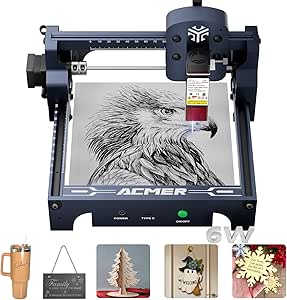


| laser engravers for wood | Laser power | Weight |
|---|---|---|
| Creality Falcon 5W Laser Engra | 5,000 mW output; listed as 72W machine power | — |
| Creality Falcon 2 Pro S 22W La | 22W | — |
| xTool S1 40W Laser Cutter and | 40W | — |
| Creality Falcon A1C 10W AI Las | 10W | — |
| LaserVii L1 Pro 7000 mW Laser | 7W (7,000 mW) | — |
| K15 Pro Laser Engraver 10W | 10W | 2.68 kg |
| xTool M2 10W Laser Engraver wi | 10W | 36.2 lb |
| ELIDOR 6000mW Laser Engraver a | 6W (6000mW) | 4.89 lb |
| Glowforge Aura 6W Laser Engrav | 6W | — |
| Creality Falcon A1 10W Laser E | 10W | 43.6 lb |
| ACMER S2 Laser Engraver | 12W | 7.98 pounds |
| ACMER S1 Laser Engraver Machin | 6000mW | 4.2 pounds |
| ACMER S1 Laser Engraver Machin | 2500mW | 3.98 pounds |
| LaserPecker LP4 Dual Laser Eng | — | 16.29 pounds |
| Longer Laser Engraver Ray5 5W | 5W | 8.26 pounds |
More Details on Our Top Picks
Creality Falcon 5W Laser Engraver Machine
The Falcon 5W pairs a 0.06 mm spot size with a 400 × 415 mm work area, a useful combination for woodworkers who want small lettering or line art on larger panels. Its stated speed of up to 10,000 mm/min can help move through broad designs, though speed alone does not indicate how quickly it will cut thicker wood. Compared with the 7W LaserVii L1 Pro, this model has a finer stated spot and more working area, while the LaserVii offers more laser power and offline control options. The tradeoff is a Class 4 laser, which calls for careful safety planning, plus limited detail about included accessories. I’d favor it for detailed engraving rather than buyers prioritizing stronger cutting capability or an enclosed setup.
Pros:- 0.06 mm spot size is suited to fine lines and small engraved details.
- 400 × 415 mm work area accommodates larger wood pieces.
- Stated engraving speed reaches 10,000 mm/min.
- Automatic stop and eye-protection features are listed.
Cons:- Class 4 operation requires careful eye and workspace safety precautions.
- Included accessories are not clearly specified in the supplied product information.
- Durability concerns are noted in the supplied product information.
Best for: Woodworkers making detailed engravings on larger boards, signs, or panels who can provide a controlled, well-ventilated workspace.
Not ideal for: Beginners who want an enclosed Class 1 machine or buyers focused on cutting thicker wood with greater laser power.
- Laser power:5,000 mW output; listed as 72W machine power
- Laser spot size:0.06 mm
- Working area:400 × 415 mm
- Maximum speed:10,000 mm/min
- Material compatibility:Over 200 material types, as stated
- Item weight:10.82 lb
- Dimensions:17.32 × 9.33 × 24.8 in
Our verdict“Choose the Falcon 5W for fine-detail wood engraving across a larger work area, but choose an enclosed model if safer containment is your priority.”
Creality Falcon 2 Pro S 22W Laser Engraver with Air Assist and Camera Visual Assistance
For wood projects where containment and repeatable placement matter, the Falcon 2 Pro S has a stronger case than an open-frame machine: it combines a Class 1 enclosure, top camera preview, and auto-focus. Those features can reduce setup guesswork when positioning designs or running batches. Its stated 22W laser power and speeds up to 25,000 mm/min also put it ahead of the 5W Falcon for throughput and cutting potential, though actual results depend on the wood and settings. Unlike the 40W xTool S1, it has less listed laser power and a smaller, unspecified work area, but its camera-assisted workflow may suit repeat jobs better. The main costs in space and handling are its 59.9 lb weight and substantial footprint; it is not a machine to move casually between work areas.
Pros:- Class 1 enclosed design offers more contained operation than open-frame models.
- Top camera and visual assistance help position wood pieces and designs.
- Auto-focus can simplify setup between jobs.
- LaserGRBL and LightBurn support give buyers familiar software options.
Cons:- At 59.9 lb, it is difficult to move or store between uses.
- Its listed dimensions call for a dedicated setup area.
- The supplied specifications do not state the work-area size.
Best for: Small-shop makers and woodcraft sellers who run repeated designs and want an enclosed machine with camera positioning and auto-focus.
Not ideal for: Users with limited bench space, frequent relocation needs, or large-format work that calls for a specified expansive bed.
- Laser power:22W
- Engraving speed:Up to 25,000 mm/min
- Laser class:Class 1
- Visual assistance:Top camera with pilot technology
- Auto-focus:Yes
- Supported software:LaserGRBL, LightBurn
- Item weight:59.9 lb
- Dimensions:25.39 × 11.22 × 30.31 in
Our verdict“Pick the Falcon 2 Pro S for camera-assisted, enclosed repeat work on wood if you have room for a heavy, stationary machine.”
xTool S1 40W Laser Cutter and Engraver with Rotary Bundle
The xTool S1 is the lineup’s power-and-capacity choice for woodworkers handling broad signs, multiple pieces, or cuts that would stretch a lower-powered diode machine. Its 40W laser and 23.93 × 15.16 in work area give it a clear scale advantage over the Falcon 2 Pro S, whose listed power is 22W and whose work-area dimensions are not provided. The stated 600 mm/s speed suits larger jobs, while auto-focus and Pin-point Positioning are intended to help place designs, including on curved surfaces when using the rotary bundle. An enclosure, flame sensors, and emergency stop add a safety layer. The tradeoff is substantial: at 86.8 lb, this is a dedicated workstation, not a compact hobby tool, and the supplied specs do not give a complete dimension for the working bed beyond the stated area.
Pros:- 40W laser power is the highest listed in this batch for stronger wood-cutting capability.
- 23.93 × 15.16 in work area accommodates large pieces and multi-item layouts.
- Stated speed reaches 600 mm/s for larger engraving jobs.
- Enclosure, flame sensors, and emergency stop provide built-in safety features.
Cons:- 86.8 lb weight makes placement and relocation difficult.
- Requires a sturdy, dedicated workspace.
- Large-project capability may be unnecessary for occasional small wood crafts.
Best for: Makers producing large wooden signs, cutting thicker stock, or processing several small items in one setup who can dedicate sturdy bench space.
Not ideal for: Casual hobbyists with limited room or buyers who need a lightweight engraver they can store or move after each project.
- Laser power:40W
- Work area:23.93 × 15.16 in
- Maximum speed:600 mm/s
- Positioning:Patented Pin-point Positioning
- Focus:Auto-focus
- Safety features:Enclosed cover, flame sensors, emergency stop, protective filter
- Item weight:86.8 lb
- Power source:Corded electric
Our verdict“Choose the xTool S1 if wood size and cutting power matter more than portability or a small workshop footprint.”
Creality Falcon A1C 10W AI Laser Engraver with AI Camera and Auto Focus
The Falcon A1C is the most workflow-focused option here for a buyer who wants camera assistance and automated setup on smaller wood pieces. Its AI camera and auto-focus are designed to make placement and focusing less hands-on, while the interchangeable laser platform offers a route to different tasks. That convenience comes with a notably compact 150 × 150 mm work area: it is far smaller than the Falcon 5W’s 400 × 415 mm bed and the xTool S1’s large-format workspace. The 10W output and stated 15,000 mm/min speed suit desktop engraving, but the supplied details do not establish the cutting capacity for thicker wood. Its Class 1 certification is a practical advantage over the open Class 4 Falcon 5W; still, buyers should check module compatibility and technical requirements before planning upgrades.
Pros:- AI camera and auto-focus can simplify placement and focusing.
- Class 1 safety certification suits buyers seeking a more contained desktop machine.
- Interchangeable laser platform offers flexibility across compatible tasks.
- Stated engraving speed reaches 15,000 mm/min.
Cons:- 150 × 150 mm work area limits the size of wood projects.
- 10W output may not suit buyers prioritizing stronger cutting performance.
- Interchangeable-module options may require technical setup and careful compatibility checks.
Best for: Home makers, teachers, and craft sellers working on small wood blanks who value camera-guided placement and a Class 1 desktop setup.
Not ideal for: Sign makers or anyone engraving wide panels, and buyers who need high cutting power without changing or upgrading modules.
- Laser power:10W
- Work area:150 × 150 × 148 mm
- Engraving speed:15,000 mm/min
- Safety certification:Class 1
- Camera:AI HD camera
- Focus:Auto-focus
- Item weight:31.1 lb
- Dimensions:18.5 × 16.54 × 15.75 in
Our verdict“The Falcon A1C fits small-project makers who want camera-guided convenience, but its compact bed rules it out for larger woodwork.”
LaserVii L1 Pro 7000 mW Laser Engraver
The LaserVii L1 Pro brings a practical mix of 300 × 300 mm work area and low machine weight: at 7.72 lb, it is much easier to move than the 59.9 lb Falcon 2 Pro S or the 86.8 lb xTool S1. Type-C and TF-card control also support offline operation, which can suit a classroom, shared bench, or DIY workspace without keeping a computer beside the engraver. Its 7W output is above the Falcon 5W’s stated 5W output, though the Falcon has a larger bed and finer stated 0.06 mm spot compared with the LaserVii’s 0.08 × 0.153 mm spot. The LaserVii’s stated ±0.15 mm precision and 12,000 mm/min speed make it a flexible hobby choice, but Class 4 operation and the need for ventilation mean its light weight should not be mistaken for low-risk use.
Pros:- 300 × 300 mm work area fits a range of common wood blanks and craft projects.
- Light 7.72 lb design is easier to move than the larger enclosed machines in this batch.
- Type-C and TF-card controls allow more than one workflow, including offline use.
- Listed speed reaches 12,000 mm/min.
Cons:- Class 4 laser requires careful operation and eye-safety precautions.
- Requires adequate ventilation during use.
- Its 0.08 × 0.153 mm spot is less fine by stated dimensions than the Falcon 5W’s 0.06 mm spot.
Best for: DIY woodworkers, educators, and small makers who want a movable 300 mm-square work area and the option to run jobs from a TF card.
Not ideal for: Users seeking an enclosed Class 1 machine, fine engraving at the Falcon 5W’s stated spot size, or higher-powered cutting for demanding wood stock.
- Laser power:7W (7,000 mW)
- Work area:300 × 300 mm
- Engraving speed:12,000 mm/min
- Precision:±0.15 mm
- Spot size:0.08 × 0.153 mm
- Control methods:Type-C, TF card
- Safety certifications:CE-MD, CE-RED, FDA, UL62368-1
- Item weight:7.72 lb
Our verdict“Choose the LaserVii L1 Pro for portable, offline-friendly wood engraving, provided you can manage Class 4 safety and ventilation.”
K15 Pro Laser Engraver 10W – Laser Engraving Machine for Metal, Wood, Acrylic, Glass, and Stone
The K15 Pro suits woodworkers who want a small, flexible machine for coasters, signs, tags, and other A4-sized pieces. Its 10W diode laser and stated 0.01mm precision favor detailed engraving, while the 11.8 × 7.9-inch bed keeps the machine light and easy to fit on a hobby bench. Compared with the enclosed Creality Falcon A1, this is the more compact, lighter setup, but it lacks the same enclosed safety arrangement and camera positioning. Offline controls and free software lower the barrier to starting basic projects; optional accessories and laser heads can broaden its uses, though upgrades call for extra setup. The main compromise is scale: larger wood panels need a different machine, and safe operation requires careful attention to laser protection.
Pros:- 10W laser and stated 0.01mm precision support detailed wood engraving.
- Compact 2.68 kg frame fits smaller workspaces.
- A4 work area suits common small craft blanks.
- Offline controls and optional accessories offer flexibility as projects develop.
Cons:- A4 work area restricts larger wood pieces and batch layouts.
- Open-machine use calls for careful laser safety precautions.
- Optional upgrades add technical setup rather than working as a simple plug-in expansion.
Best for: Hobbyists and small-shop makers who engrave detailed designs on wood blanks or small signs and value a compact, upgradeable machine.
Not ideal for: Makers producing large panels or seeking a fully enclosed machine with camera-assisted positioning and minimal safety setup.
- Laser power:10W
- Work area:11.8 × 7.9 inches (A4)
- Engraving speed:Up to 15,000 mm/min
- Precision:0.01 mm
- Cooling:Dual-fan
- Weight:2.68 kg
- Warranty:1 year
Our verdict“Choose the K15 Pro for compact, detailed wood projects and skip it if you need an enclosed setup or room for large stock.”
xTool M2 10W Laser Engraver with Dual Cameras, Class 1 Enclosed Safety for DIY Craft
For wood crafts where accurate placement matters as much as the engraving itself, the xTool M2 makes a strong case with its dual-camera preview and enclosed Class 1 design. The live workspace view and Place & Go workflow can help position names, artwork, or repeated designs without relying only on estimates. Its 10W laser puts it in the same power class as the Creality Falcon A1, but the M2 leans more toward guided craft creation and software templates than advertised high-speed operation. xTool Studio’s templates and AI image tools may help beginners move from an idea to a wood project; the tradeoff is a heavy 36.2-pound machine and add-on modules sold separately. Buyers seeking camera-assisted setup should find the feature set more relevant than a lightweight open-frame engraver.
Pros:- Dual cameras provide a real-time view for positioning wood projects.
- Class 1 enclosure suits home crafting better than an open-frame setup.
- Templates and AI image tools support beginners creating designs.
- Optional modules give the platform room to expand beyond wood engraving.
Cons:- At 36.2 pounds, it is difficult to move frequently.
- CMYK inkjet and other add-on modules are sold separately.
- The supplied details do not specify the work area, limiting comparison for larger wood pieces.
Best for: Home crafters and educators making personalized wood gifts who want camera-assisted placement, guided software, and an enclosed machine.
Not ideal for: Mobile makers or buyers who want a light, self-contained machine with optional printing and specialty modules already included.
- Laser power:10W
- Safety class:Class 1 enclosed
- Camera system:Dual cameras
- Software:xTool Studio
- Weight:36.2 lb
- Package dimensions:28 × 25 × 12 inches
- Warranty:1 year
Our verdict“Pick the M2 if camera-guided placement and an enclosed craft setup matter more than portability or included specialty modules.”
ELIDOR 6000mW Laser Engraver and Cutter Machine
The ELIDOR Z6 is a sensible fit for wood hobbyists who want a portable machine and prefer choosing their own design software. Its 6W laser, 0.01mm stated accuracy, and narrow 0.04 × 0.14mm spot are aimed at fine engraving rather than demanding production cutting. A 300 × 300mm work area gives it more room than the K15 Pro’s A4 bed, making it easier to lay out medium-sized signs or several small pieces at once. It also supports LaserGRBL and LightBurn across Windows, macOS, and Linux, though that flexibility may suit experienced users more than beginners looking for a guided workflow like the Glowforge Aura. The listed dimensions appear unreliable, so confirm the machine’s actual footprint before planning a workspace; its 6W output also sets a limit on heavier cutting tasks.
Pros:- 0.01mm stated engraving accuracy supports fine detail.
- 300 × 300mm work area exceeds the K15 Pro’s A4 bed.
- Light 4.89-pound weight makes it easier to relocate.
- LaserGRBL and LightBurn support across Windows, macOS, and Linux.
Cons:- 6W laser is less suited to demanding cutting than 10W options such as the Falcon A1.
- Software compatibility may require more setup and familiarity than a guided craft workflow.
- Provided dimensions are listed as 1 × 1 × 1 inches, so they do not give a useful footprint.
Best for: Experienced hobbyists who want a light engraver for detailed wood designs, a 300 × 300mm work area, and compatibility with familiar desktop software.
Not ideal for: Beginners who want guided material setup, or makers who need higher laser power for demanding wood cutting and production workloads.
- Laser power:6W (6000mW)
- Working area:300 × 300 mm
- Engraving accuracy:0.01 mm
- Laser spot size:0.04 × 0.14 mm
- Weight:4.89 lb
- Software compatibility:LaserGRBL and LightBurn
- Operating systems:Windows, macOS, and Linux
Our verdict“Choose the ELIDOR for portable, detailed wood engraving and flexible software, not for heavy cutting or a guided beginner experience.”
Glowforge Aura 6W Laser Engraver & Cutter with HD Camera and 12-inch Workspace
The Glowforge Aura is aimed at people who want to focus on designing wood crafts rather than configuring a laser. Its HD live preview, automatic material recognition, and Class 1 design create a more guided workflow than the software-flexible ELIDOR Z6. The 12 × 12-inch workspace is also roomier than the K15 Pro’s A4 bed, giving users more latitude for plaques and craft layouts; a passthrough slot supports longer projects. The tradeoff is lower laser power at 6W, so buyers should not expect the same cutting headroom as 10W machines such as the Creality Falcon A1. Material limits matter too: it is not compatible with MDF, PVC vinyl, or white, blue, and clear acrylic, and safe operation requires ventilation. This is a convenient wood-craft choice, not a universal material shop.
Pros:- HD live preview helps position wood designs before a job.
- 12 × 12-inch workspace is larger than the K15 Pro’s A4 area.
- Passthrough slot supports longer materials.
- Class 1 design and automatic material recognition suit guided craft use.
Cons:- 6W power offers less cutting headroom than 10W models such as the Falcon A1.
- Not compatible with MDF, PVC vinyl, or white, blue, and clear acrylic.
- Ventilation is required for safe operation.
Best for: Beginners, educators, and home crafters who want camera preview and guided material handling for wood signs, gifts, and décor.
Not ideal for: Makers who need higher-power cutting, work with MDF or PVC vinyl, or want to process white, blue, or clear acrylic.
- Laser power:6W
- Wavelength:450 nm
- Workspace:12 × 12 inches
- Safety class:Class 1
- Material compatibility:Wood, leather, paper, fabric, and dark acrylic
- Preview:HD live camera preview
- Passthrough:Passthrough slot for longer projects
Our verdict“Pick the Aura for guided wood crafting and a larger hobby workspace, but choose a higher-power machine for tougher cutting or broader material needs.”
Creality Falcon A1 10W Laser Engraver with Enclosed Cutter and Camera
The Creality Falcon A1 stands out for woodworkers who want a faster, enclosed 10W machine with camera-assisted positioning. Its stated speed of up to 600mm/s can help shorten engraving runs compared with lower-speed hobby options, while the 381 × 305mm bed accommodates medium-sized signs and batches of smaller pieces. Against the Glowforge Aura, the Falcon pairs a higher stated laser power with a larger listed work area, but its setup is less centered on automatic material recognition. The Class 1 enclosure can reduce exposure to the laser and help contain noise and smoke, though it does not remove the need for suitable ventilation and safe operating practices. Reflective materials are prohibited, and cutting acrylic requires a surface coating, so this is not the pick for unrestricted material experimentation.
Pros:- 10W laser provides more stated power than the 6W Aura.
- Up to 600mm/s engraving speed supports quicker job completion.
- Camera positioning helps place designs on wood pieces.
- Class 1 enclosure helps contain laser exposure, noise, and smoke.
Cons:- 381 × 305mm work area limits oversized signs and panels.
- Reflective materials such as mirrors and mirrored acrylic are prohibited.
- Acrylic cutting requires a surface coating.
Best for: Wood hobbyists and small makers who want an enclosed 10W machine, camera positioning, and fast engraving for medium-sized projects.
Not ideal for: Users who need to engrave mirrors or mirrored acrylic, cut acrylic without coating, or handle oversized wood stock.
- Laser power:10W
- Safety class:Class 1
- Working area:381 × 305 mm
- Maximum speed:600 mm/s
- Camera:Smart camera positioning
- Weight:43.6 lb
- Package dimensions:25 × 22 × 10.5 inches
Our verdict“Choose the Falcon A1 for fast, enclosed wood engraving on medium-sized stock, but skip it if reflective materials or uncoated acrylic are part of your work.”
ACMER S2 Laser Engraver, 12000mW Laser Cutter Engraving Machine
The ACMER S2 is the strongest wood-cutting pick in this group when you want more diode power without moving to a larger, heavier machine. Its 12W laser and 300 × 300mm work area give small makers more room for signs and batches of smaller pieces than the ACMER S1 models, whose beds measure 130 × 130mm. The listed 0.01mm positioning accuracy also suits detailed artwork, while compatibility with LightBurn and LaserGRBL gives experienced users software options. The tradeoff is that its 300mm bed still limits project size, and the 7.98-pound frame is less grab-and-go than the compact S1. I’d choose it over the 5W Longer Ray5 when cutting capacity matters more than that model’s larger 400 × 400mm workspace.
Pros:- 12W laser power offers more cutting headroom for wood than the 5W Longer Ray5.
- 300 × 300mm workspace accommodates projects larger than the ACMER S1 models.
- 0.01mm positioning accuracy supports detailed layouts.
- Works with ACMER Studio, LightBurn, and LaserGRBL.
Cons:- The 300 × 300mm work area still rules out larger signs and panels.
- At 7.98 pounds, it is less portable than the ACMER S1.
- The product data does not specify cutting depth or pass counts for particular wood types.
Best for: Small woodcraft businesses and serious hobbyists making signs, small panels, or repeated pieces who want a 12W diode and a larger-than-compact work area.
Not ideal for: Makers producing wide panels or prioritizing portability; the 300 × 300mm bed is smaller than the Longer Ray5’s, and the machine weighs nearly 8 pounds.
- Laser power:12W
- Working area:300 × 300mm
- Laser spot size:0.08 × 0.08mm
- Positioning accuracy:0.01mm
- Supported materials:Wood, leather, acrylic, coated metal, and more
- Software compatibility:ACMER Studio, LightBurn, LaserGRBL
- Operating systems:Windows, macOS, Linux
- Weight:7.98 pounds
Our verdict“Choose the S2 for a compact small-business setup that needs more wood-cutting power and workspace than the ACMER S1, but not a full-size bed.”
ACMER S1 Laser Engraver Machine, 6000mW Laser Cutter for Wood and Acrylic
The 6W ACMER S1 is the more capable of the two small-bed S1 options here, making it a sensible starting point for wood crafts when desk space is limited. Its 130 × 130mm work area keeps projects to coasters, tags, and small decorations, while 0.01mm repeatable positioning accuracy supports fine engraving. The listed speed reaches 10,000mm/min, but speed alone does not establish how quickly it will cut a particular wood; expect material and settings to shape the result. Compared with the 2.5W ACMER S1, this version offers more laser power for cutting work, though both share the same small footprint. The tradeoff against the ACMER S2 is less workspace and power, but this model is lighter at 4.2 pounds and described as beginner-friendly.
Pros:- 6W laser power exceeds the 2.5W ACMER S1 for more demanding small projects.
- Compact 130 × 130mm footprint suits small work areas.
- 0.01mm repeatable positioning accuracy is suited to detailed designs.
- Listed engraving speed reaches 10,000mm/min.
Cons:- The small bed limits work to compact pieces and restricts batch size.
- The product data does not give wood cutting depth or material-specific performance.
- Setup is still required, and the listed safety information calls for careful attention.
Best for: First-time makers with a small workbench who plan to engrave or cut modest wood pieces such as tags, coasters, and craft components.
Not ideal for: Woodworkers making large signs or thicker stock, or buyers who want generous workspace; its 130 × 130mm bed is much smaller than the ACMER S2’s.
- Laser power:6000mW
- Wavelength:455 ± 5nm
- Focal length:2mm
- Working area:130 × 130mm
- Engraving speed:Up to 10,000mm/min
- Repeatable positioning accuracy:0.01mm
- Weight:4.2 pounds
- Dimensions:9.84 × 9.84 × 6.38 inches
Our verdict“Pick this S1 if you’re learning on small wood projects and want more power than the 2.5W version without stepping up to the larger ACMER S2.”
ACMER S1 Laser Engraver Machine, 2500mW Laser Cutter for Wood and Acrylic
This 2.5W ACMER S1 is the entry-level choice for buyers who care more about small, detailed wood engravings than cutting capacity. Its 130 × 130mm work area and 455nm diode suit small ornaments, labels, and decorative details, but the modest laser power limits its appeal for thicker wood or frequent cutting. Compared with the 6W ACMER S1, it gives up power while retaining the same compact bed; the lower-powered configuration makes most sense when engraving is the main task. It also supports LightBurn and LaserGRBL, offering a path to more control than a fixed, single-software setup. The 3.98-pound frame is easy to move, but this is not the option I’d choose for larger work or faster production.
Pros:- Light 3.98-pound build is easy to reposition or store.
- Compact bed fits small ornaments, tags, and detailed wood designs.
- Supports ACMER Studio, LightBurn, and LaserGRBL.
- Listed compatibility includes wood and bamboo.
Cons:- 2.5W laser power is the lowest among these five models and limits cutting ambitions.
- The 130 × 130mm work area cannot handle larger pieces.
- Getting the best results may require familiarity with engraving software.
Best for: Hobbyists making small, mostly engraved wood pieces who want a lightweight machine and are comfortable learning basic laser software.
Not ideal for: Buyers who need to cut thicker wood, make larger signs, or run frequent production jobs; its 2.5W laser and 130 × 130mm bed are restrictive.
- Laser power:2500mW
- Wavelength:455 ± 5nm
- Focal length:2mm
- Working area:130 × 130mm
- Machine size:250 × 250 × 162mm
- Weight:3.98 pounds
- Supported software:ACMER Studio, LightBurn, LaserGRBL
- Certification:Class 4 laser, IEC 60825-1
Our verdict“Choose the 2.5W S1 for portable, detail-focused engraving on small wood pieces, not for substantial cutting or larger projects.”
LaserPecker LP4 Dual Laser Engraver, 10W Diode + 2W IR Portable Laser Engraving Machine
The LP4 earns its place for makers who want one portable machine for wood alongside other materials, rather than the largest possible wood bed. Its 10W diode laser handles the wood side of the brief, while the separate 2W IR laser broadens the material range. The listed 8K resolution and speed up to 2000mm/s point toward detailed, quick engraving, though those figures do not tell buyers how fast a particular wood cut will be. Compared with the wood-focused ACMER S2, the LP4 has a smaller 160 × 120mm work area and a heavier 16.29-pound body; its distinguishing case is dual-laser versatility and a touchscreen interface. I’d shortlist it for varied craft work, but skip it if wood panel size is the main priority.
Pros:- 10W diode laser is paired with a separate 2W IR laser for broader material use.
- Listed 8K resolution targets fine engraving detail.
- Touchscreen interface may simplify operation for users who prefer direct controls.
- Maximum listed speed is 2000mm/s.
Cons:- 160 × 120mm work area is smaller than the ACMER S2’s 300 × 300mm bed.
- At 16.29 pounds, it is heavier than the other compact choices here.
- The product data does not specify wood cutting depth or material-specific speed.
Best for: Craft sellers and hobbyists who engrave small wooden pieces plus other materials and value dual-laser capability and a touchscreen workflow.
Not ideal for: Woodworkers making larger signs or prioritizing a light, easy-to-carry setup; the work area is small and the unit weighs 16.29 pounds.
- Laser configuration:10W diode + 2W IR
- Resolution:8K
- Maximum speed:2000mm/s
- Work area:160 × 120mm
- Weight:16.29 pounds
- Dimensions:11.22 × 13.19 × 14.96 inches
Our verdict“Choose the LP4 if your wood projects are small and you want dual-laser flexibility for other materials, rather than a larger wood workspace.”
Longer Laser Engraver Ray5 5W Higher Accuracy DIY Laser Engraving Machine with 3.5″ Touch Screen, Offline Usage, 400x400mm, 0.08mm Laser Spot, CNC Laser Cutter for Wood, Metal, Acrylic, Glass
The Longer Ray5 is the practical pick when wood piece size matters more than raw laser power. Its 400 × 400mm work area is the largest listed here, giving makers room for broad layouts or several small pieces at once; that is a clear advantage over the 300 × 300mm ACMER S2. The tradeoff is its 5W laser, which is less powerful than the S2’s 12W and the 6W ACMER S1, so buyers should not assume a larger bed means stronger cutting. A 0.08mm spot and 0.01mm stated accuracy support detailed engraving, while USB, TF card, WiFi, app control, and a touchscreen offer flexible ways to run jobs. I’d favor it for larger, mostly engraving-focused wood projects, not demanding cutting work.
Pros:- 400 × 400mm bed is the largest work area among these five products.
- 0.08mm laser spot and 0.01mm stated accuracy support detailed engraving.
- USB, TF card, WiFi, and app connectivity provide several job-transfer options.
- Touchscreen and offline usage support operation without relying on a constant computer connection.
Cons:- 5W laser power is lower than the ACMER S2 and 6W ACMER S1.
- A large work area does not remove the limits of a lower-powered laser for wood cutting.
- Software setup and laser safety practices may challenge first-time users.
Best for: DIY makers who engrave wide wood panels, organize multi-piece layouts, or want offline and wireless control options.
Not ideal for: Buyers focused on cutting thicker wood or seeking the strongest diode output in this group; the 5W laser trails the ACMER S2’s 12W.
- Laser power:5W
- Working area:400 × 400mm
- Laser spot size:0.08mm
- Engraving accuracy:0.01mm
- Maximum engraving speed:10,000mm/min
- Connectivity:USB, TF card, WiFi, app
- Touchscreen:Yes
- Weight:8.26 pounds
Our verdict“Choose the Ray5 if you need the most room for wood engraving and flexible controls, but favor the ACMER S2 for greater listed laser power.”

How We Picked
I compared these laser engravers for wood by looking at the factors that shape real project choices: stated laser power, work area, camera or alignment aids, enclosure and safety features, and included capabilities such as air assist or a rotary attachment. I also weighed how each machine’s feature set fits an engraving-first hobbyist, a frequent cutter, a small-workshop maker, or someone who wants a guided craft workflow. A larger advertised wattage is not a guarantee of a particular cut depth or finish; wood species, thickness, focus, air assist, and settings all affect results.
The ranking favors woodworking usefulness and practical versatility, not a single specification. The xTool S1 ranks first for its listed 40W power and rotary bundle; the Falcon 2 Pro S follows for a useful combination of power, air assist, and camera support. Enclosed and camera-equipped models earn credit for easier alignment and a more contained workspace, while large-area and portable machines rank higher for their specific use cases rather than as universal choices. Lower-power options remain relevant for detail work and entry-level projects, but rank lower for buyers expecting frequent wood cutting.
Factors to Consider When Choosing Laser Engravers For Wood
Before choosing a machine, I’d match it to the wood, project size, and workflow you actually expect to use. A spec sheet can help narrow the field, but it cannot account for every material or shop setup. These factors help prevent buying a machine that engraves beautifully but struggles with the cuts, dimensions, or ventilation your projects require.
Choose Power for Your Mix of Engraving and Cutting
Laser power matters most when you expect to cut wood regularly; engraving detail depends on focus, movement, material, and settings as well. A lower-power machine can suit labels, artwork, and shallow marks without taking up as much space or demanding the same cutting expectations. Buyers planning repeated cuts through thicker stock should compare higher-output models, but should not assume wattage alone predicts cut depth or speed. Wood density, resin, finish, and thickness all change how a laser behaves. A common mistake is buying for a hoped-for maximum cut rather than the work done most often. If cutting is occasional, a machine suited to engraving may be a better fit than paying for power you rarely use.
Measure the Work Area Against Your Largest Project
Check the usable work area against the dimensions of your largest regular piece, not just the blanks you use today. A generous bed can save repositioning time on signs, panels, and batches, but it also takes up more bench space. Remember that the advertised work area may not include clearance for clamps, a rotary attachment, or an oversized object. Before buying, map the machine footprint and the space needed to open its lid or access its frame. If your projects are small ornaments, a compact bed may be easier to live with. For larger boards, the time saved by a wide work area can outweigh the appeal of a smaller machine.
Treat Cameras and Software as Workflow Features
A camera can make placement easier by showing where artwork sits on the material, which is useful for irregular blanks and repeatable layouts. It does not automatically guarantee perfect alignment; calibration, lens view, material height, and software setup can affect placement. Ask whether the workflow depends on a particular app or connection method and whether that matches your computer and comfort level. A guided interface can reduce setup friction, while an open or more configurable workflow may better suit users who want control over settings. Check whether the software supports the file formats and design tools you already use. Buyers often focus on laser output and overlook the time spent positioning, preparing, and repeating jobs.
Plan for Ventilation, Fire Safety, and Material Handling
Wood engraving produces smoke and particles, so plan for ventilation before choosing a machine or setting it up indoors. An enclosure can help contain light and fumes, but it does not replace appropriate exhaust or safe operating practices. Keep the work area clear, stay attentive during operation, and have a suitable way to respond to a fire. Air assist can help manage smoke and debris around the engraving point, but it does not eliminate the need for ventilation. Check the manufacturer’s guidance for compatible materials; painted, treated, or unknown stock can produce hazardous emissions. A compact enclosed machine may simplify the workspace, but buyers should still account for exhaust routing and operating noise.
Check Accessory Needs Before Comparing Machine Bundles
Some wood projects call for accessories that change what a machine can handle. A rotary attachment is useful for cylindrical pieces, while air assist can help with cutting and reduce smoke staining around the work. A camera may simplify positioning, and a supported enclosure can make a machine easier to integrate into a shared room. Confirm what is actually included in the package, since a machine name or optional bundle may not describe every configuration. Also check compatibility, setup requirements, and whether the accessory consumes workspace or requires separate air or exhaust equipment. Comparing a bare machine with a bundle as though they were identical can distort the decision.
Balance Portability Against Stability and Capacity
Portable machines suit makers who need to store equipment between sessions or work on items that do not fit a fixed bed. A compact design can be convenient, but it may provide less room for larger boards and require more care with positioning. A framed desktop machine offers a defined work area, which can help with repeatable batches and stable placement. Consider how often the machine will move, where it will operate, and whether you can leave it assembled. For a permanent workshop, capacity and workflow may matter more than portability. For occasional craft projects in a shared home, a smaller or enclosed unit may be easier to accommodate.
Frequently Asked Questions
Is a 5W laser engraver enough for wood projects?
A 5W model can be a reasonable choice for engraving designs, lettering, and shallow marks on suitable wood. It is less appropriate if your main goal is fast, repeated cutting or working with thicker stock. The Creality Falcon 5W and Longer Ray5 5W sit at the lower-power end of this roundup, while the Ray5 lists a larger work area for broad layouts. Material type and settings affect results, so check manufacturer guidance and expect to test on offcuts. Choose 5W when engraving is the priority, not as a substitute for a higher-power cutter.
Should I choose an enclosed laser engraver for wood?
An enclosure can help contain light and make the machine easier to place in a shared workspace, but it does not remove smoke or fire risks. You still need suitable exhaust, safe material handling, and attentive supervision. The xTool M2, Glowforge Aura, and Creality Falcon A1 are among the options here that emphasize enclosed or guided craft workflows. Compare how each handles ventilation and access, rather than treating an enclosure as a complete safety system. An open-frame machine may offer a different balance of access and footprint, but calls for careful workspace planning.
Do I need a camera to engrave wood accurately?
No; a camera is a convenience for positioning rather than a requirement for engraving. It can help place artwork on offcuts, irregular shapes, or pre-marked pieces, particularly when repeating a layout. A camera still needs a suitable view and correct calibration, so it is not a promise of exact placement on every setup. If you mostly engrave standardized blanks, a simpler alignment method may be enough. If reducing manual positioning is a major goal, compare camera-equipped machines such as the Falcon 2 Pro S, Falcon A1C, or Glowforge Aura.
What work area should I choose for signs and larger wood panels?
Start with the dimensions of the largest panel you plan to engrave, then add room for how you will position and secure it. The Longer Ray5 lists a 400 × 400 mm work area, and the LaserVii L1 Pro lists 300 × 300 mm, making their stated bed sizes worth comparing for larger layouts. A larger area does not automatically mean more cutting power or better detail. Check how usable space changes when clamps or accessories are fitted, and confirm whether your stock can sit flat. If your panels exceed the bed, look into the maker’s supported pass-through or repositioning methods before relying on workarounds.
Is a dual-laser machine worthwhile if I mainly engrave wood?
If wood is your main material, a dual-laser feature may not justify extra complexity on its own. The LaserPecker LP4 pairs a 10W diode laser with a 2W IR laser, which broadens material options beyond a wood-focused setup. That added capability is useful for makers who expect to work across different materials, but it does not make the LP4 the strongest wood cutter in this lineup. Compare its portability and material range against a higher-power diode machine if wood cutting is the priority. Choose dual-laser versatility when you have a clear use for both sources, rather than as a general upgrade.
Conclusion
For a single machine aimed at varied wood projects, I’d choose the xTool S1 40W as the best overall pick, especially if the rotary bundle fits your plans. The Creality Falcon 5W is a more approachable value choice for engraving-led work, while the Creality Falcon A1 10W makes the strongest beginner case here for buyers who want an enclosed cutter with camera assistance. For a premium, higher-power setup with air assist and camera support, consider the Creality Falcon 2 Pro S 22W; for more demanding cutting, the S1’s listed 40W output sets it apart. If large panels are your focus, compare the Longer Ray5’s stated 400 × 400 mm area with the LaserVii L1 Pro’s 300 × 300 mm bed. For guided enclosed crafting, look at the Glowforge Aura or xTool M2, and for portable multi-material work, the LaserPecker LP4 has the clearest specialized role. Match the choice to your usual wood thickness, project size, ventilation plan, and preferred workflow.