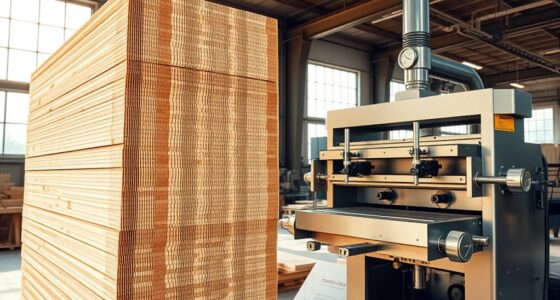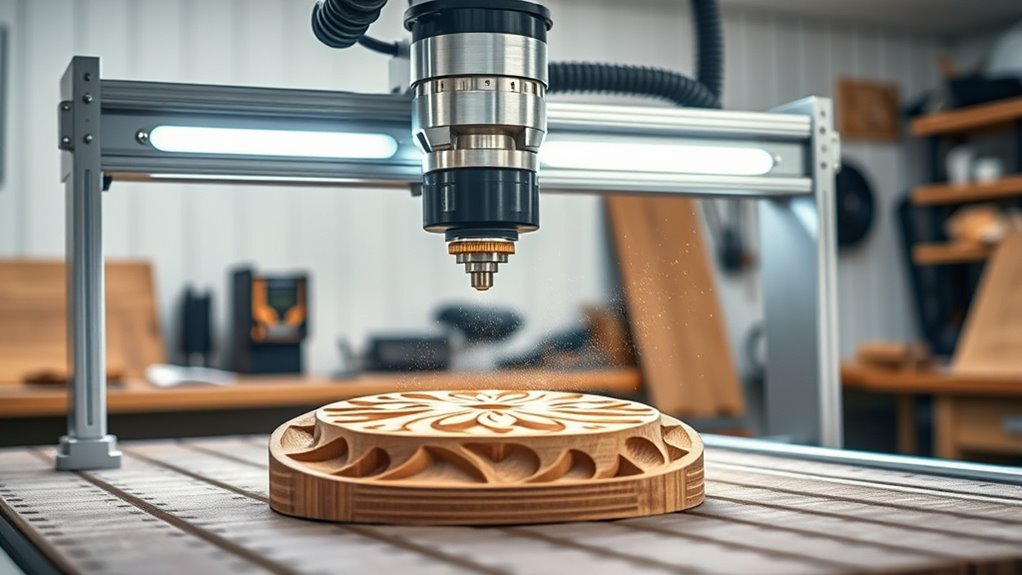

A beginner’s guide to CNC routers for precision woodworking shows you how these machines help you create detailed and accurate designs effortlessly. They allow you to cut and carve with consistency, reducing errors and material waste. Proper calibration and tool selection are key to achieving perfect results. As you become familiar with machine setup and maintenance, you’ll improve your woodworking projects considerably. Continue exploring, and you’ll discover the tips to master your CNC router skills effectively.
Key Takeaways
- Understand the importance of regular machine calibration to ensure precise cuts and maintain alignment.
- Choose the right tools, like end mills or ball nose cutters, based on your woodworking project and material.
- Properly set and test spindle speeds and feed rates to optimize tool performance and surface finish.
- Properly align and secure your workpiece to prevent inaccuracies during cutting.
- Follow safety guidelines and start with simple projects to build skills and confidence in CNC woodworking.

If you’re new to CNC routers, getting started might seem overwhelming, but understanding the basics can make the process much easier. One of the first steps is verifying your machine is properly calibrated. Machine calibration is essential because it guarantees that your CNC router moves accurately along the X, Y, and Z axes. If your machine isn’t calibrated correctly, your cuts could be off, leading to wasted material and frustrating mistakes. To calibrate your CNC router, start by checking the machine’s stepper motors and verifying they move precisely according to the control software’s instructions. You’ll want to confirm that the machine’s home position is accurate and that the axes are aligned properly. Regular calibration checks, especially after transporting or significant use, help maintain precision and prevent errors in your projects. Proper alignment of your machine components is also vital for achieving consistent results.
Proper calibration ensures accurate cuts and prevents costly mistakes in your CNC projects.
Another key aspect of setting up your CNC router is tool selection. Choosing the right tool for your project makes a significant difference in the quality of your work. For woodworking, common tools include end mills and ball nose cutters, each suited for different tasks. For example, a 1/4-inch straight bit works well for general cuts and engraving, while a larger diameter might be better for removing material quickly. When selecting tools, consider the material you’re working with and the detail level you need. Cheaper tools may save you money upfront but can dull quickly or produce rougher cuts, so investing in quality bits often pays off in better results. Additionally, ensure your tools are compatible with your CNC machine’s collet size and that you have the correct speeds and feeds set in your software for each tool type.
Proper tool selection also involves understanding the kind of cut you want—whether it’s a rough cut to remove bulk material or a fine finish for detailed work. Always start with the manufacturer’s recommended speeds and feeds, and do test runs on scrap material before committing to your final piece. This way, you can fine-tune your settings and avoid damaging your tools or workpiece.
Getting both machine calibration and tool selection right forms the foundation of successful CNC woodworking. When your machine moves exactly as it should and your tools are appropriate for your specific project, you’ll find the process becomes smoother and more predictable. Over time, as you gain experience, you’ll develop a sense for fine-tuning these aspects to get perfect results consistently. Remember, patience and attention to detail in these initial steps save you time and resources in the long run, helping you create precise, professional-looking wood projects with confidence.

FoxAlien Masuter Pro 3-Axis CNC Router Machine, Beginner Hobby Engraving Machine All-Metal Structure for Wood Acrylic MDF Nylon Routing Milling Carving
All-Aluminum Structure & Enhanced Stability: Engineered with an all-metal framework and linear rail Z-axis, the FoxAlien Masuter Pro…
As an affiliate, we earn on qualifying purchases.
As an affiliate, we earn on qualifying purchases.
Frequently Asked Questions
What Is the Average Cost of a Beginner CNC Router?
A beginner CNC router typically costs between $1,000 and $3,000. If you’re on a tight budget, look into budget options from brands like Genmitsu or X-Carve, which offer affordable entry-level models. For better quality and features, compare brands like Shapeoko or Axiom, but be prepared to spend around $2,000 to $3,000. Your choice depends on your project needs and how much you’re willing to invest initially.
How Long Does It Take to Learn CNC Router Operation?
It typically takes a few weeks to a few months to become comfortable operating a CNC router, depending on your learning curve and dedication. During this time, you’ll develop essential skills like software programming, machine setup, and troubleshooting. Consistent practice accelerates your skill development, helping you understand the machine’s capabilities and limitations. With patience and hands-on experience, you’ll soon be able to produce precise, professional-quality woodworking projects.
Can CNC Routers Be Used for Materials Other Than Wood?
Did you know CNC routers can cut over 30 different materials? Yes, they’re versatile tools. You can use them for substitute materials like plastics, foams, aluminum, and composites. Just keep in mind, material compatibility varies; some require different bits or settings. Always double-check your CNC router’s specifications and adjust your approach accordingly to guarantee clean cuts and avoid damage. This versatility makes CNC routers valuable for a wide range of projects beyond wood.
What Safety Precautions Are Necessary When Operating a CNC Router?
When operating a CNC router, you should always wear safety gear like goggles, ear protection, and dust masks to protect yourself. Before starting, familiarize yourself with emergency procedures, such as how to quickly shut off the machine. Keep your workspace clean, avoid loose clothing, and stay alert. Taking these precautions minimizes risks and guarantees safe, efficient operation of your CNC router, helping you create precise projects without accidents.
How Do I Troubleshoot Common Issues With CNC Routers?
When troubleshooting CNC router issues, start by checking software calibration to make sure your machine’s movements align correctly. If you notice inconsistent cuts, inspect the spindle for problems like overheating or unusual noise, which could indicate a need for maintenance or replacement. Also, verify connections and settings in your control software. Regularly updating software and performing calibration checks helps prevent and resolve common issues effectively.
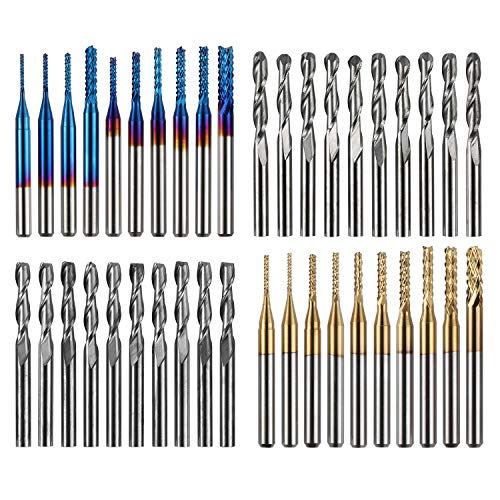
Genmitsu 40pcs End Mills CNC Router Bits, 1/8" Shank CNC Cutter Milling Carving Bit Set Including 2-Flute Flat Nose & Ball Nose, Nano Blue Coat & Titanium Coat, MC40A
High Quality: The Genmitsu end mills are made of ultra-fine 0.2μm tungsten carbide steel alloy that can keep…
As an affiliate, we earn on qualifying purchases.
As an affiliate, we earn on qualifying purchases.
Conclusion
As you begin your journey with CNC routers, remember they’re more than tools—they’re your compass in the vast forest of woodworking. With patience and practice, you’ll learn to navigate complexities and release your creative spirit. Each carved detail symbolizes your growth, transforming raw material into art. Embrace this new chapter, knowing that with every project, you’re planting seeds of mastery. Your precision and passion will bloom, guiding you toward craftsmanship that stands the test of time.

AltitudeCraft Precise Mill and Lathe Tramming System, Dual 0.001 Inch Dial Indicators, 1/4 Inch Shank CNC Router Calibration Tool for Mini Mills and Spindle Squaring, Protective Case Included
Mirror Surface Quality: Eliminates ridges and tool marks on your spoilboard by ensuring precise spindle squaring for a…
As an affiliate, we earn on qualifying purchases.
As an affiliate, we earn on qualifying purchases.

EANOSIC 5PCS CNC Wood Carving Router Bits Set, 1/4'' Shank, 15° Detail Carving Liner+ 20° Profile bit+30°+60°+ 90° V Groove Router Bit Set
Industrial-Grade CNC V Groove Bit Set: 1/4" shank; 2-1/2" total length; MAX R.P.M. 24000.
As an affiliate, we earn on qualifying purchases.
As an affiliate, we earn on qualifying purchases.