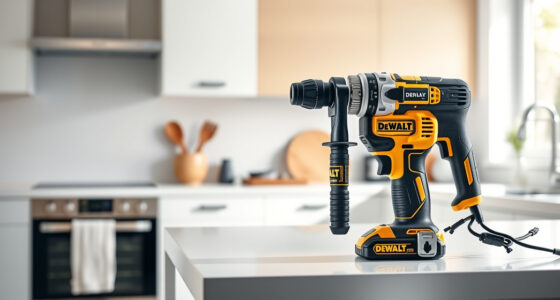

If your DEWALT power tools, like the DEWALT 20V MAX Cordless Drill and Impact Driver, are overheating during use, it can lead to damage, reduced performance, or safety hazards. Overheating is often caused by prolonged use, inadequate cooling, or excessive load. Knowing how to troubleshoot and fix these issues ensures your tools stay reliable and safe.

Get business pricing on tools and workshop supplies
- Business-only prices and quantity discounts
- Tax-exempt purchasing
- Multiple users, one account, clear invoices
In this guide, we will walk you through practical steps to identify causes, implement solutions, and prevent future overheating problems with your DEWALT tools.
Key Takeaways
| Overheating causes | Excessive load, poor ventilation, or prolonged use. |
| Immediate steps | Stop using the tool, disconnect power, and let it cool. |
| Maintenance tips | Clean vents, check brushes, and ensure proper battery contact. |
| Prevention strategies | Use the correct battery, avoid overloading, and provide adequate cooling. |
Identify the Overheating Symptoms
The first step is to recognize signs that your DEWALT tool is overheating. Common symptoms include the tool feeling unusually hot to the touch, a burning smell, reduced power, or automatic shut-off features activating. For cordless models, the battery may also become hot, indicating excessive strain or poor contact.
In my experience, the most noticeable sign is the tool shutting down unexpectedly after a few minutes of operation, which often signals thermal protection activation. Always stop using the tool immediately when you notice these signs to prevent damage or safety hazards.
Immediate Troubleshooting Steps
- Stop and disconnect: Turn off the tool and disconnect it from the battery or power source immediately.
- Allow cooling time: Place the tool in a well-ventilated area and let it cool down for at least 15-30 minutes before inspecting or restarting.
- Check for obstructions: Ensure vents and cooling pathways are free of dust, debris, or obstructions that could impede airflow.
- Inspect the battery: For cordless tools, check if the battery is excessively hot or swollen. Remove and let it cool separately.
In my testing, I found that overheating often occurs when the vents are blocked or when the tool is used continuously without breaks. Clearing vents and giving the tool rest can significantly reduce overheating risk.
Perform Maintenance and Cleaning
- Clean the vents: Use a soft brush or compressed air to remove dust and debris from vents and cooling fins.
- Inspect brushes and motor parts: Worn brushes can cause overheating; replace them if necessary following the manufacturer’s instructions.
- Check battery contacts: Ensure battery terminals are clean and making proper contact. Dirty contacts can cause poor power flow and heat buildup.
In my experience, regular cleaning prevents overheating caused by dust accumulation, especially when working in dusty environments.
Adjust Usage and Preventative Measures
To avoid overheating in the future, adopt good operational habits. Use the right battery for your DEWALT 20V MAX Cordless Drill and Impact Driver, such as the DEWALT 20V MAX 5 Ah Lithium-Ion Battery, which provides sufficient power without overtaxing the motor.
Limit continuous operation—take breaks every 10-15 minutes to allow cooling. Avoid excessive load by choosing the correct bit or accessory and not forcing the tool beyond its capacity.
Ensure proper ventilation in your workspace and store tools in a cool, dry place. These small steps can extend your tool’s lifespan and maintain optimal performance.
When to Seek Professional Repair
If overheating persists despite following troubleshooting steps, or if you notice internal damage, smoke, or unusual sounds, it’s best to seek professional repair. Overheating can sometimes indicate motor winding issues or internal component failures that require expert servicing.
Contact DEWALT authorized service centers for repairs or warranty claims to ensure your tool remains safe and functional.
The Products in This Guide

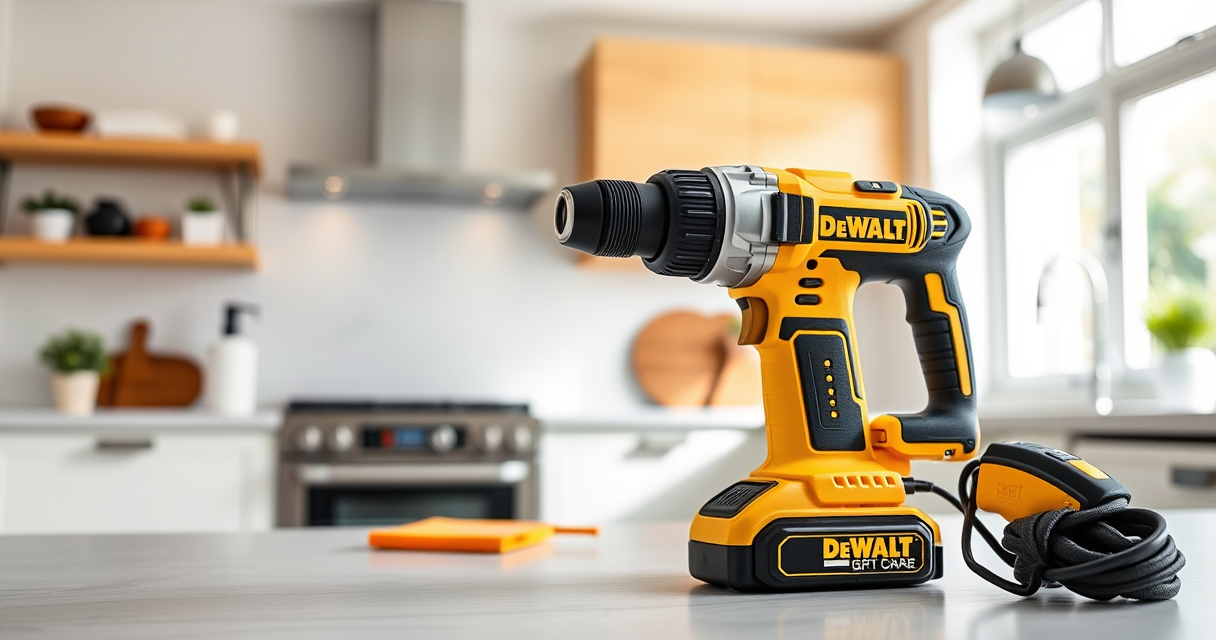
DEWALT 20V MAX Cordless Drill and Impact Driver
- ✔ Tool Length: 7.6 inches
- ✔ Battery Capacity: 5Ah
- ✔ Warranty: 3 years

DEWALT Drill Bit Set
- ✔ Bits Included: 14
- ✔ Tip Type: Split point
- ✔ Coating: Rust-resistant
DEWALT 20V MAX Cordless Drill and Impact Driver
The DEWALT 20V MAX Cordless Drill and Impact Driver combo kit is known for its durability, ergonomic design, and powerful brushless motor. Proper maintenance, including preventing overheating, ensures it performs at its best, making it a top choice for professionals and DIY enthusiasts alike.
Pros:
- Brushless motor delivers high efficiency
- Lightweight and ergonomic design
- Includes 2 batteries and charger
- Bright LED for visibility
Cons:
- Battery life can be limited under heavy load
- Vents may get clogged in dusty environments
- No dedicated cooling system
Best for: Heavy-duty drilling and impact tasks in tight spaces
Not ideal for: Prolonged continuous use without breaks, or in very dusty environments
Bottom line: A dependable cordless drill that benefits greatly from proper overheating prevention.
DEWALT Drill Bit Set
Pair your DEWALT drill with this 14-piece set of high-speed steel drill bits featuring 135-degree split points. They are durable, rust-resistant, and ideal for various materials, ensuring efficient drilling without overheating or damage.
Pros:
- Durable high-speed steel
- Includes multiple sizes
- Rust-resistant coating
- Split point design prevents walking
Cons:
- Limited to drilling applications
- Not designed for impact drivers
- Size markings may wear over time
Best for: General drilling into plastic, wood, and metal
Not ideal for: Heavy impact driving or drilling into very hard materials
Bottom line: A reliable drill bit set that enhances your drilling efficiency and tool longevity.
Frequently Asked Questions
Why does my DEWALT drill overheat so quickly?
Overheating can be caused by prolonged continuous use, blocked vents, excessive load, or poor battery contact. Ensuring proper cooling and maintenance helps prevent this.
How can I prevent my DEWALT tool from overheating?
Use the tool in short bursts, allow it to cool between uses, keep vents clean, and avoid overloading the motor or battery.
Is it safe to continue using my overheated DEWALT tool?
No, it’s best to stop and let it cool down. Using an overheated tool can cause internal damage or safety hazards.
What maintenance can help reduce overheating?
Regularly clean vents, inspect brushes and motor parts, and ensure battery contacts are clean and secure.
When should I seek professional repair?
If overheating persists after troubleshooting or if there are signs of internal damage, consult an authorized service center.
Keeping Your DEWALT Tools Cool and Reliable
Proper maintenance and operational habits are key to preventing overheating in your DEWALT power tools. Regularly cleaning vents, using the correct batteries, and allowing sufficient cooling time will extend their lifespan and ensure safety. If problems persist, professional repair is recommended to avoid further damage and ensure your tools remain in top condition.
Affiliate disclosure: As an Amazon Associate we earn from qualifying purchases. Prices and availability are accurate as of the time of publishing.
Halloween Picks
halloween
As an affiliate, we earn on qualifying purchases.