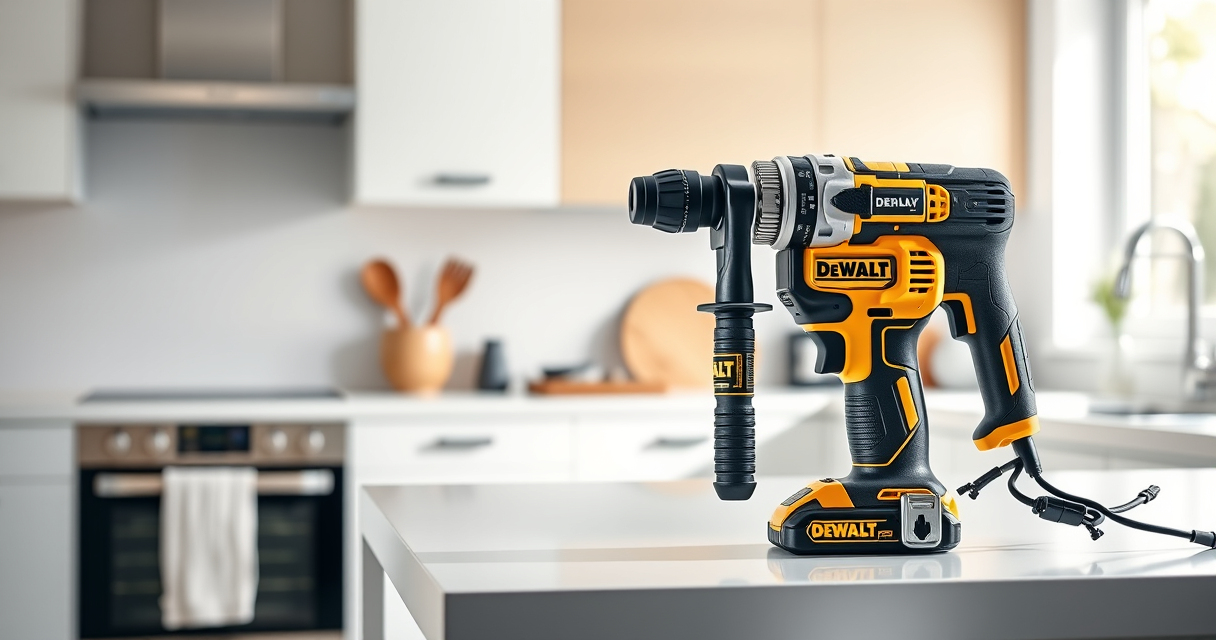

Keeping your DEWALT 20V MAX Cordless Drill Driver Set in top condition is essential for ensuring reliable performance on every project. Proper maintenance and troubleshooting can help you resolve common issues quickly, prolong the life of your tool, and maintain safety during use. This guide provides clear, step-by-step instructions for troubleshooting and caring for your DEWALT drill, so you can get back to work with confidence.

Get business pricing on tools and workshop supplies
- Business-only prices and quantity discounts
- Tax-exempt purchasing
- Multiple users, one account, clear invoices
Whether you’re experiencing reduced battery life, difficulty in operation, or mechanical issues, these practical tips will help you identify, troubleshoot, and resolve typical problems safely and effectively.
Key Takeaways
| Battery Efficiency | Use the recommended batteries and keep them charged for consistent power. |
| Tool Maintenance | Clean and inspect your drill regularly to ensure optimal performance. |
| Troubleshooting Basics | Identify common issues like battery problems or chuck slippage with step-by-step checks. |
| Safety First | Always disconnect power before performing any maintenance or repairs. |
| Extended Longevity | Follow proper care routines to prolong your drill’s lifespan. |
Initial Inspection and Basic Troubleshooting
- Power Check: Ensure the battery is properly seated and charged. Remove and reinsert the battery, then test with another compatible battery if available.
- Battery Health: Use the LED indicator on the battery to verify charge status. Replace batteries showing low charge or signs of damage.
- Trigger Function: Press the trigger to see if the LED light turns on. If not, check for debris or obstructions around the trigger mechanism.
- Chuck and Bit Inspection: Remove the drill bit and inspect the chuck for debris or damage. Clean with a brush and lubricate if needed.
Cleaning and Regular Maintenance
- Clean the exterior of the drill with a dry cloth regularly to remove dust and debris.
- Lubricate the chuck periodically with a few drops of light machine oil to ensure smooth operation.
- Inspect the vents and air intake areas for dust buildup and clean gently with compressed air.
- Store the drill in a dry, cool place to prevent rust and corrosion.
Addressing Battery and Power Issues
If your drill is not powering on or the runtime is reduced, focus on your batteries first:
- Check the battery’s charge level using the LED fuel gauges.
- Use a compatible DEWALT charger and ensure it is functioning correctly.
- Try a different battery to determine if the issue is battery-related.
- If the battery does not hold a charge after multiple charges, replace it with a new one.
Mechanical Troubleshooting
- Slipping Chuck: Tighten the chuck or replace if it is worn out. Use the correct size and type of bits.
- Overheating: Allow the drill to cool down after prolonged use. Check for debris blocking the vents.
- Reduced Power: Check for worn brushes or internal motor issues. If experienced, consider professional repair or replacement.
Safety Tips and Warnings
- Always disconnect the battery before cleaning, inspecting, or repairing your drill.
- Wear safety goggles and gloves when cleaning or repairing the tool.
- Do not operate the drill if it shows signs of damage or malfunction.
- Use only manufacturer-approved batteries and parts for repairs.
The Products in This Guide

DEWALT 20V MAX Cordless Drill Driver Set
- ✔ Max Torque: 340 UWO
- ✔ Battery Capacity: 2.0 Ah
- ✔ Tool Length: 7.6 inches

DEWALT Drill Bit Set
- ✔ Pieces: 14
- ✔ Tip Type: Split point
- ✔ Coating: Black and gold
DEWALT 20V MAX Cordless Drill Driver Set
The DEWALT 20V MAX Cordless Drill Driver Set offers a reliable, brushless motor that delivers more run time and power. Its compact design makes it ideal for tight spaces, and the LED light enhances visibility. Regular care and troubleshooting ensure this tool remains a dependable part of your toolkit.
Pros:
- Brushless motor for efficiency
- Lightweight and compact design
- Includes 2.0 Ah battery and charger
- LED work light with delay
Cons:
- Battery life may vary with heavy use
- Chuck may loosen over time
- Limited to 2-speed settings
Best for: General-purpose drilling and fastening in tight or hard-to-reach areas
Not ideal for: Heavy-duty industrial applications requiring more torque
Bottom line: A versatile, reliable drill suited for a wide range of DIY and professional tasks.
DEWALT Drill Bit Set
Pair your DEWALT drill with this 14-piece drill bit set, designed for versatility and durability. The high-speed steel bits with 135° split points and tapered web design handle various materials with ease, making your projects smoother and more efficient.
Pros:
- High-speed steel for durability
- Split point design reduces walking
- Includes multiple sizes
- Rust-resistant coating
Cons:
- Requires careful handling to prevent breakage
- Limited to drilling applications
- No carrying case included
Best for: General-purpose drilling in plastic, wood, and metal
Not ideal for: Heavy-duty industrial or concrete drilling
Bottom line: An essential drill bit set for versatile, durable drilling tasks.
Frequently Asked Questions
How do I troubleshoot a drill that won’t turn on?
First, check if the battery is properly seated and charged. Inspect the trigger for debris or damage. If the battery is good and the trigger is functioning, test with a different battery or consult a professional for internal motor issues.
What should I do if the battery no longer holds a charge?
Try charging the battery fully and check the LED fuel gauge. If the battery still doesn’t hold a charge after multiple attempts, it may need to be replaced. Use compatible DEWALT batteries to ensure safety and performance.
My chuck is slipping, how can I fix it?
Remove the chuck and clean any debris or dust. Tighten the chuck securely or replace it if worn out. Using the correct size and type of bits can also prevent slippage.
How often should I clean the air vents?
Inspect and clean the vents every few months or more frequently if you notice overheating or reduced performance. Use compressed air to gently remove dust and debris.
Can I use my drill in wet conditions?
No, avoid using your DEWALT drill in wet or damp environments to prevent electrical hazards and damage. Store the tool in a dry place and ensure it is completely dry before use.
Maintaining Your DEWALT for Peak Performance
Proper care and troubleshooting are key to extending the lifespan of your DEWALT 20V MAX Cordless Drill Driver Set. Regular inspections, cleaning, and using quality batteries will ensure your tool remains reliable for all your projects. When issues arise, following the step-by-step troubleshooting guide will help you quickly identify and resolve common problems, keeping your workflow smooth and safe.
Remember, safety first—always disconnect batteries before maintenance, and use genuine parts for repairs. With attentive care, your DEWALT drill will serve you well for years to come.
Affiliate disclosure: As an Amazon Associate we earn from qualifying purchases. Prices and availability are accurate as of the time of publishing.
Fall yard work Picks
leaf blowers
As an affiliate, we earn on qualifying purchases.