Maintaining your DEWALT power tools ensures they perform at their best and last for years. Proper care involves regular cleaning, battery management, and safety checks. In this guide, you’ll find practical, step-by-step instructions to keep your tools in top condition and troubleshoot common issues effectively.
Whether you’re a DIY enthusiast or a professional, understanding how to maintain your DEWALT tools can prevent costly repairs and downtime. Let’s explore how to keep your tools safe, clean, and functioning optimally.
Key Takeaways
| Regular Cleaning | Keep tools free of dust and debris to prevent wear. |
| Battery Maintenance | Proper charging and storage extend battery life. |
| Inspect for Damage | Check cords, switches, and parts regularly for safety. |
| Lubrication | Apply appropriate lubricant to moving parts. |
| Troubleshooting Basics | Identify common issues and fix them promptly. |

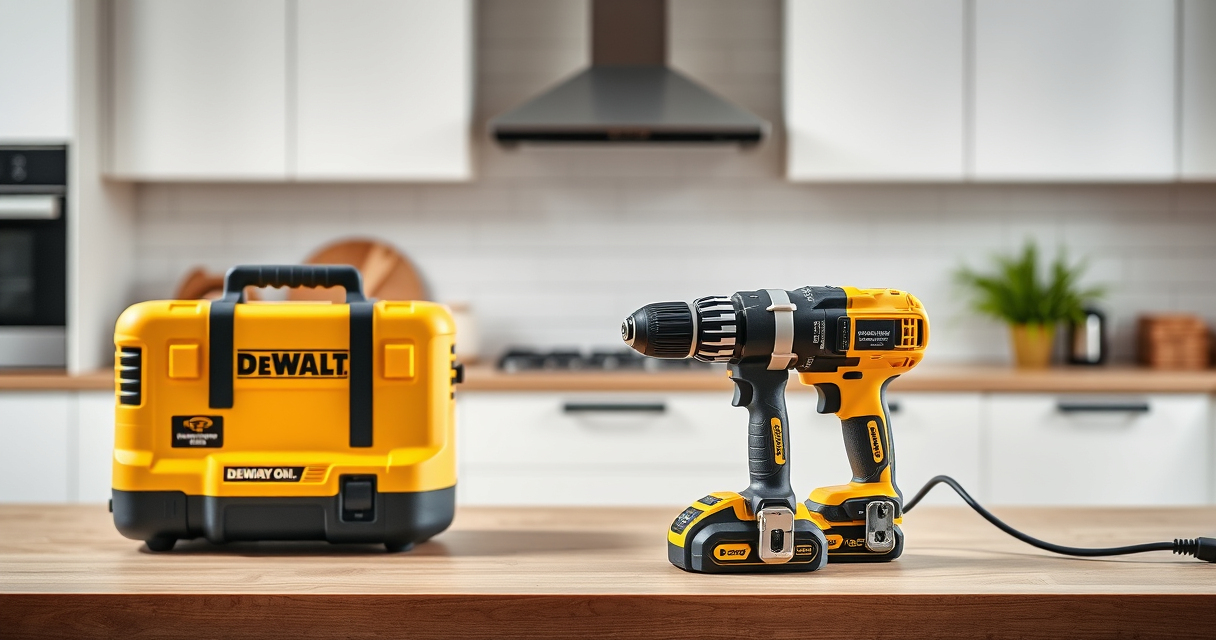
DEWALT 20V MAX Cordless Drill and Impact Driver, Power Drill Brushless 2-Tool Power Tool Combo Kit, Includes 2 Batteries, Charger and Bag (DCK277D2)
- Compact Design: 7.6-inch lightweight and compact
- Ergonomic Grip: Comfortable, balanced control
- Bright LED Light: Illuminates dark work areas
As an affiliate, we earn on qualifying purchases.
Cleaning Your DEWALT Power Tools
- Unplug or remove batteries before cleaning.
- Use a dry brush or compressed air to remove dust and debris from vents and crevices.
- Wipe the exterior with a damp cloth; avoid harsh chemicals.
- Inspect and clean the quick release hex chuck and bit holder.
- Allow the tool to dry completely before storage.
Battery Care and Maintenance
- Charge batteries before first use and avoid overcharging.
- Store batteries in a cool, dry place away from direct sunlight.
- Use the LED indicator to monitor charge status regularly.
- Remove batteries if not in use for extended periods.
- Clean contacts with a dry cloth to ensure good connectivity.
Inspecting and Troubleshooting Common Issues
- Tool not starting: Check battery charge and connections.
- Reduced power: Clean vents and ensure battery is fully charged.
- Unusual noise or vibration: Inspect for damaged bits or loose parts.
- Overheating: Allow the tool to cool down and check for obstructions.
- Bit slipping or chuck issues: Tighten or replace worn-out parts.
Safety Tips for Maintenance
- Always disconnect power or remove batteries before maintenance.
- Wear safety glasses and gloves when cleaning or inspecting.
- Use proper tools and avoid forcing parts during repairs.
- Follow manufacturer instructions for lubrication and part replacement.
- Store tools in a dry, secure location away from children.
The Products in This Guide

DEWALT 20V MAX Cordless Drill and Impact Driver
- ✔ Battery Capacity: 2 x 20V MAX 5Ah
- ✔ Chuck Type: Quick release hex chuck
- ✔ Warranty: 3-year limited

DEWALT Drill Bit Set
- ✔ Number of Bits: 14
- ✔ Intended Materials: Plastic, wood, metal
- ✔ Design: Split point for accuracy
DEWALT 20V MAX Cordless Drill and Impact Driver
The DEWALT 20V MAX Cordless Drill and Impact Driver offers a lightweight, ergonomic design with a bright LED for visibility. Its brushless motor ensures durability and efficiency, making it ideal for various projects. Regular maintenance keeps this tool performing reliably.
Pros:
- Compact and lightweight design
- Brushless motor for longer life
- Bright LED for dark areas
- Includes 2 batteries and charger
Cons:
- Battery life limited during heavy use
- Requires regular cleaning to prevent dust build-up
Best for: Home improvement, DIY projects, light to medium tasks
Not ideal for: Heavy-duty industrial applications
Bottom line: A reliable, compact drill set perfect for versatile tasks and tight spaces.
DEWALT Drill Bit Set
Pairing your DEWALT drill with this 14-piece drill bit set ensures you have the right bit for plastic, wood, and metal. Its durable construction and split point design make drilling easier and more precise.
Pros:
- High-quality HSS material
- Split point reduces walking
- Includes multiple sizes
- Corrosion-resistant black and gold coating
Cons:
- Bits may wear out with heavy use
- Limited to standard drilling tasks
Best for: General drilling projects around the home or workshop
Not ideal for: Heavy industrial or heavy-duty metalworking
Bottom line: A versatile drill bit set that complements your DEWALT drill perfectly.
Frequently Asked Questions
How often should I clean my DEWALT power tools?
Regular cleaning after each use helps prevent dust accumulation and ensures optimal performance. Deep cleaning is recommended monthly for frequent users.
What is the best way to store DEWALT batteries?
Store batteries in a cool, dry place away from direct sunlight, and remove them from the tool if not in use for extended periods to prolong battery life.
Why is my drill not turning on?
Check if the battery is fully charged and properly inserted. Inspect the power switch and wiring for damage. If issues persist, consult a professional or contact DEWALT support.
Can I use any battery with my DEWALT tools?
Only batteries designed for your specific DEWALT system (like 20V MAX) are compatible. Using incompatible batteries can damage the tool or pose safety risks.
Keep Your DEWALT Tools in Prime Condition
Routine maintenance and proper care are essential to keep your DEWALT power tools functioning reliably for years. By following these simple steps for cleaning, battery management, and troubleshooting, you can ensure your tools remain safe, efficient, and ready whenever you need them. Regularly inspecting your equipment also helps catch potential issues early, saving you both time and money in the long run.
Affiliate disclosure: As an Amazon Associate we earn from qualifying purchases. Prices and availability are accurate as of the time of publishing.




![[NC On-Site] “Originality Begins At The Source”… Gaudí Comes Alive In Seoul - 뉴스컬처](https://woodnbits.com/wp-content/uploads/2026/08/nc-on-site-originality-begins-at-the-source-gaud-comes-alive-in-seoul-featured-260x140.jpg)