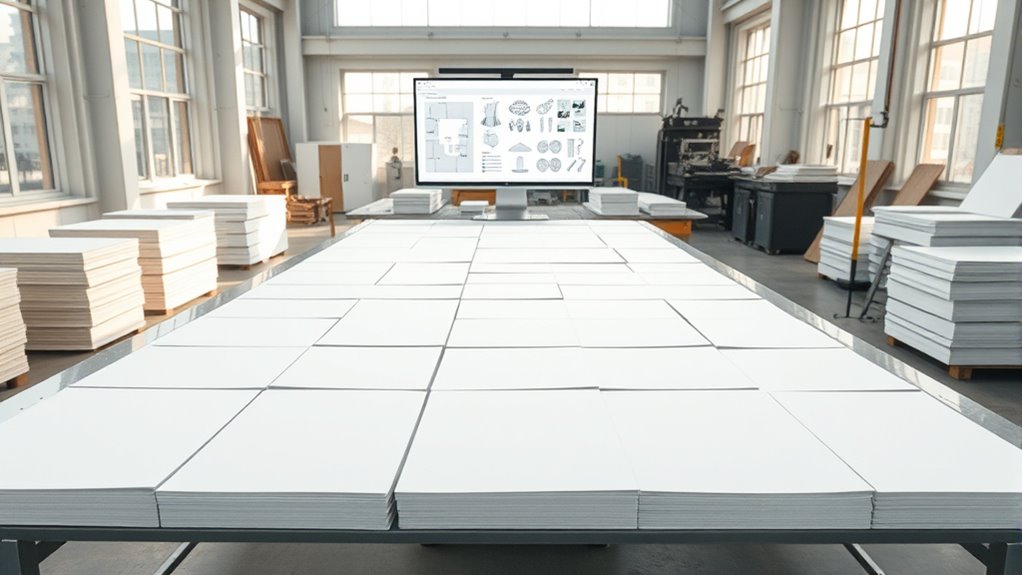

To optimize sheet layouts and reduce waste, focus on arranging parts efficiently using nesting techniques that minimize gaps and unused space. Use software tools or manual methods to tailor patterns to the shape and size of components, considering factors like grain direction. Batch similar parts and experiment with different layouts to find the most efficient arrangement. Continuing so, you’ll discover how advanced strategies can boost material savings and streamline your production process.
Key Takeaways
- Use nesting software to automate part arrangement and maximize sheet utilization.
- Arrange parts to minimize gaps, considering shape, size, and grain direction for efficiency.
- Batch similar parts for grouped cutting, reducing setup times and material waste.
- Experiment with different layouts and slight dimension adjustments to identify the most waste-efficient pattern.
- Standardize part sizes or adopt modular designs to streamline nesting and decrease leftover scraps.
Have you ever wondered how to make the most of your sheet layouts to save time and materials? It’s a common challenge in manufacturing and fabrication, but optimizing your sheet layouts can dramatically improve material efficiency and reduce waste. The key lies in designing effective cutting patterns that maximize every inch of your sheets, ensuring minimal leftover scraps. By carefully planning your layouts, you can cut down on unnecessary material consumption, lower costs, and streamline your production process.
To start, focus on creating smart cutting patterns that utilize the sheet’s full potential. Instead of randomly placing parts, use software tools or manual techniques to arrange your parts in a way that minimizes gaps. These cutting patterns should be optimized for the shape and size of your components, ensuring that each cut contributes to reducing leftover material. Think of it as solving a complex puzzle—each piece needs to fit perfectly with minimal waste. When designing these patterns, consider the grain direction of your material, as this can affect both the strength of your parts and the efficiency of your layout.
Optimize your sheet layouts with smart patterns that minimize gaps and waste, boosting efficiency and material savings.
Another way to enhance material efficiency is by nesting parts closely together, especially when working with irregular shapes or multiple sizes. Nesting involves positioning parts in a way that reduces empty space between them. Advanced nesting software can automate this process, providing highly efficient layouts that may be difficult to achieve manually. These tools analyze your parts and generate cutting patterns that maximize sheet usage while respecting constraints like kerf width and part orientation. Proper nesting not only conserves material but also shortens cutting time, leading to faster production cycles.
In addition to software, consider standardizing your part sizes or designing modular components that can be grouped together efficiently. When possible, batch similar parts or use nested arrangements to cut multiple items in a single run. This approach minimizes setup times and ensures that your sheets are used to their fullest capacity. Keep in mind that sometimes small adjustments to your part dimensions or layout can lead to significant material savings. Even slight shifts in placement can reduce waste, so don’t hesitate to experiment with different patterns before finalizing your design.
Ultimately, consistently applying these principles and techniques will help you develop more efficient cutting patterns tailored to your specific needs. This not only improves material efficiency but also reduces costs and waste. By investing time in planning your sheet layouts carefully, you gain better control over your resource consumption and production efficiency, making your processes more sustainable and economical.

Compatible For Haas Compatible For TRUMPF CNC Fiber Laser Cutting Machine For Sheet Metal, Aluminum, Stainless Steel, Gaskets(Deposit)
This high-precision fiber laser cutting system is engineered for cleanly processing a variety of sheet metals, including stainless…
As an affiliate, we earn on qualifying purchases.
As an affiliate, we earn on qualifying purchases.
Frequently Asked Questions
What Software Tools Are Best for Sheet Layout Optimization?
You should consider software tools like nesting algorithms integrated into CAD software for ideal sheet layout. These tools automatically arrange parts to minimize waste and maximize material usage. Programs like AutoCAD, SigmaNEST, and nesting features in SolidWorks are excellent options. They streamline the process, saving you time and reducing material costs, making your sheet layout more efficient and sustainable.
How Does Material Type Influence Layout Efficiency?
Did you know that choosing the right material can boost layout efficiency by up to 30%? Your material type greatly impacts how you plan cutting patterns; softer or more flexible materials often allow tighter nesting, reducing waste. Material selection influences not only the cutting process but also the final product quality. By understanding these factors, you can optimize sheet layouts, minimize scrap, and save costs effectively.
Can Automation Improve Layout Planning Accuracy?
Yes, automation can considerably improve layout planning accuracy. Automated algorithms analyze sheet dimensions and material constraints, enabling you to optimize layouts with greater precision. This reduces waste and saves time by minimizing manual calculations and trial-and-error adjustments. You’ll find that automation enhances layout precision, ensuring you make the most of every sheet and improve overall efficiency, especially when handling complex or large-scale projects.
What Are Common Mistakes in Sheet Layout Design?
You might be sailing into rough waters if you overlook pattern repetition and grid alignment in sheet layout design. Common mistakes include inconsistent pattern repetition, causing wasted space, and poor grid alignment, which creates jagged, inefficient cuts. These errors can turn your layout from a smooth sail into a stormy sea of waste. Keep patterns consistent and align your grid carefully to chart a course toward ideal material use.
How Do Cost Factors Impact Layout Optimization Strategies?
Cost factors considerably influence your layout optimization strategies. By conducting a thorough cost analysis, you can identify areas where waste is most costly and adjust your sheet layouts accordingly. Proper resource allocation ensures materials are used efficiently, minimizing leftover waste. Balancing material costs, production time, and labor expenses helps you develop layouts that reduce overall costs, improve productivity, and maximize profit margins while maintaining quality standards.

Metric Pattern Cutting for Menswear
Used Book in Good Condition
As an affiliate, we earn on qualifying purchases.
As an affiliate, we earn on qualifying purchases.
Conclusion
By optimizing sheet layouts, you can markedly cut down on material waste and boost efficiency. Did you know that proper layout planning can reduce waste by up to 20%? This not only saves money but also benefits the environment. So, take the time to carefully plan your sheet layouts—small changes can lead to big savings. Implementing these strategies helps you make the most of your materials and stay ahead in your industry.
automated nesting tools for manufacturing
As an affiliate, we earn on qualifying purchases.
As an affiliate, we earn on qualifying purchases.
sheet layout optimization software
As an affiliate, we earn on qualifying purchases.
As an affiliate, we earn on qualifying purchases.